FLUX.2 Pro Result

FLUX.2 Pro AI Image Generator
Black Forest Labs' production model for images and edits: write a prompt, or combine up to 8 reference images, and get a consistent result with no settings to tune.
What is FLUX.2 Pro?
FLUX.2 Pro (written FLUX.2 [pro] by Black Forest Labs) is the production tier of the FLUX.2 family, released on November 25, 2025. Black Forest Labs describes it as "top performance at affordable price" and recommends it for production at scale. It sits between FLUX.2 [flex], which is tuned for typography and exposes steps and guidance, and FLUX.2 [max], the top tier with web-grounded search.
One model handles both jobs. From text alone it generates a new image; give it reference images and it edits or combines them, keeping a face, a product or a style consistent. Under the hood, FLUX.2 pairs a 24B Mistral vision-language model, which brings world knowledge and reads your references, with a rectified flow transformer that handles layout, materials and light. Pro has no inference steps or guidance scale to set; Black Forest Labs keeps those controls for [flex].
On Flux1 AI, FLUX.2 Pro is the default model in the generator above. You need no Black Forest Labs account, API key or GPU. Each image costs 6 credits whether or not you add references, and a failed run is refunded. The examples below are real FLUX.2 Pro outputs from this site, each with the exact prompt that made it.
- Developer
- Black Forest Labs
- Released
- November 25, 2025
- Tier
- Production tier of FLUX.2, between [flex] and [max]
- Modes
- Text-to-image, and image-to-image with references
- Reference images
- Up to 8 per run
- Output on Flux1 AI
- 1K: 1536 × 1024 at 3:2, 1008 × 1344 at 3:4
- Aspect ratios
- 1:1, 4:3, 3:4, 16:9, 9:16, 3:2, 2:3, or match the input
- Typical wait
- About 20 s from text, about 1 min with references
- Cost
- 6 credits per image
What FLUX.2 Pro does well
Combines up to 8 references
Upload a face, a product, a garment and a location, then say what each one is for by number: "the woman from image 2 holding the mug from image 1." FLUX.2 Pro keeps identities and product details intact across the result, which is what ad variants, catalog lifestyle shots and character sheets need. 8 is also the limit on Black Forest Labs' own API.
No settings to tune
Pro has no steps, guidance or sampler options. Black Forest Labs ships it with fixed settings and keeps those controls for [flex], so you spend your time on the prompt and the references instead of on sliders, and a prompt that worked once keeps working the same way.
Readable text and exact colors
Put headline copy in quotes and say where it goes, and FLUX.2 Pro sets it cleanly; the poster below came out with both lines spelled right on the first run. Brand colors written as hex codes, such as #1F5F7A, are matched rather than approximated.
Photoreal light and materials
Skin texture, ceramic glaze, linen weave and window light read like a photograph. Describe the shot the way a photographer would, with the light direction, lens and depth of field, and Pro follows it closely, which makes it a strong fit for product and lifestyle images.
Real FLUX.2 Pro outputs
Generated on this site at 1K with FLUX.2 Pro. Nothing was retouched; the prompt under each image is exactly what was sent.
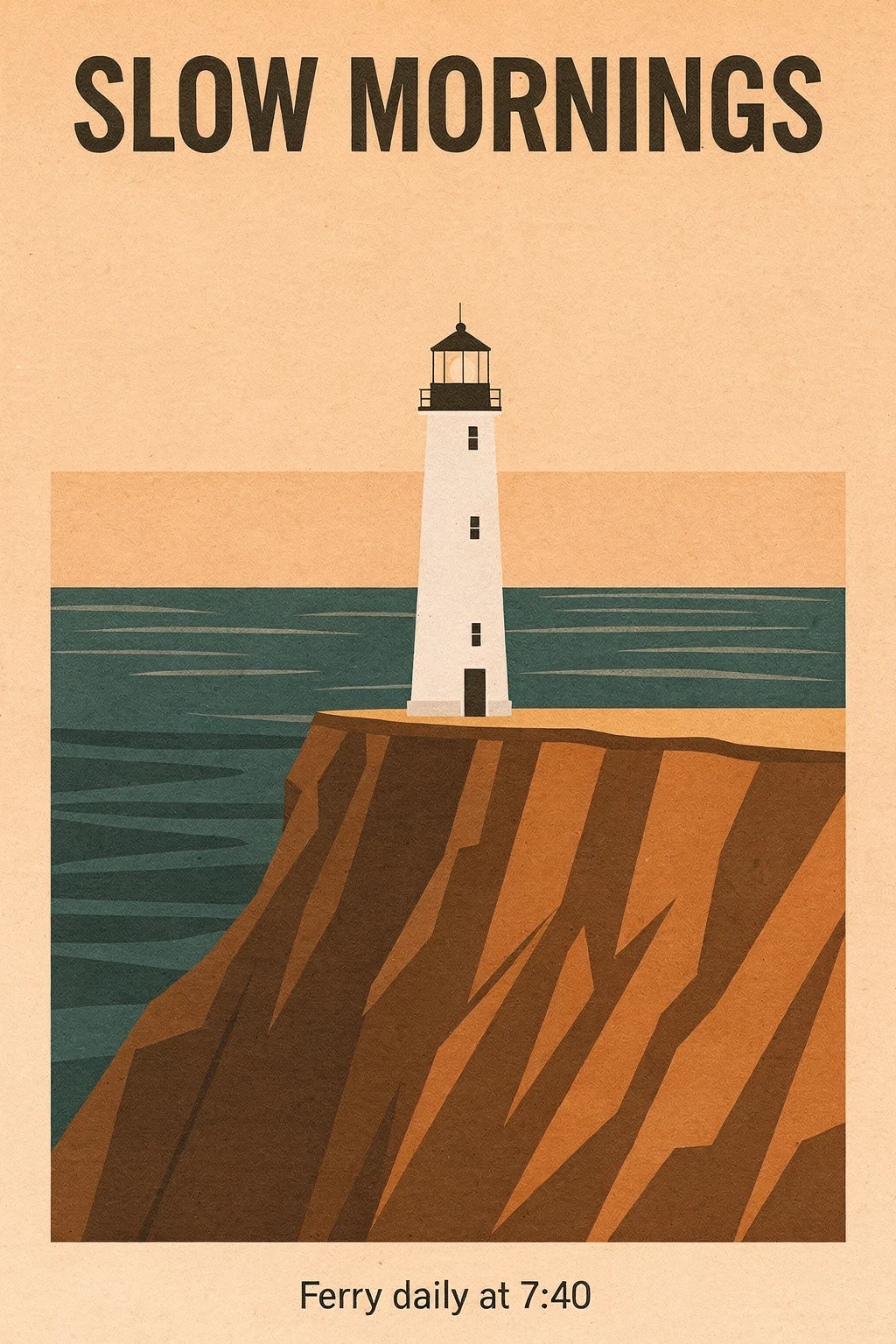
Poster with exact text and colors
Text-to-image. The headline and the ferry line are spelled exactly as quoted, and the palette follows the four hex codes.
Prompt · Text-to-image · 2:3: Minimal travel poster for a coastal town. A white lighthouse on a cliff above a calm sea at dawn, flat screen-print style with soft grain. Large headline at the top in a bold condensed serif: "SLOW MORNINGS". Small line at the bottom: "Ferry daily at 7:40". Palette: sea #1F5F7A, sky #F2D7B6, cliff #C4683F, text #1B1B1B.
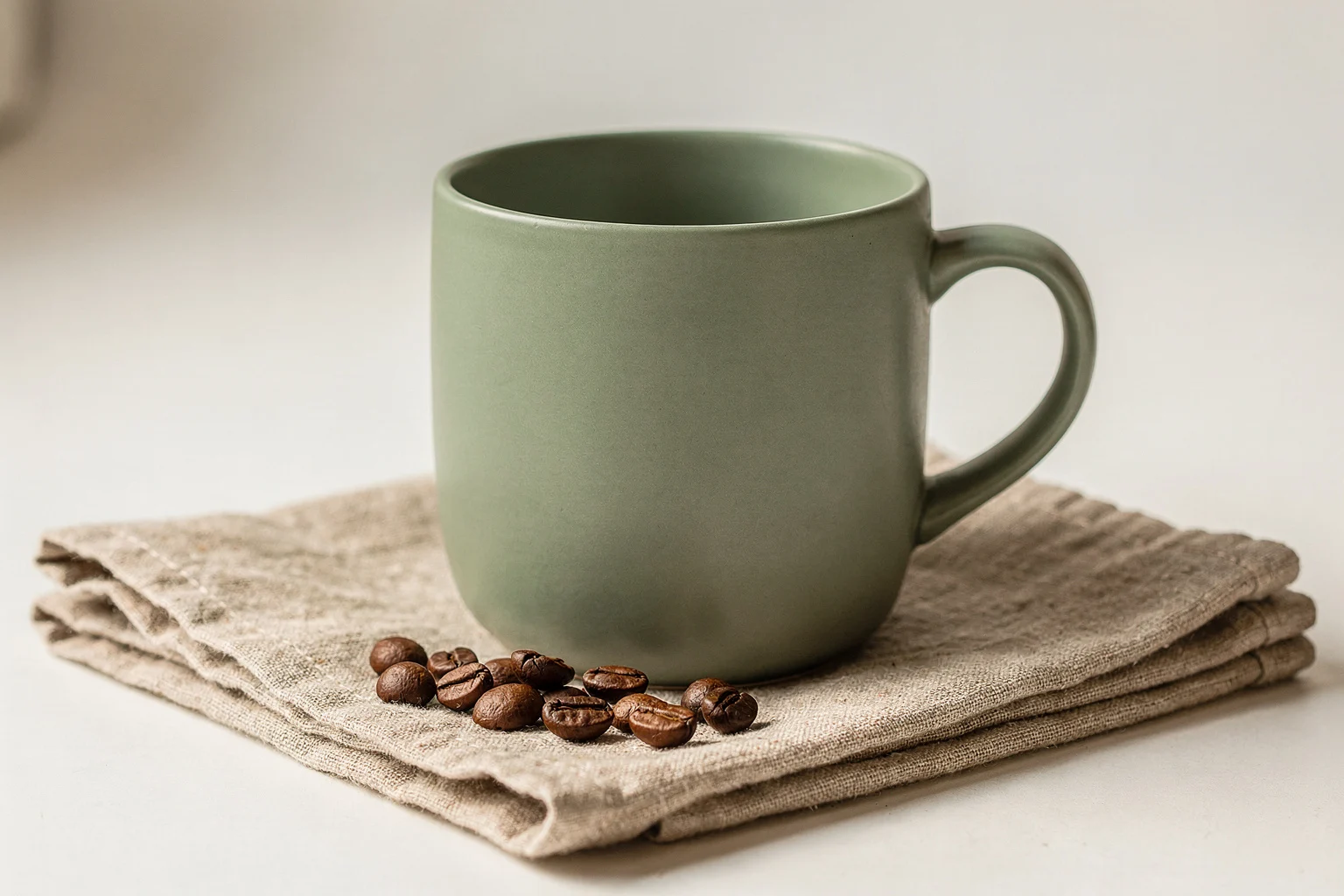
Catalog product photo
Text-to-image. A clean e-commerce shot with soft directional light. This mug became reference image 1 for the next example.
Prompt · Text-to-image · 3:2: Studio product photo of a matte sage-green ceramic coffee mug on a folded oatmeal linen napkin, a few coffee beans beside it, soft window light from the left, shallow depth of field, clean warm-white background, 50mm lens, e-commerce catalog style.
Two references, one scene
Image-to-image with two references: the mug (image 1, shown in the corner) and a portrait made with FLUX.2 Pro (image 2). Face, hair, sweater and mug carry over into a new scene.
Prompt · 2 references · 4:3: The woman from image 2 sits at a small wooden cafe table and holds the mug from image 1 with both hands. Keep her face, hair and sweater the same, and keep the mug's color and shape. Morning light through a large window, blurred street outside, candid lifestyle photo.
How to use FLUX.2 Pro
- 1
Lead with the subject
Black Forest Labs recommends ordering a prompt by importance: subject first, then action, style and context. Quote any text that must appear and write brand colors as hex codes.
- 2
Add references and number them
Upload up to 8 images. They are numbered in upload order, so refer to them as image 1, image 2 and so on, and give each one a job: the person, the product, the background, the style.
- 3
Pick a ratio
Choose one of seven aspect ratios, or Match Input to follow your first reference. Match Input needs at least one reference; without one the image comes out square.
- 4
Iterate on one thing at a time
Change one part of the prompt per run, or upload a result you like as a new reference and describe only what should change. Every run lands in your history, so you can compare versions.
FLUX.2 Pro prompt tips
FLUX.2 Pro follows what you describe, not what you forbid. FLUX.2 does not support negative prompts, and writing "no X" can add the very thing you tried to exclude.
FLUX.2 Pro vs Flex, Kontext, Nano Banana Pro and GPT Image 2
All of these run on the same credit balance in the generator above, so you can try one prompt on several models.
| Model | Best for | References | Credits / image |
|---|---|---|---|
| FLUX.2 Pro | Photoreal images, readable text, combining several references | Up to 8 | 6 |
| FLUX.2 Flex | Small text and fine detail, custom pixel sizes | Up to 8 | 14 |
| FLUX.1 Kontext Pro | One targeted change to one photo | 1 | 6 |
| Nano Banana Pro | Conversational edits and 2K–4K output | Yes | 14–28 |
| GPT Image 2 | Dense text, layouts and long instructions | Yes | 12 |
FLUX.2 Pro vs FLUX.2 Flex
Both come from the same FLUX.2 family. Black Forest Labs tunes [flex] for typography and small details and lets API users set steps and guidance; this site runs it at its defaults but adds a custom width and height of up to 2048 px a side. Flex costs 14 credits against 6 for Pro. Use Flex for small print or an exact pixel size, and Pro for everything else.
FLUX.2 Pro vs Nano Banana Pro
Nano Banana Pro from Google outputs 2K or 4K and is good at back-and-forth edits, at 14–28 credits per image. FLUX.2 Pro renders at 1K here for 6 credits, so it is the cheaper way to explore drafts, product variations and social images. Settle the idea on FLUX.2 Pro, then switch when you need the bigger file.
FLUX.2 Pro pricing
One flat price per image, shown before you press Generate.
| Run | What you get | Credits |
|---|---|---|
| Text-to-image | One 1K image from a prompt | 6 |
| With references | One 1K image from a prompt plus up to 8 reference images; references add nothing | 6 |
| Failed run | Upstream error or content-filter block, refunded automatically | 0 |
| Example | 10 product variations for an A/B test | 60 |
How far a monthly plan goes on FLUX.2 Pro
Basic · 300 credits/mo
≈ 50 FLUX.2 Pro images
Pro · 800 credits/mo
≈ 133 FLUX.2 Pro images
Max · 2000 credits/mo
≈ 333 FLUX.2 Pro images
Credits are shared by every image and video model on the site. New accounts get 10 free credits, enough for a few FLUX.2 Pro runs.
Good to know before you start
1K output
Black Forest Labs' API can render FLUX.2 Pro at up to 4 megapixels. This site renders at 1K, about 1,000 px on the short side (1536 × 1024 at 3:2). For print sizes, run the result through the AI image upscaler.
Edits fail more often than text-only runs
Over the last 30 days about 9 in 10 FLUX.2 Pro text-to-image runs succeeded here, against about 3 in 4 with references. Most failures were upstream errors or content-filter blocks. A failed run costs nothing; try again, or remove a reference.
Waits vary
Text-only runs usually finish in about 20 seconds and runs with references in about a minute, but busy moments can stretch one past a minute and a half. You can leave the page; the result is saved to your history.
Fewer controls than the API
There is no seed, safety-tolerance, output-format or prompt-upsampling setting here. Black Forest Labs also ships its newest improvements to a separate flux-2-pro-preview endpoint first, and we can't promise that our provider serves those preview weights.
No web search
Grounding search, which looks up current events or products on the web, belongs to FLUX.2 [max] and is not offered here. Write the facts you need into the prompt, or upload a reference image.
Content rules apply
Explicit sexual content is not supported. Prompts and reference images are screened before a run, and a blocked run is not charged.
FLUX.2 Pro FAQ
Can I use FLUX.2 Pro for free?
New accounts get 10 free credits, and FLUX.2 Pro costs 6 credits per image, so you can try it before paying. After that, credits come with any Flux1 AI plan and work on every model here. Failed runs are refunded automatically.
What resolution does FLUX.2 Pro output?
On Flux1 AI, 1K: about 1,000 px on the short side, for example 1536 × 1024 at 3:2 or 1008 × 1344 at 3:4, one image per run. Black Forest Labs' API goes up to 4 megapixels. If you need a larger file, upscale the result with the AI image upscaler.
How many reference images can FLUX.2 Pro use?
Up to 8 per run here, the same limit as Black Forest Labs' API; their own playground allows 10. Refer to them in the prompt by number (image 1, image 2, …) in upload order.
What is the difference between FLUX.2 Pro and FLUX.2 Flex?
Pro is the general-purpose production model at 6 credits. Flex is tuned for typography and small details and costs 14 credits; on this site it also takes a custom width and height. Both accept up to 8 references. See the FLUX.2 overview for Dev and Klein as well.
What is the difference between FLUX.2 Pro and FLUX.2 Max?
FLUX.2 [max] is Black Forest Labs' top tier: the highest editing consistency and prompt following, plus grounding search that can look things up on the web. It is not offered on Flux1 AI. For most product, social and poster work, Pro is the practical choice.
Is there a FLUX.2 Pro API?
Yes, from Black Forest Labs, with a pinned flux-2-pro endpoint and a flux-2-pro-preview endpoint that gets their latest improvements first. It is also resold by providers such as fal and Replicate. The Flux1 AI API does not offer FLUX.2 Pro today, so on this site you use it in the browser.
Can I download FLUX.2 Pro and run it locally?
No. FLUX.2 Pro is only available through APIs and hosted apps; its weights are not released. The open models in the family are FLUX.2 [dev], 32B under a non-commercial license, and FLUX.2 [klein] 4B under Apache 2.0. You can try both online on the FLUX.2 Dev and FLUX.2 Klein pages.
Does FLUX.2 Pro allow NSFW images?
No. Explicit sexual content is not supported on Flux1 AI, and prompts and reference images are screened before a run; blocked runs are not charged. Black Forest Labs also adds C2PA metadata to FLUX.2 Pro images from its API to mark them as AI-generated.
Try FLUX.2 Pro
Write a prompt or upload up to 8 references, and get a FLUX.2 Pro image for 6 credits.