
GPT Image 2.5 生成结果
GPT Image 2.5 AI 图像生成器
OpenAI 最新图像双版本模型:日常快速出图选 Flare,精准编辑选 Sunburst。清晰文字渲染,最多支持 14 张参考图,最高可输出 4K 分辨率。
什么是 GPT Image 2.5?
GPT Image 2.5 is OpenAI's image generation and editing model, released on September 8, 2026. In ChatGPT it is called ChatGPT Images 2.5. For developers, OpenAI ships it as two models: GPT-Image-2.5 Flare, the fast default, and GPT-Image-2.5 Sunburst, which adds precision for detailed work at the cost of longer generation times.
In OpenAI's announcement, the gains are about control: sharper details, more natural light and texture, reference subjects that stay recognizable, and edits that change only what you asked, across several rounds. OpenAI also cites up to 50% lower latency than Images 2.0.
On Flux1 AI you use both versions in the browser, with no OpenAI account or API key, on the same credits as 40+ other models. Run one brief through GPT Image 2, Nano Banana Pro or Seedream 5.0 Pro and keep the best result.
- 开发者
- OpenAI
- 发布时间
- September 8, 2026
- Versions
- Flare (faster) and Sunburst (more precise), same price
- 参考图像
- 每次最多 14 张, at no extra cost
- Flux1 AI 输出规格
- 1K, 2K or 4K, one image per run
- 画面比例
- Auto, 1:1, 16:9, 9:16, 4:3, 3:4, 3:2, 2:3, 5:4, 4:5, 21:9
- 典型耗时
- 30–60 s
- 点数资费
- 12 (1K), 16 (2K) or 24 (4K) credits
GPT Image 2.5 features
What changed in 2.5, and what it means for the images you use.
Edits that change only what you ask
OpenAI's main claim for 2.5 is precision: swap a product, background or line of copy, and the subject, composition and branding around it stay put. Earlier changes hold as you keep editing, so reuse a result and ask for one change at a time.
Reference photos that stay recognizable
Upload up to 14 images. Faces, products and distinctive features carry into new settings and styles more reliably. Give each image a job and refer to it by number; the first is treated as the main subject.
Text, layouts and real-world content
Posters, labels, infographics and slides come out with readable type and a clear hierarchy. Quote every word you need and add "no other text": in our own runs the model sometimes filled empty space with phrases nobody asked for.
Natural light, texture and up to 4K
Light, reflections and materials look photographed rather than rendered. Choose 1K, 2K or 4K and one of eleven ratio options, from 9:16 stories to 21:9 banners, or let Auto pick the framing.
Flare or Sunburst?
Both are GPT Image 2.5, and the names are OpenAI's. Here they cost the same, so you choose speed or precision.
Flare
Faster, for everyday images
- OpenAI's default, at about half the latency of GPT Image 2
- Drafts, idea exploration and batches
- Social posts, blog art, posters and illustrations
Sunburst
More precise, for finished work
- OpenAI's most capable image model, with longer generation times
- Product shots, ad creatives and campaign visuals
- Retouching that must keep faces, logos and layouts intact
- Dense text and infographics
Not sure? Draft in Flare, then run the final version in Sunburst.
GPT Image 2.5 examples with prompts
Six unedited results from this generator, each shown with its version, size and exact prompt.
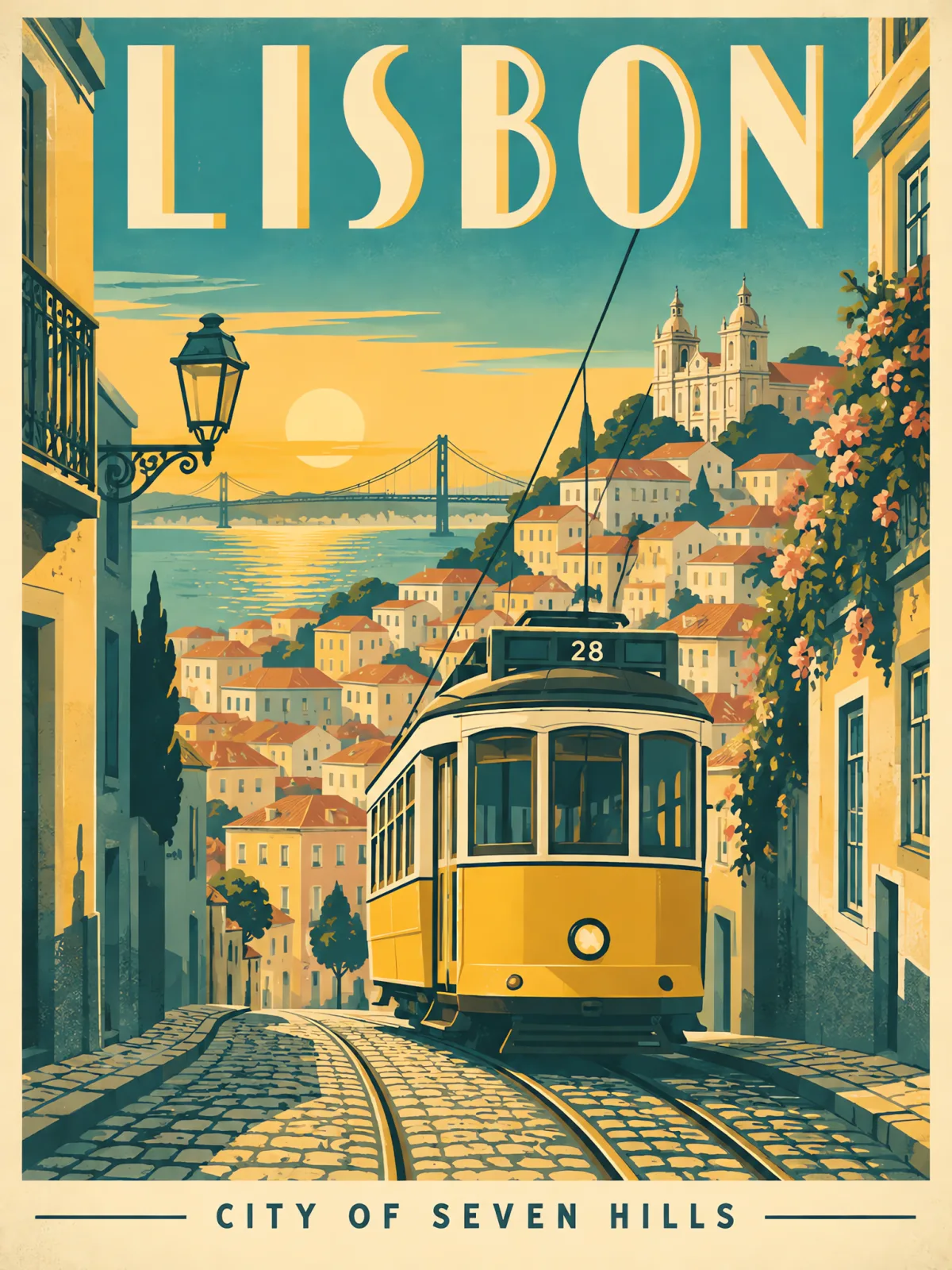
Poster typography
Both lines are spelled correctly and sit where the prompt put them: "LISBON" in tall Art Deco letters, "CITY OF SEVEN HILLS" in small caps below. The screen-print look keeps to the three-color palette.
Prompt · Flare · 2K: A vintage travel poster that reads 'LISBON' in large Art Deco letters at the top and 'CITY OF SEVEN HILLS' in small caps at the bottom. A yellow tram climbs a steep cobblestone street toward a pastel skyline at golden hour. Flat screen-print style, limited palette of teal, mustard and cream, subtle paper grain.
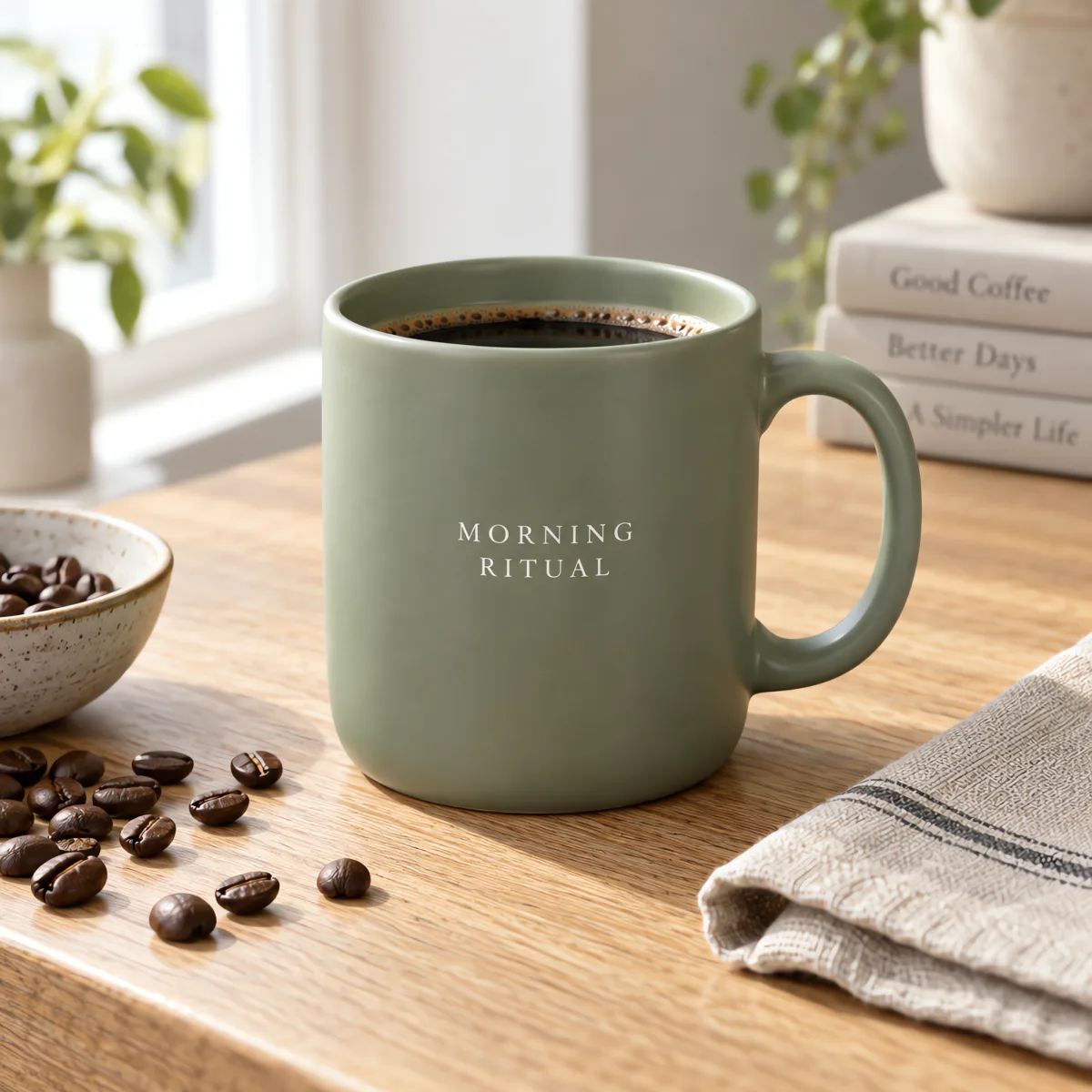
Product photo with a label
Small serif type stays straight and legible on a curved matte mug, with soft side light and shallow focus. It also invented titles for the background books, so add "no other text" to product prompts.
Prompt · Flare · 2K: Studio product photograph of a matte sage-green ceramic coffee mug with the words 'MORNING RITUAL' printed in small white serif type, on a light oak table next to a folded linen napkin and scattered coffee beans. Soft window light from the left, shallow depth of field, clean commercial look.
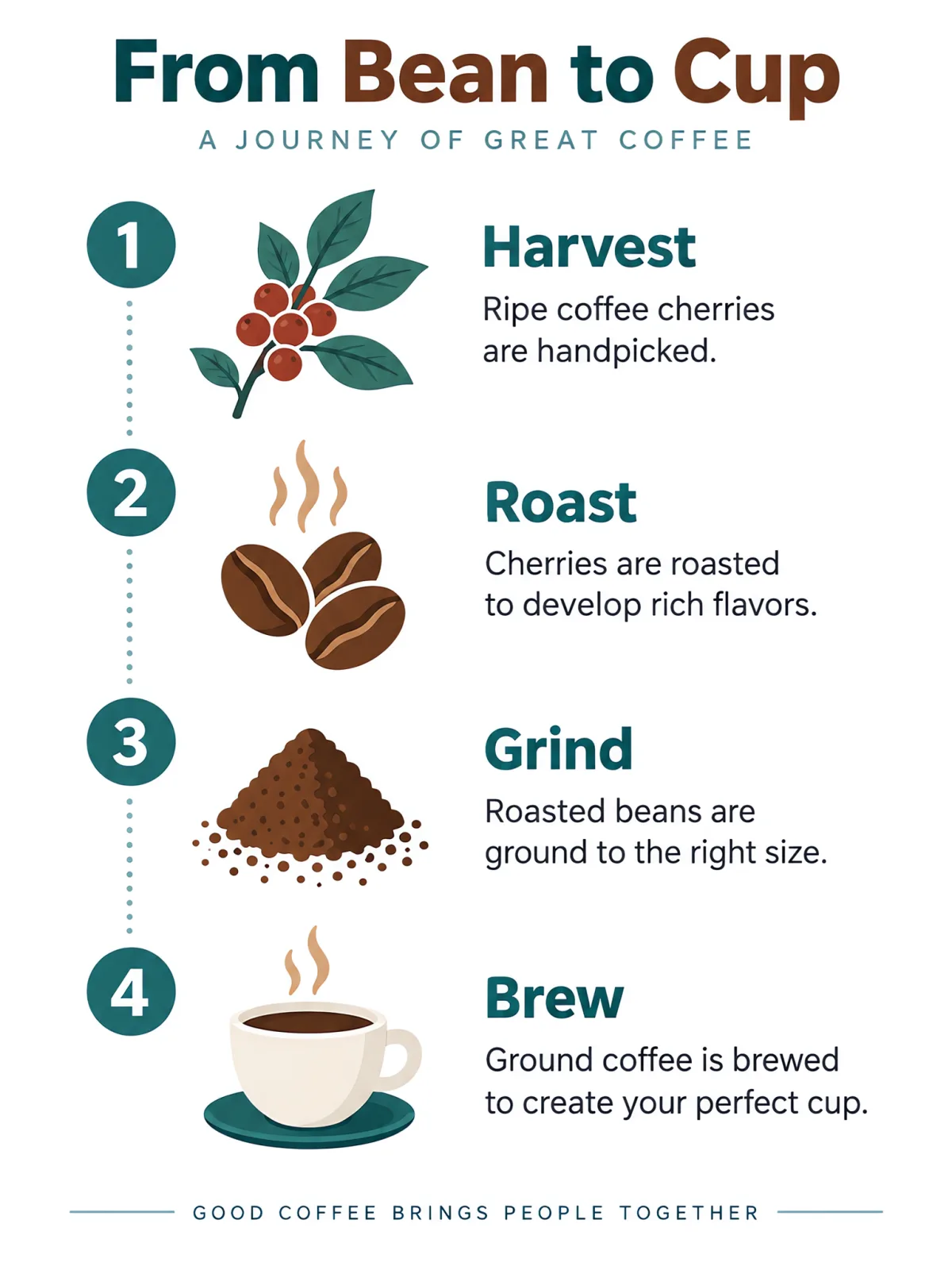
Infographic
Four numbered steps, each with one icon and caption, on a clean grid in the requested colors. Sunburst added its own subtitle and footer, and one caption roasts the cherries instead of the beans: write captions yourself when facts matter.
Prompt · Sunburst · 2K: A clean, modern infographic titled 'From Bean to Cup' with four numbered steps laid out vertically: 1 Harvest, 2 Roast, 3 Grind, 4 Brew. Each step has a simple flat icon and one short caption. White background, teal and warm brown accents, generous spacing, crisp legible sans-serif text.
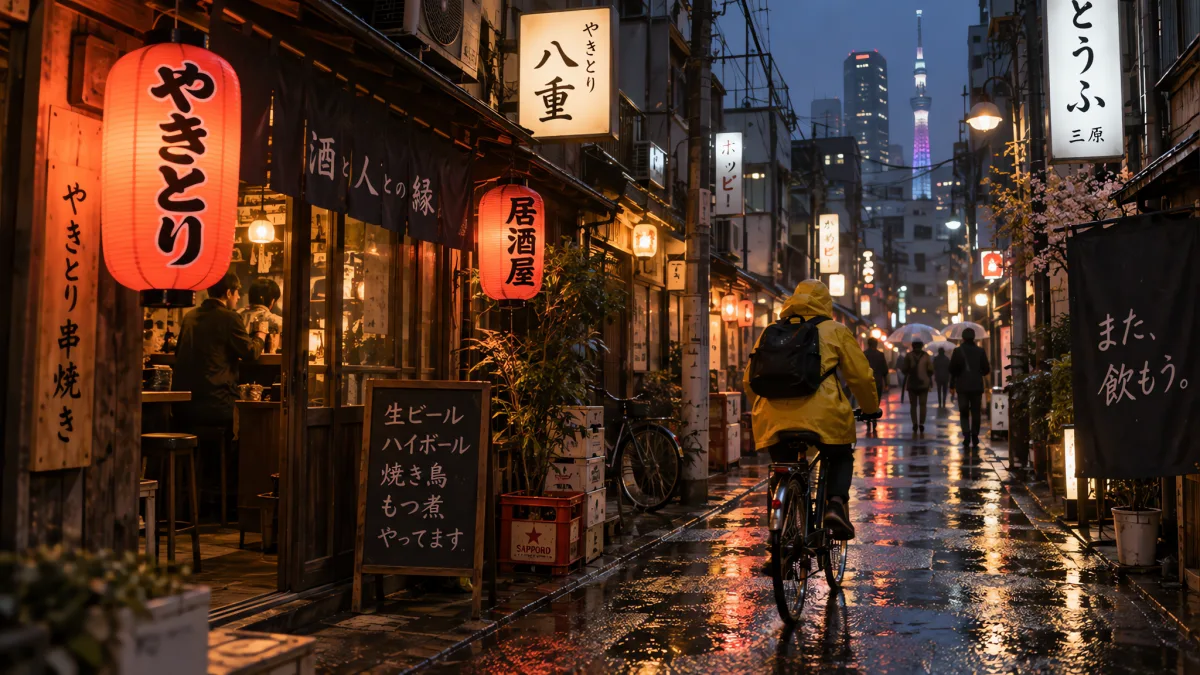
Photorealistic street scene
Wet pavement mirrors the lanterns, the cyclist reads as motion, and the Japanese signs and menu board are real words, not letter-like shapes. The 35mm and film-grain cues carry into the final look.
Prompt · Flare · 2K: Candid street photograph in a Tokyo alley at dusk after light rain. A cyclist in a yellow raincoat passes glowing paper lanterns and small izakaya signs, reflections on the wet pavement, shot on a 35mm lens, natural film grain, realistic lighting.
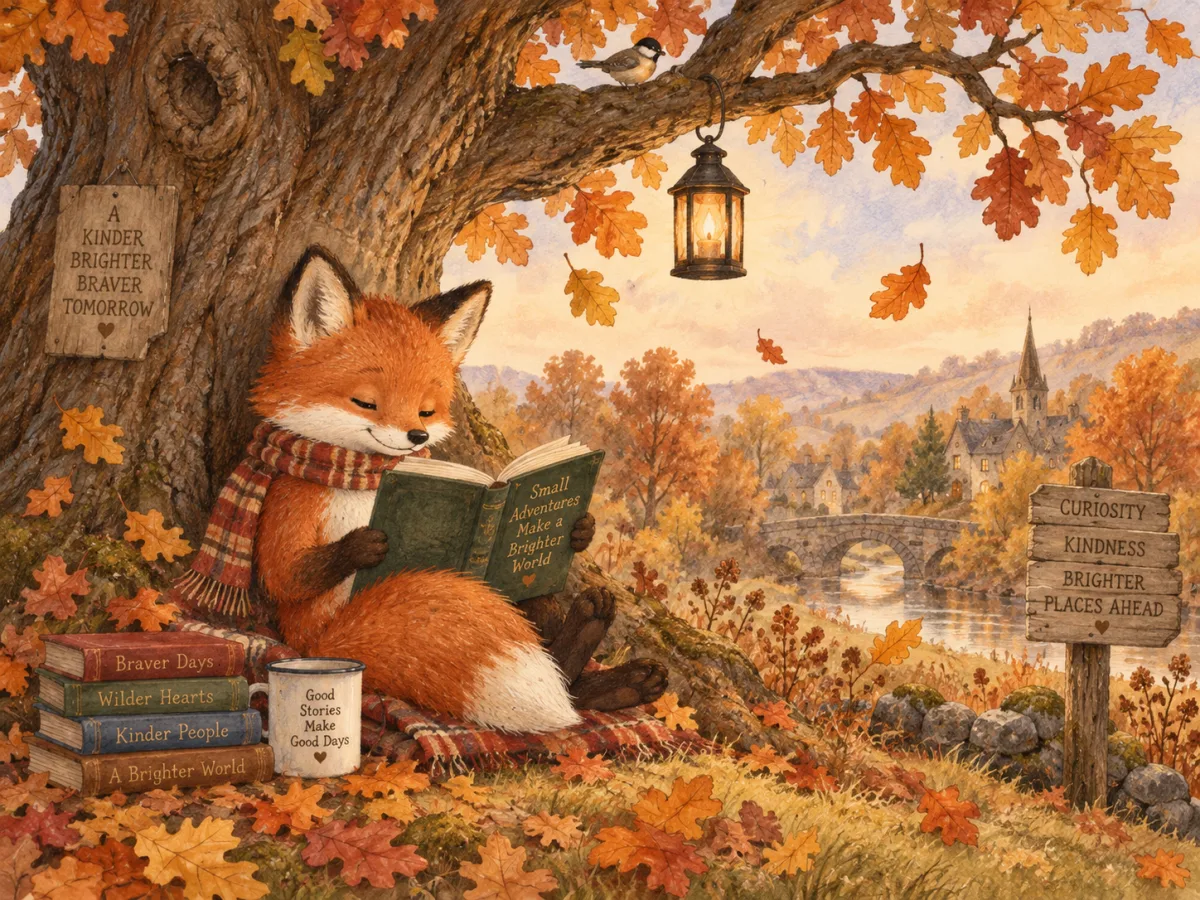
Storybook illustration
Made at 1K, the cheapest setting. The watercolor and pencil texture holds from the fox to the distant village. Signs and book covers got made-up phrases; ask for blank signs if you will add your own text.
Prompt · Flare · 1K: Children's picture book illustration of a red fox reading a book under a large oak tree in autumn, falling leaves, a small lantern hanging from a branch. Soft watercolor and colored pencil texture, warm cozy palette, gentle storybook composition.
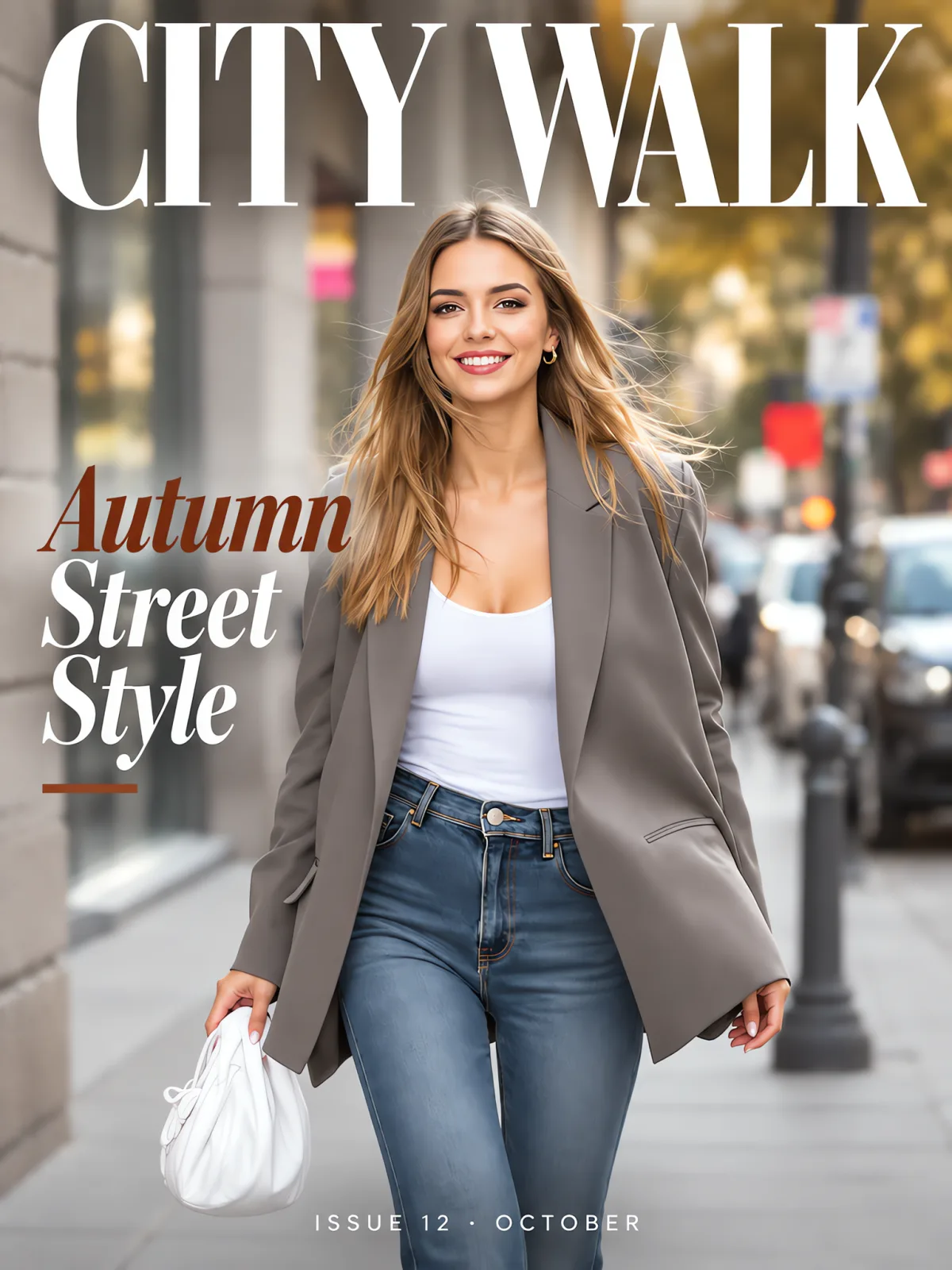
Magazine cover edit
An edit of an uploaded photo that keeps the woman, outfit and pose and adds three tiers of copy where requested. The masthead tucks behind her head like a printed cover: a typical Sunburst job.
Prompt · Sunburst · 2K: Turn this photo into a fashion magazine cover. Keep the woman, her outfit and pose exactly as they are. Add the masthead "CITY WALK" in large bold serif letters at the top, the cover line "Autumn Street Style" on the left, and "ISSUE 12 · OCTOBER" in small caps at the bottom. Clean editorial layout.
GPT Image 2.5 创作示例
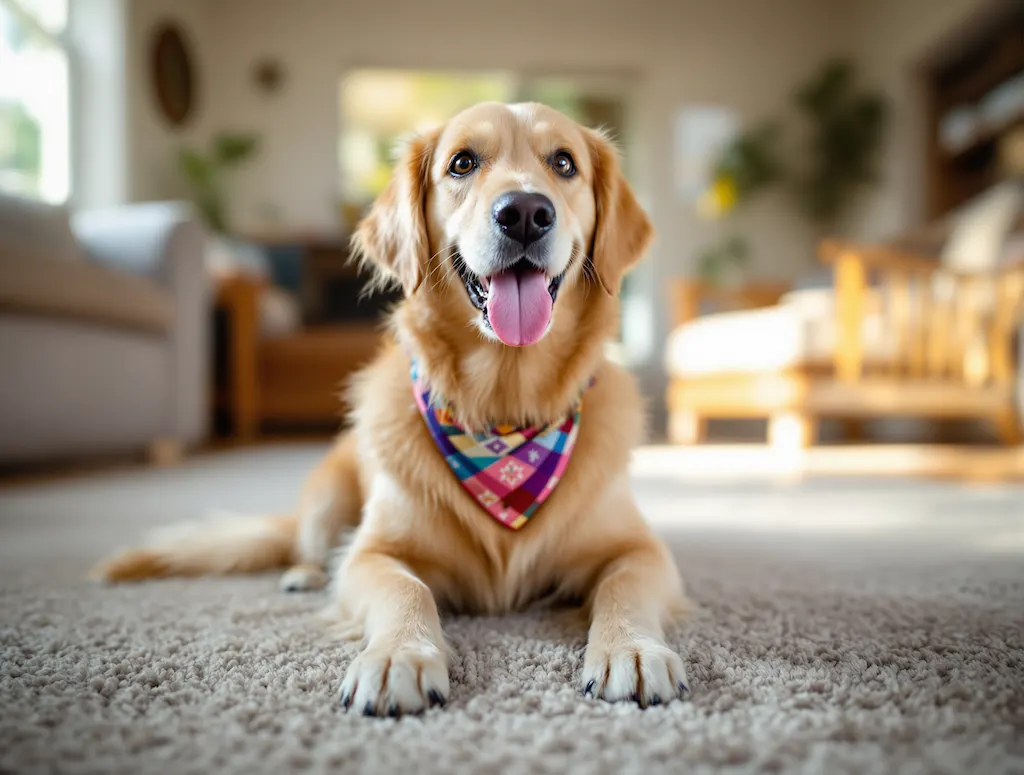
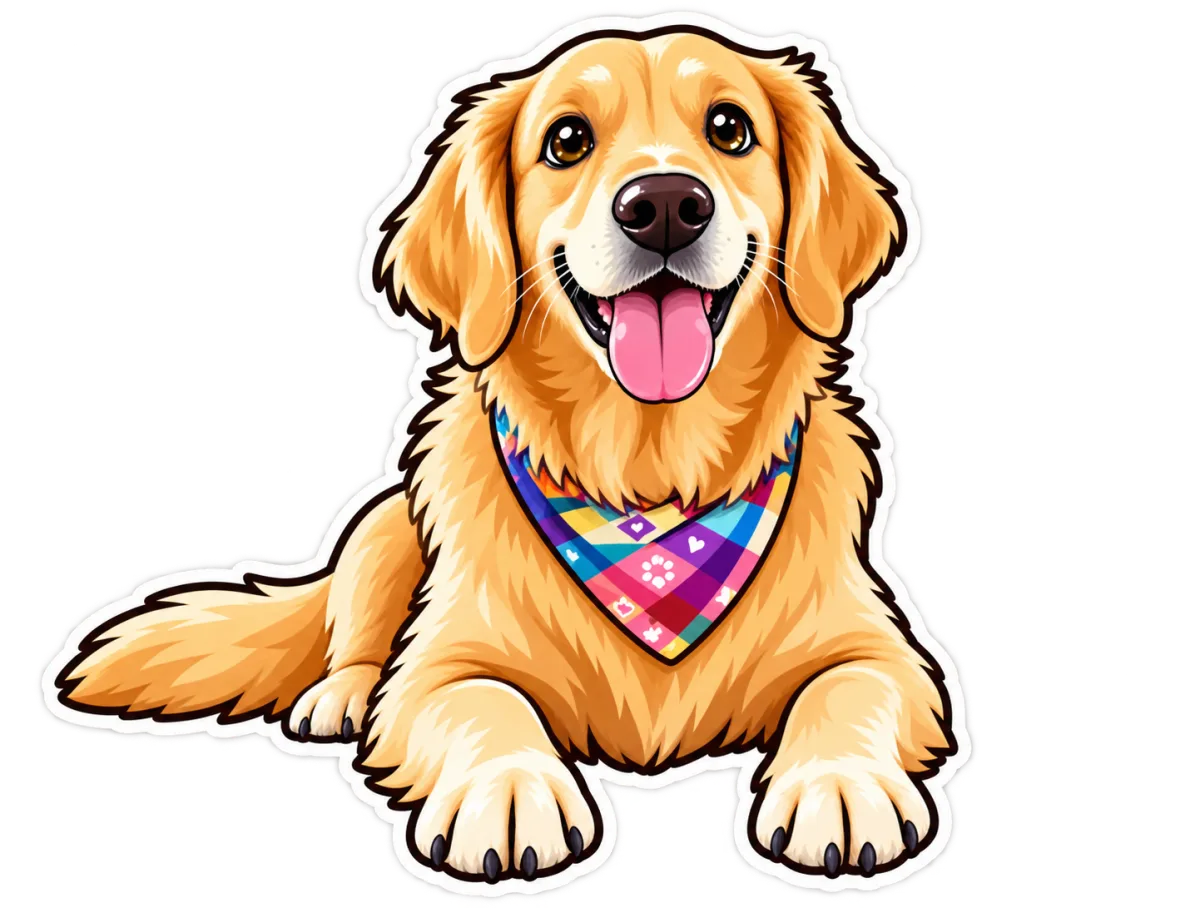
A kawaii-style sticker of the image. The design features bold, clean outlines, simple cel-shading, and a vibrant color palette, with a white background.
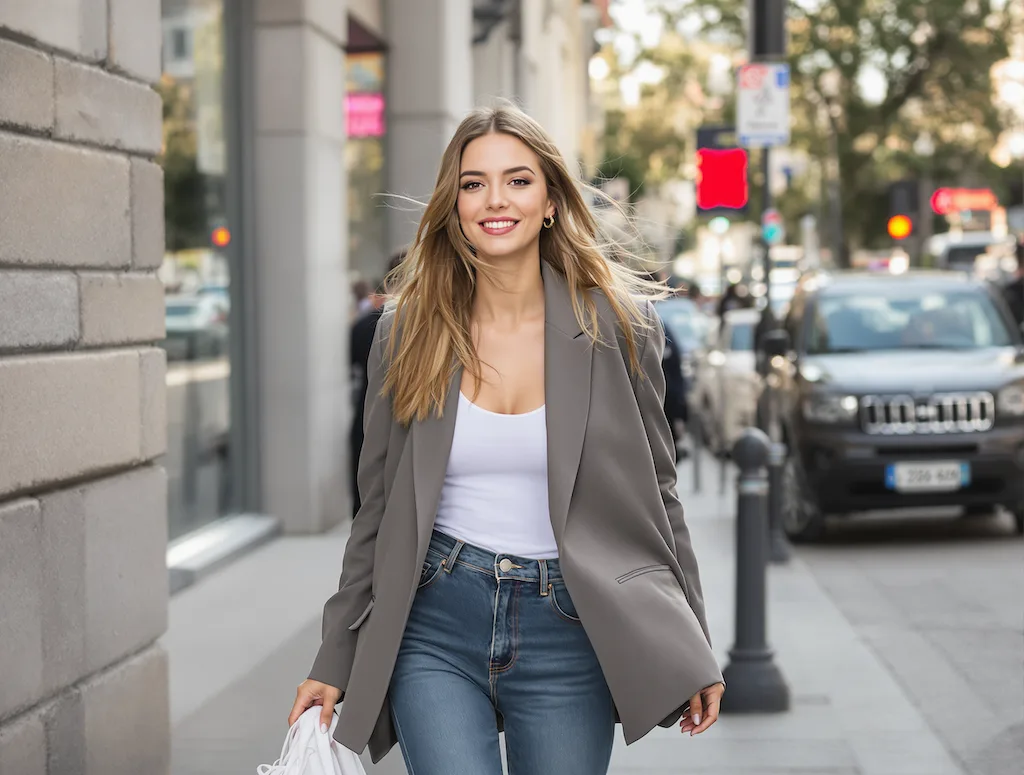
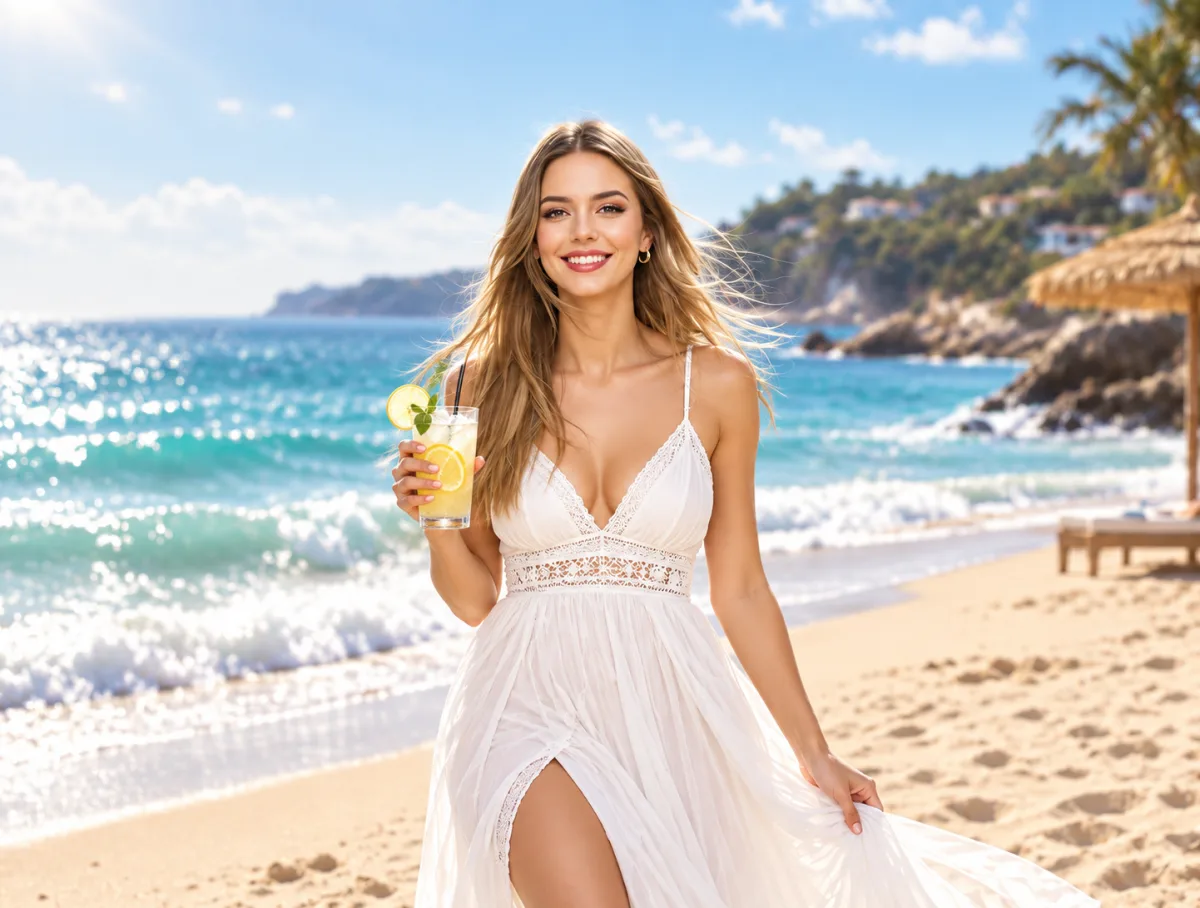
Replace the background with a beautiful sunny beach scene. The person wears an elegant white flowing dress and holds a refreshing iced lemonade with garnish. Bright summer day atmosphere with ocean waves and warm sunlight.
如何使用 GPT Image 2.5
Four steps from prompt to download. Credits are spent only when a run succeeds.
- 1
Write a prompt or upload
Describe the subject, setting, light and any exact words in quotes. To edit, upload up to 14 PNG, JPG or WEBP images, with the photo you want to keep first.
- 2
Choose Flare or Sunburst
Flare for drafts and everyday images; Sunburst for product shots, ads and edits that must not drift. Both cost the same.
- 3
Pick size and ratio
1K (12 credits) for drafts and social posts, 2K (16) for websites and ads, 4K (24) for print and close crops. Then pick Auto or a fixed ratio.
- 4
Generate and refine
Most images arrive in 30–60 seconds, and you can leave the page meanwhile. To refine, reuse the result as a reference and name only what should change.
GPT Image 2.5 prompt tips
From OpenAI's prompting guide and our own runs: quote the words, name what must stay, give every reference a job.
GPT Image 2.5 vs GPT Image 2, Nano Banana Pro and more
All five run on Flux1 AI from one credit balance. Pick by the job.
| 模型 | 适用场景 | Max output | References | 典型耗时 | Credits / image |
|---|---|---|---|---|---|
| GPT Image 2.5 | Precise edits, text-heavy designs, two versions | 4K | Up to 14 | 30–60 s | 12–24 |
| GPT Image 2 | Quick single images at one flat price | — | Up to 10 | 15–30 s | 12 |
| Nano Banana Pro | Conversational edits and character consistency | 4K | Up to 14 | 10–15 s | 14–28 |
| Nano Banana 2 | Fast everyday generation up to 4K | 4K | Up to 14 | 10–20 s | 10–21 |
| Seedream 5.0 Pro | Infographics and multilingual text | 2K | Up to 10 | 1.5–3 min | 6–10 |
GPT Image 2.5 vs GPT Image 2
GPT Image 2 costs 12 credits flat, returns in 15–30 seconds and takes up to 10 references, with no size choice. GPT Image 2.5 adds 1K to 4K output, up to 14 references and the Sunburst version, and OpenAI says it edits more precisely. Use 2 for quick one-offs, 2.5 when the image is going somewhere.
GPT Image 2.5 vs Nano Banana Pro
Nano Banana Pro, Google's Gemini 3 Pro Image, is quicker here at 10–15 秒 and costs 14 credits up to 2K or 28 at 4K, against 12, 16 or 24 for GPT Image 2.5. Pick GPT Image 2.5 Sunburst when an edit must leave everything else alone or the layout carries a lot of copy, and Nano Banana Pro for fast back-and-forth edits.
GPT Image 2.5 pricing
You pay per image by resolution and see the total before you press Generate. Failed runs are refunded automatically.
| Run | What you get | Credits |
|---|---|---|
| 1K | Drafts, social posts and quick edits | 12 |
| 2K | Websites, ads and product pages | 16 |
| 4K | Print, large banners and detailed crops | 24 |
| Example | 4K Sunburst edit with 6 references (references are free) | 24 |
How far a monthly plan goes on GPT Image 2.5
Basic · 300 credits/mo
≈ 25 images at 1K, or 18 at 2K
Pro · 800 credits/mo
≈ 66 images at 1K, or 50 at 2K
Max · 2000 credits/mo
≈ 166 images at 1K, or 125 at 2K
Credits are shared across every image and video model, so GPT Image 2.5 runs and a few videos come out of the same balance.
Good to know before you start
Honest notes on what this GPT Image 2.5 workflow does and does not do.
No quality or transparency switches
OpenAI's API offers quality levels up to max and transparent backgrounds. This generator exposes neither: you choose version, size and ratio, and get one finished image.
4K is at the model's edge
OpenAI marks GPT Image 2.5 output above 2560×1440 as experimental. 4K works here, but compare a 2K run before spending 24 credits on fine detail.
Text still needs a proofread
OpenAI says the model can still struggle with precise text placement, and recurring characters can drift between generations. Proofread, and reuse your best result as a reference to keep a series consistent.
Edits are prompt-driven
ChatGPT adds Sketch, templates and comments placed on an image. Here you edit with references and plain-language instructions, with no mask or brush.
Slower than Nano Banana
Expect 30–60 seconds, with Sunburst at the longer end. You can leave the page: the run continues and appears in your history.
Content rules apply
Explicit, "spicy" or NSFW content is not supported. Prompts and uploads are screened, OpenAI's own safeguards also check them, and a blocked run is refunded.
GPT Image 2.5 常见问题解答
Is GPT Image 2.5 free to use?
Each run costs credits: 12 at 1K, 16 at 2K and 24 at 4K, for Flare or Sunburst. Credits come with any Flux1 AI plan and work on every model here. No ChatGPT subscription is needed, and failed runs are refunded.
When was GPT Image 2.5 released?
OpenAI released it on September 8, 2026: as ChatGPT Images 2.5 in ChatGPT and Codex, and as two API models, GPT-Image-2.5 Flare and GPT-Image-2.5 Sunburst.
什么是 the difference between Flare and Sunburst?
Both are GPT Image 2.5. OpenAI positions Flare as the fast default, at about half the latency of GPT Image 2, and Sunburst as its most capable model, with tighter edit control and longer generation times. Here they cost the same.
Is GPT Image 2.5 the same as ChatGPT Images 2.5?
Same generation, different packaging. ChatGPT Images 2.5 adds extras such as Sketch and templates, and OpenAI has not said which API model it uses. Here you pick Flare or Sunburst yourself.
GPT Image 2.5 vs Nano Banana Pro: which is better?
It depends on the job. GPT Image 2.5 Sunburst suits edits that must not touch anything else and copy-heavy layouts; Nano Banana Pro returns in 10–15 秒, so it suits rapid back-and-forth. Credits are in the table above.
Is there a GPT Image 2.5 API?
Yes. OpenAI's API serves gpt-image-2.5-flare and gpt-image-2.5-sunburst, billed per token at the same rates as GPT Image 2. The Flux1 AI API also serves GPT Image 2.5 on the same credits as this page; see the API docs.
How many reference images can I use?
每次最多 14 张, in PNG, JPG or WEBP, at no extra cost. The first image is the main subject; give every other image a role (style, clothing, background) and refer to it by number.
How long does a GPT Image 2.5 image take?
Usually 30–60 seconds, longer for Sunburst, 4K and many references. For results in seconds, draft on Nano Banana 2 and finish on GPT Image 2.5.
立即体验 GPT Image 2.5
Write a prompt or upload a photo, pick Flare or Sunburst, and get your first image in about a minute.