
Wan 3.0
Write a scene and Wan 3.0 films it, sound included.
Wan 3.0
Wan 3.0 AI Video Generator
Alibaba's newest Wan model films up to 30 seconds in one continuous take, with dialogue, effects and music generated alongside the picture. Start from a prompt, a photo, or a mix of reference images, clips and audio.
Made with Wan 3.0
Real outputs from this page, unedited. Each card shows exactly what went in.
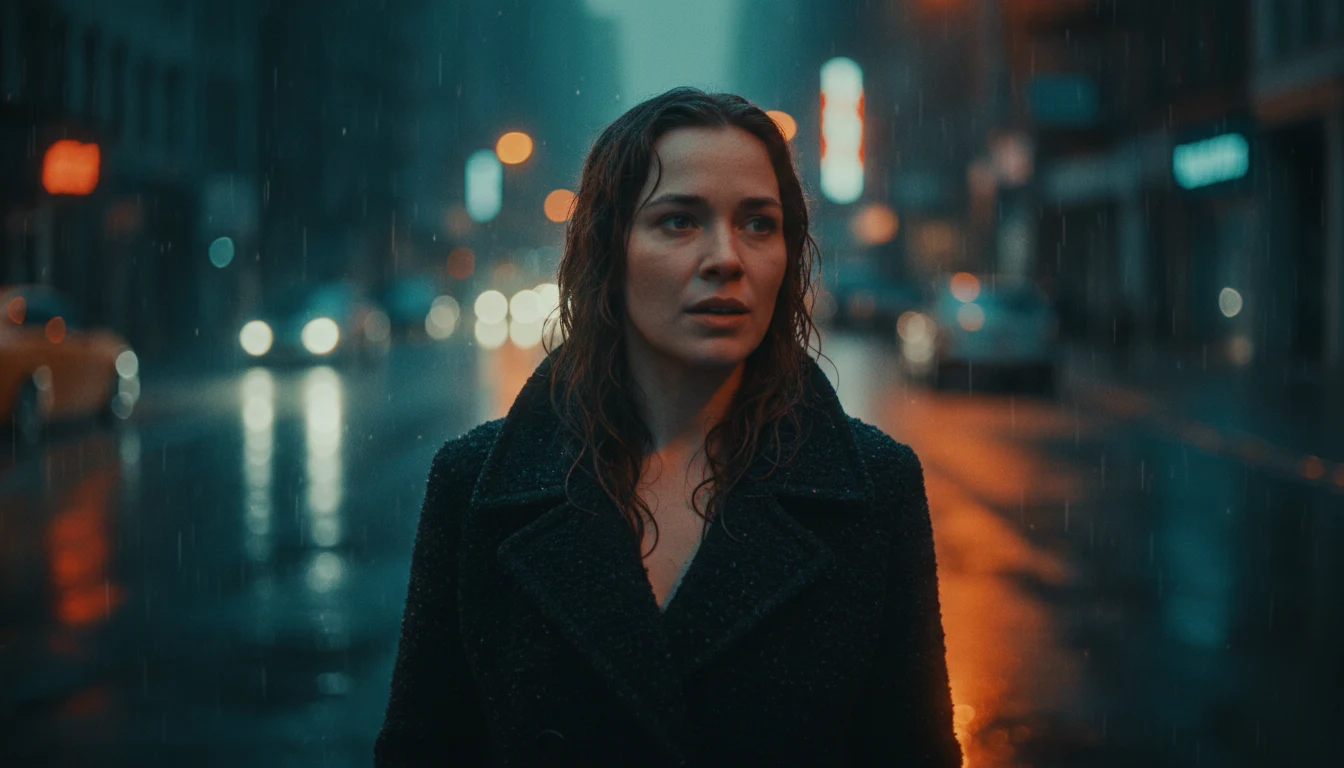
Prompt: One continuous tracking shot through a rain-slick night market in Hong Kong. The camera glides past steaming noodle stalls and neon signs reflected in puddles, then settles on a street vendor who looks up and says, "Last bowl of the night." Cinematic lighting, shallow depth of field, ambient rain and sizzling woks.
Prompt: The subject slowly turns toward the camera and smiles, soft wind in the hair, gentle push-in, natural ambient sound.
 Input image
Prompt: Image 1 walks along a sunny beach at golden hour, waves rolling in, handheld camera.
Input imageWhat Wan 3.0 can do
One model covers text, image and reference generation, so every mode shares the same length, resolution and audio controls.
30 seconds in one take
Pick any length from 2 to 30 seconds. One continuous pass keeps camera moves and characters steady for the whole shot instead of stitching short clips together.
Sound in the same pass
Dialogue, ambience, effects and music are generated with the picture, so lips and footsteps line up. Put spoken lines in quotes.
Omni-reference
Combine up to 10 images, 5 video clips and 5 audio clips in one request. Faces, products, voices and styles stay consistent across the clip.
First and last frame
Upload a first frame to animate a photo, or add a last frame to decide exactly where the shot lands.
480P to 1080P
Draft cheaply at 480P, then render the keeper at 720P or 1080P. Choose 16:9, 9:16, 4:3, 3:4 or 1:1, or let the model frame it.
Readable on-screen text
Signs, labels and captions come out legible, which matters for product shots, menus and explainers.
Wan 3.0 pricing
Billed per second of video. Audio costs nothing extra.
| Resolution | Per second | 5s clip | 10s clip | 30s clip |
|---|---|---|---|---|
| 480P | 9 credits | 45 credits | 90 credits | 270 credits |
| 720P | 18 credits | 90 credits | 180 credits | 540 credits |
| 1080P | 36 credits | 180 credits | 360 credits | 1080 credits |
Reference images and audio are free. Each second of reference video is billed like a second of output. If a generation fails, the credits go back to your balance automatically.
How to make a video with Wan 3.0
- 1
Pick a mode
Text starts from a prompt. Image animates a first frame, with an optional last frame. Reference takes images, clips and audio.
- 2
Describe the shot
Say who is in it, what happens, how the camera moves and what we hear. In Reference mode, call your files Image 1, Video 1, Audio 1.
- 3
Set length and resolution
Choose 2 to 30 seconds and 480P, 720P or 1080P. The button shows the exact cost. Most clips are ready in 1 to 5 minutes and are saved to My Videos.
Prompt tips
Write one continuous shot
Wan 3.0 is strongest when the prompt reads like a single camera move: where it starts, what it passes, where it ends.
Put dialogue in quotes
Quoted lines are spoken on screen. Add the sounds you want to hear, like rain, traffic or a crowd.
Name your references
Tags are numbered per type in upload order: "Image 2 holds the product from Image 1 while Audio 1 plays."
Draft at 480P
480P costs a quarter of 1080P. Lock the idea with short drafts, then render the final length at full resolution.
Wan 3.0 FAQ
Have a different question and can't find the answer you're looking for? Reach out to our support team by sending us an email and we'll get back to you as soon as we can.
What is Wan 3.0?
Wan 3.0 is the latest video model from Alibaba's Tongyi Wan team, released in public beta in August 2026. A single model handles text-to-video, image-to-video and reference-to-video, renders up to 30 seconds at up to 1080P, and generates audio in the same pass.
How long can a Wan 3.0 video be?
Any whole number of seconds from 2 to 30. When you add reference videos, their total length plus the output length has to stay within 30 seconds, and the duration slider adjusts for you.
How much does Wan 3.0 cost?
It is billed per second: 9 credits at 480P, 18 at 720P and 36 at 1080P. A 5-second 720P clip costs 90 credits. Audio on or off is the same price. Reference images and audio are free; reference video seconds are billed at the same rate as output.
What can I use as references?
Up to 10 images (JPG, PNG, WEBP), 5 video clips (MP4, MOV) and 5 audio clips (MP3, WAV). Each clip runs 1 to 15 seconds, and each type totals 15 seconds at most. In the prompt, call them Image 1, Video 1, Audio 1 and so on.
Can I control the first and last frame?
Yes. In Image mode, upload a first frame to animate it, and optionally a last frame so the shot ends exactly where you want. The video keeps the shape of your first frame.
Can I turn the sound off?
Yes. Switch Audio off for a silent clip. The price is the same either way.
Which aspect ratios are supported?
16:9, 9:16, 4:3, 3:4 and 1:1. Reference mode also offers Auto, where the model frames the shot from your references. Image mode follows your first frame.
How is Wan 3.0 different from Wan 2.6?
Wan 3.0 doubles the maximum length to 30 seconds, adds a 480P draft tier and an adaptive ratio, pins first and last frames, and takes video and audio as references alongside images.
How long does generation take?
Usually 1 to 5 minutes; 30-second 1080P clips take longer. You can leave the page. Finished videos appear in My Videos.
What happens if a generation fails?
The credits for that run go back to your balance automatically, and you can try again right away.