
GPT Image 2.6 Results
GPT Image 2.6 AI Image Generator
OpenAI's newest image model in both versions: Flare for layouts and everyday images, Sunburst for finished work and consistent edits. Make 1K images with up to 14 references, or short looping GIFs from text.
What is GPT Image 2.6?
GPT Image 2.6 is OpenAI's image generation and editing model, released on November 4, 2026 in ChatGPT, Codex and the API. Like 2.5, it comes in two versions: GPT-Image-2.6 Flare, the fast one, and GPT-Image-2.6 Sunburst, built for higher quality and steadier results across edits.
In OpenAI's announcement, the headline claim is speed: images generated 50% faster than before. OpenAI also says Flare improves layouts for posters, product imagery and professional visuals, while Sunburst keeps images more consistent from one edit to the next. The other new skill is motion: 2.6 can make GIFs, such as mascots, reactions and storyboards.
On Flux1 AI you use both versions in the browser, with no OpenAI account or API key, on the same credits as 40+ other models. One run costs the same whether you pick Flare or Sunburst, an image or a GIF. Run a brief through GPT Image 2.5 or Nano Banana Pro too, and keep the best result.
- Developer
- OpenAI
- Released
- November 4, 2026
- Versions
- Flare and Sunburst, same price
- Reference images
- Up to 14 per run, at no extra cost
- Output on Flux1 AI
- 1K PNG, or a short looping GIF from text
- Aspect ratios
- Auto, 1:1, 16:9, 9:16, 4:3, 3:4, 3:2, 2:3, 5:4, 4:5, 21:9
- Typical wait
- 35–60 s
- Cost
- 12 credits per run
GPT Image 2.6 features
What is new in 2.6, and what it means for the work you make with it.
Looping GIFs from a prompt
Switch Output to GIF and describe a small action. In our runs a GIF came back at about 400 px with nine frames and two seconds of motion, ready for a chat reaction or a mascot on a web page. It costs the same as an image.
Layouts that hold together
OpenAI says Flare improves layouts for posters, product imagery and professional visuals. In our Kyoto poster, every line landed where the prompt put it, including a Japanese line, and a menu with six prices came back correct in Sunburst.
Edits that stay consistent
Sunburst is OpenAI's pick for keeping a picture steady across edits. Upload up to 14 images, keep your main photo first, and name what must stay. For a series, reuse your best result as the next reference.
Eleven framing options
Choose a fixed ratio, from 9:16 stories to 21:9 banners, or let Auto pick. Size follows the ratio: 1024×1024 at 1:1, 1536×864 at 16:9.
Flare or Sunburst?
Both are GPT Image 2.6, and the names are OpenAI's. Here they cost the same, so choose by the job.
Flare
The everyday version
- OpenAI's choice for speed, with better layouts than before
- Posters, social posts and product visuals
- Drafts, idea exploration and most GIFs
Sunburst
For finished work
- OpenAI's choice for higher quality generation
- Edits that must stay consistent across rounds
- Product shots, menus and anything full of exact text
Not sure? Draft in Flare, then run the final version in Sunburst. On this site the wait is about the same for both.
GPT Image 2.6 examples with prompts
Six unedited results from this model, each shown with its version, format and exact prompt.
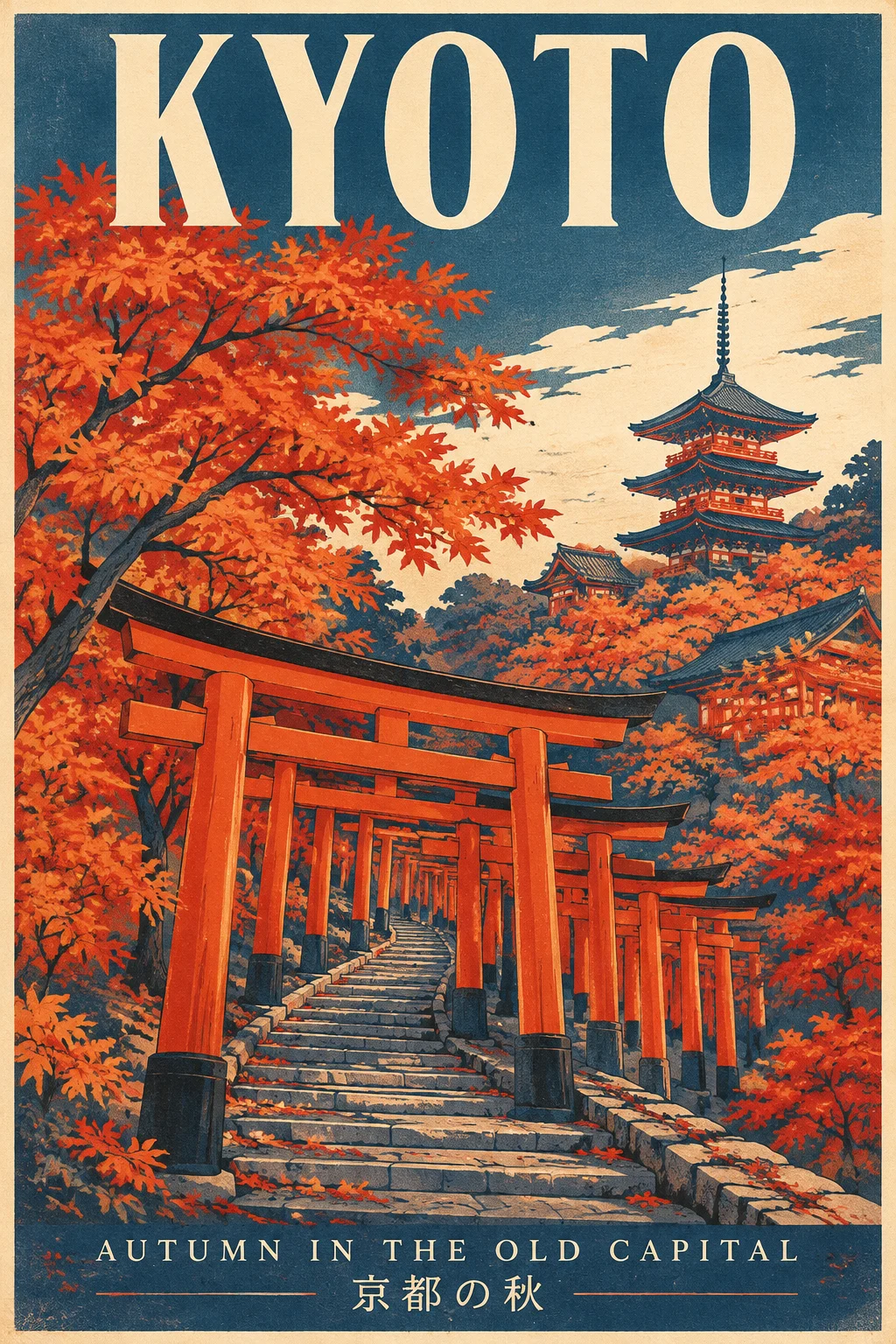
Poster with two languages
"KYOTO", the English line and the Japanese line are all spelled correctly and sit where the prompt put them. No extra text appeared, and the screen-print look keeps to the three requested colors.
Prompt · Flare · 1K: A vintage-modern travel poster. At the top, the word 'KYOTO' in large condensed letters. At the bottom, 'AUTUMN IN THE OLD CAPITAL' in small spaced caps and '京都の秋' in smaller type. A vermilion torii path curves up a hillside through maple trees. Flat screen-print style, palette of vermilion, indigo and warm cream, subtle paper grain. No other text.
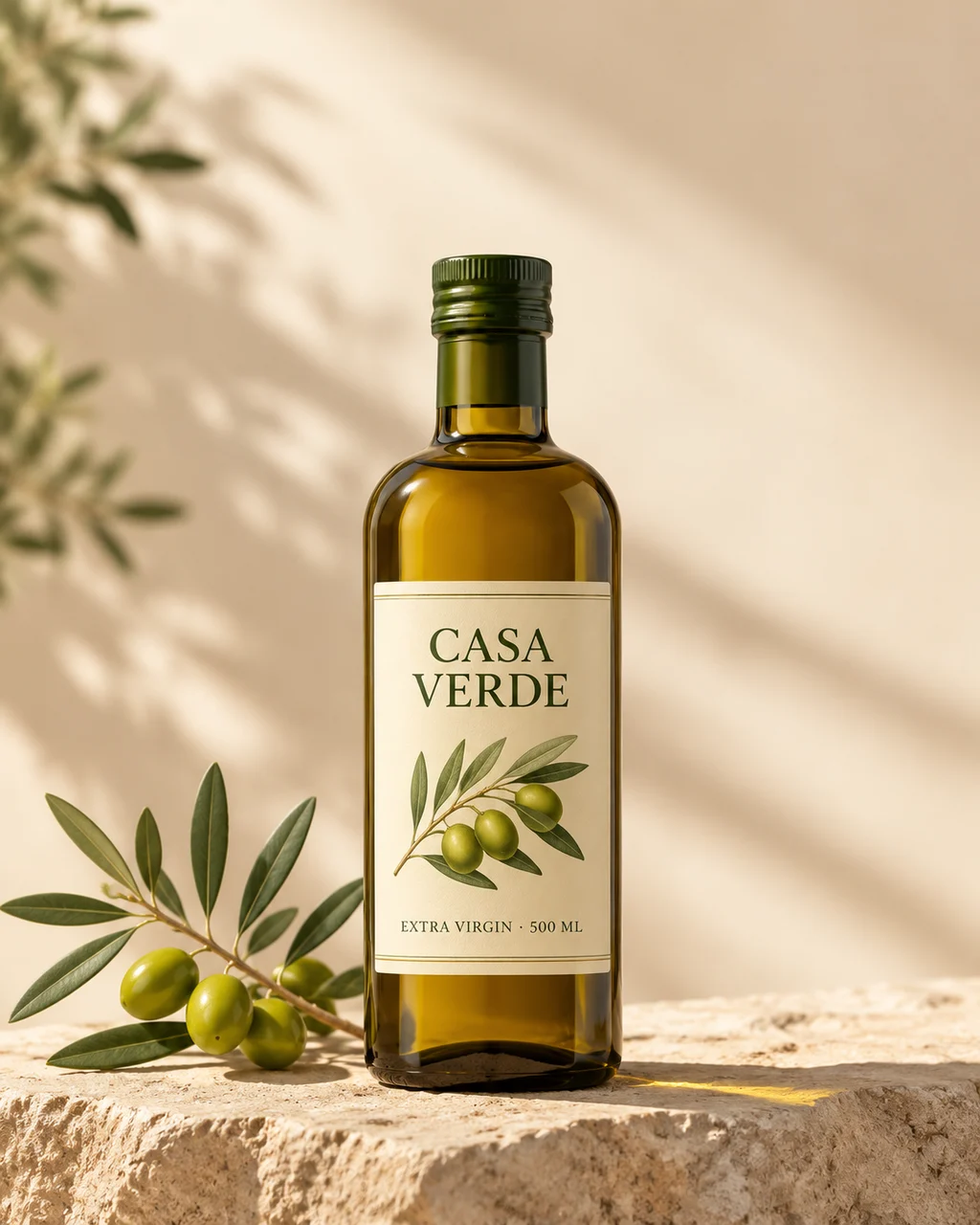
Product photo with a label
Both label lines are correct and follow the bottle, with soft side light and the empty space asked for. It added an olive drawing to the label on its own, so spell out the label if the design is fixed.
Prompt · Sunburst · 1K: Advertising photograph of an amber glass bottle of cold-pressed olive oil with a cream paper label that reads 'CASA VERDE' in a refined serif and 'EXTRA VIRGIN · 500 ML' in small caps, on a pale limestone slab beside a sprig of olives. Soft morning side light, gentle shadow, clean negative space at the top for a headline. No other text.
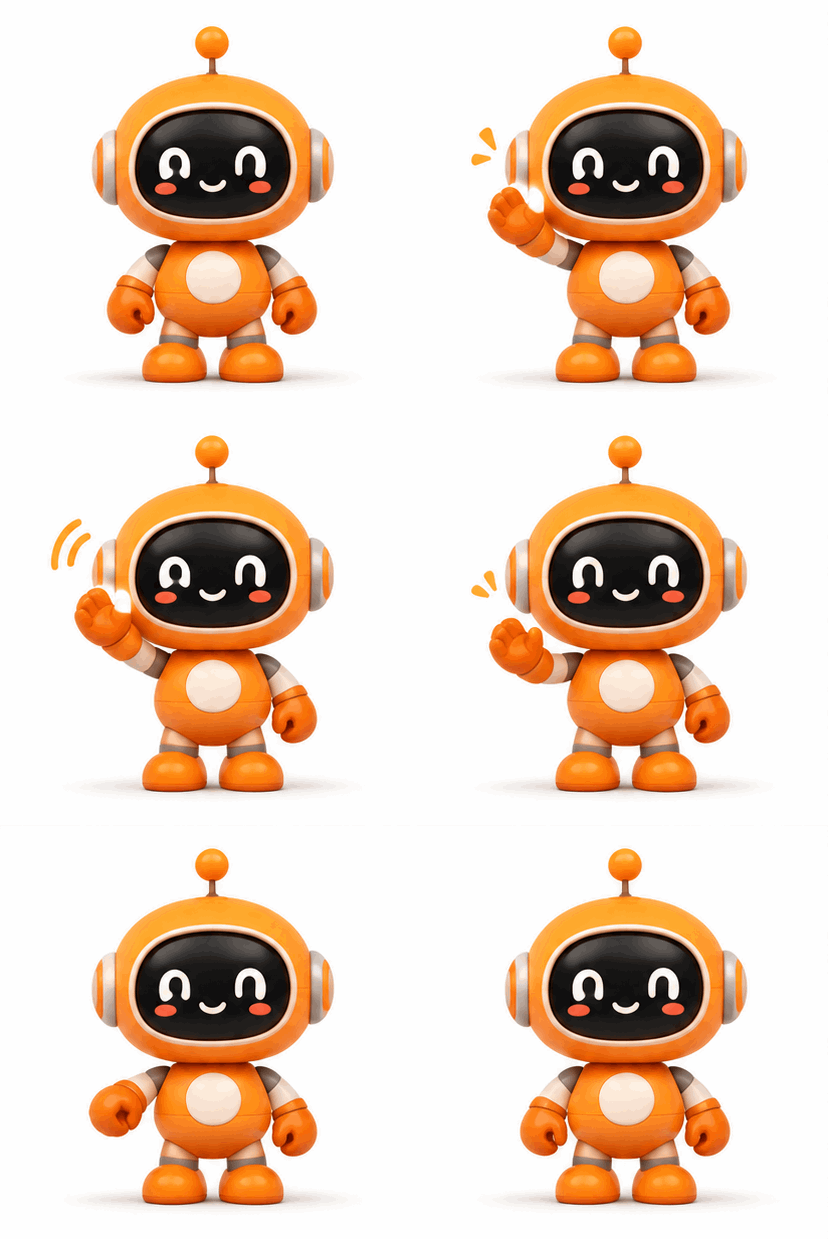
Looping GIF
The robot raises its arm, blinks and returns to the start, so the loop has no visible jump. The camera stays fixed, which is why a small action in one place works better than a whole scene.
Prompt · Flare · GIF: A small round orange robot mascot raises one arm to wave, blinks, then returns to the starting pose. White background, fixed camera, soft flat shading, seamless loop.
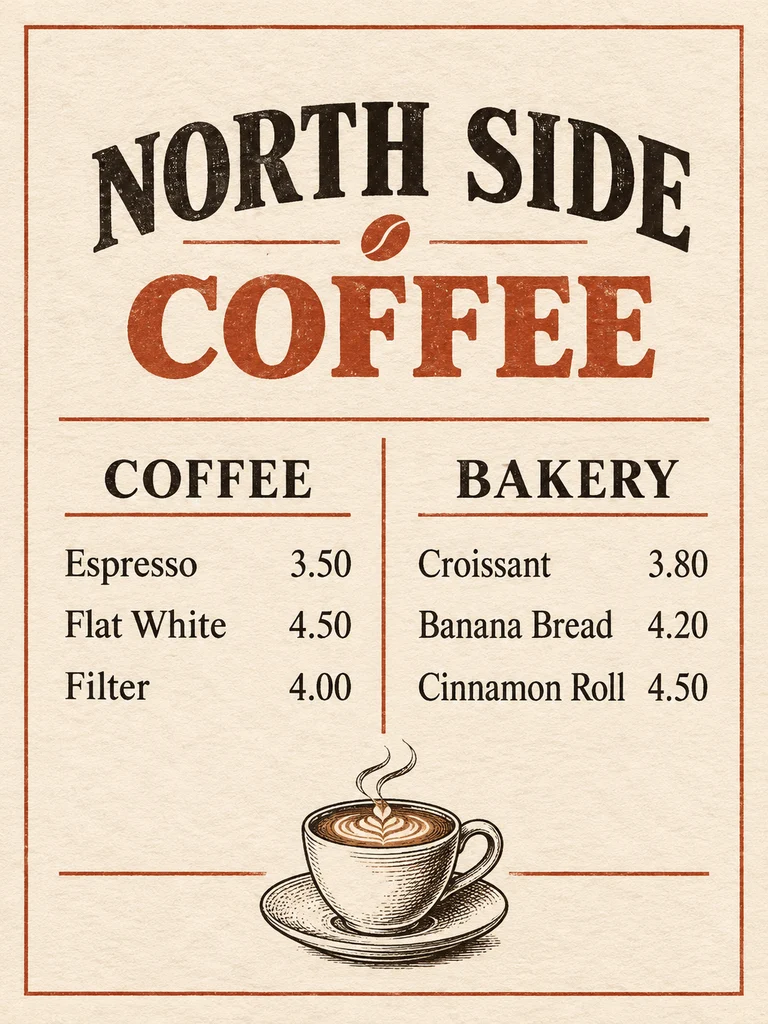
Menu with exact prices
All six items and prices match the prompt, in two neat columns. It took liberties with the styling: an arched title, a small bean ornament and a shaded cup instead of a line drawing.
Prompt · Sunburst · 1K: A one-page café menu designed as a clean printed card. Title 'NORTH SIDE COFFEE' at the top. Two columns: 'COFFEE' with Espresso 3.50, Flat White 4.50, Filter 4.00, and 'BAKERY' with Croissant 3.80, Banana Bread 4.20, Cinnamon Roll 4.50. Thin rules between sections, small line drawing of a cup at the bottom, warm off-white paper, black and rust ink. No other text.
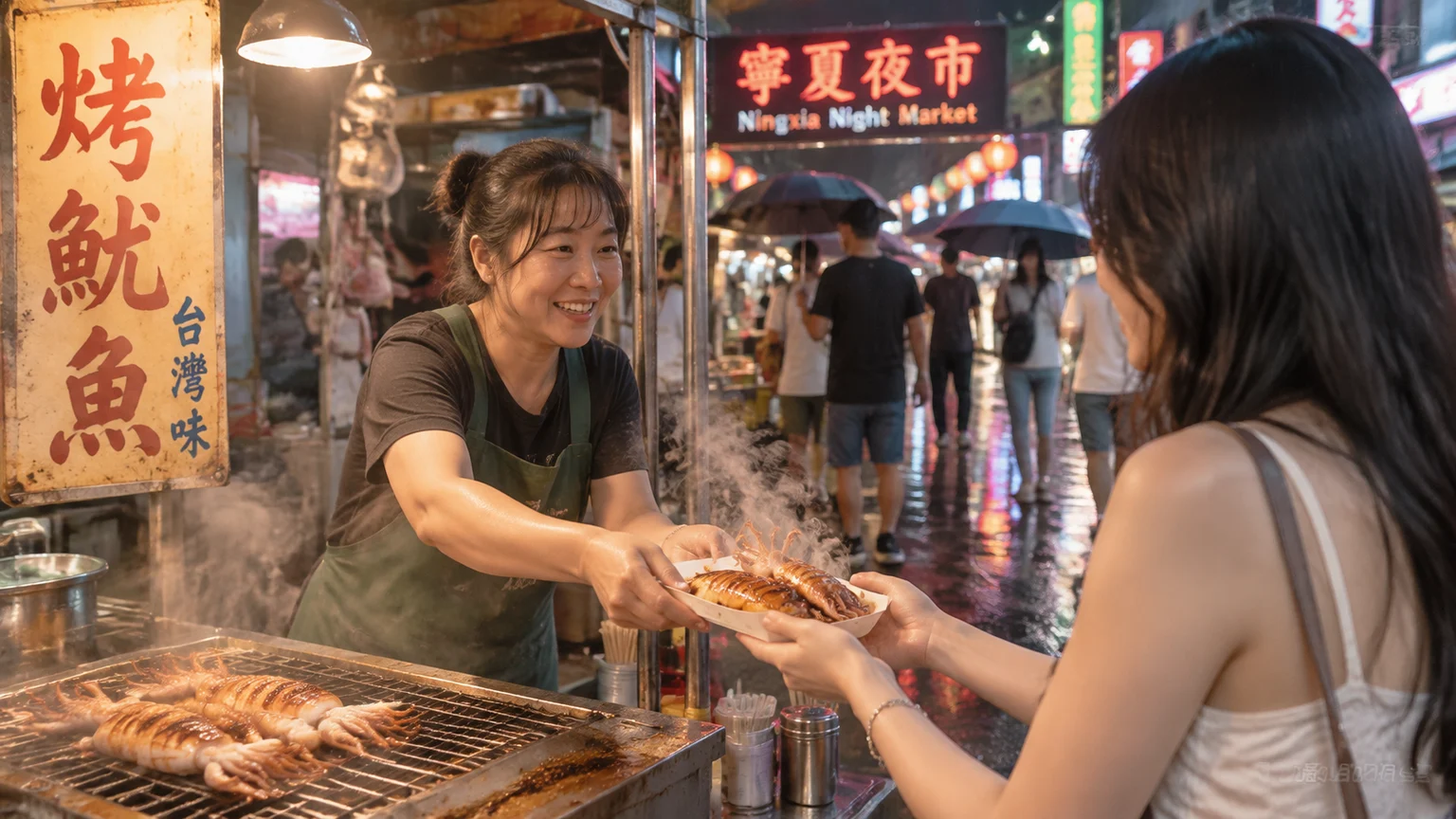
Photorealistic street scene
Wet asphalt, steam and neon read as a real photo. The prompt mentioned no signs, so the model wrote its own Chinese ones, and distant signs blur into letter-like shapes. Ask for blank signs if you need control.
Prompt · Flare · 1K: Candid documentary photograph of a night market in Taipei after light rain. A vendor in a green apron hands a paper tray of grilled squid to a customer, steam rising, neon reflections on wet asphalt. 35mm lens, natural film grain, realistic lighting.
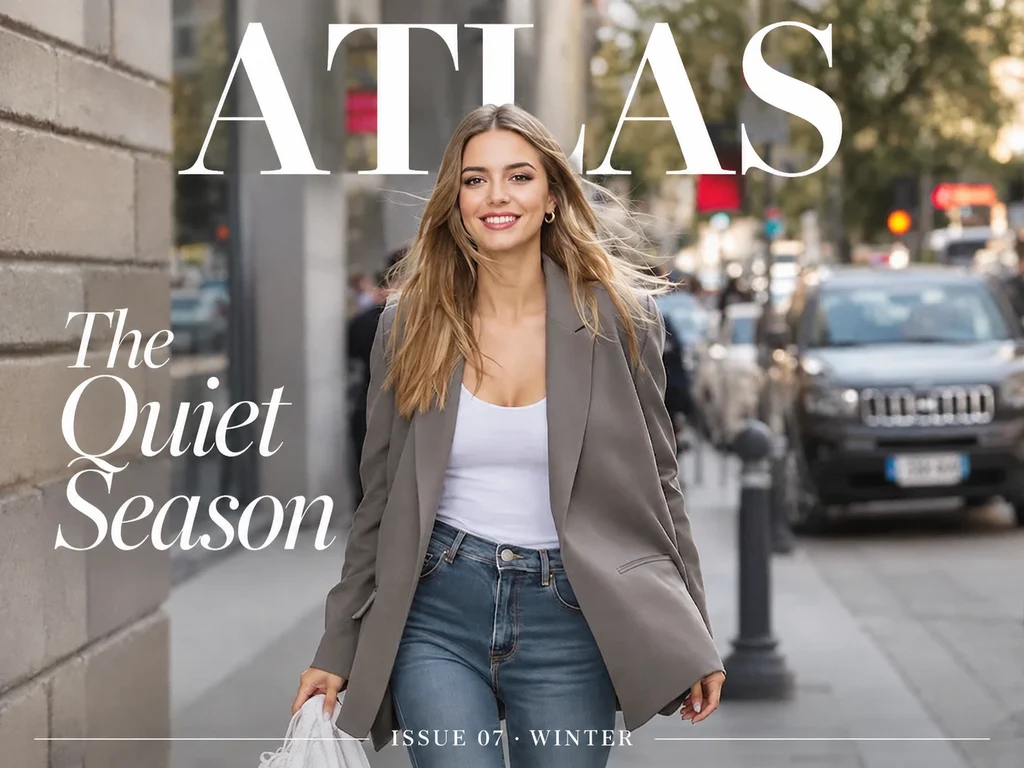
Magazine cover edit
An edit of an uploaded photo that keeps the person, outfit and pose and sets all three lines of copy, with the masthead behind the head. Auto chose a landscape frame, so pick 3:4 or 2:3 for a real cover.
Prompt · Sunburst · 1K: Turn this photo into a magazine cover. Keep the person, outfit and pose exactly as they are. Add the masthead "ATLAS" in large bold serif letters at the top, the cover line "The Quiet Season" on the left, and "ISSUE 07 · WINTER" in small caps at the bottom. No other text.
Edit a Photo with GPT Image 2.6
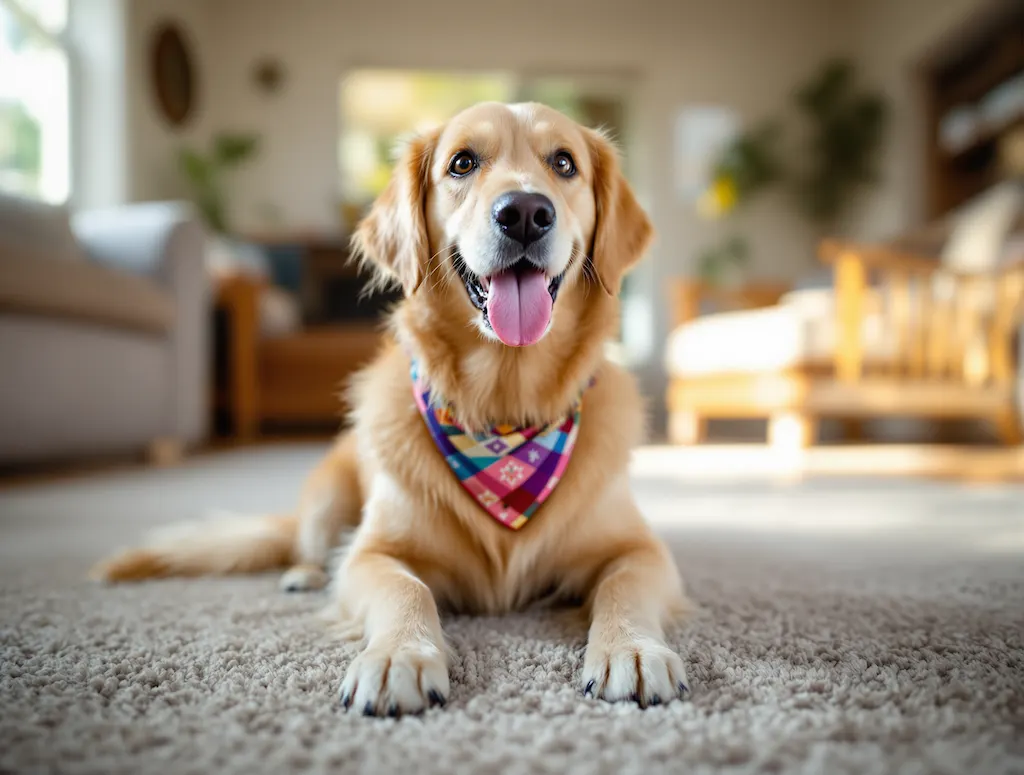
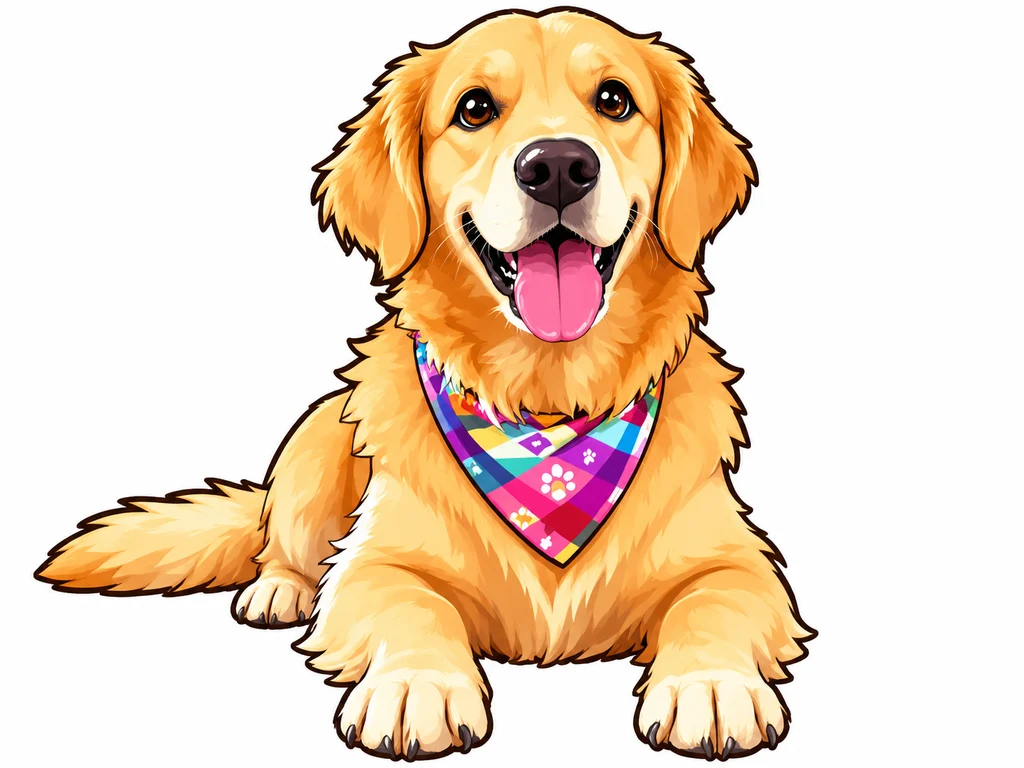
A kawaii-style sticker of the image. The design features bold, clean outlines, simple cel-shading, and a vibrant color palette, with a white background.
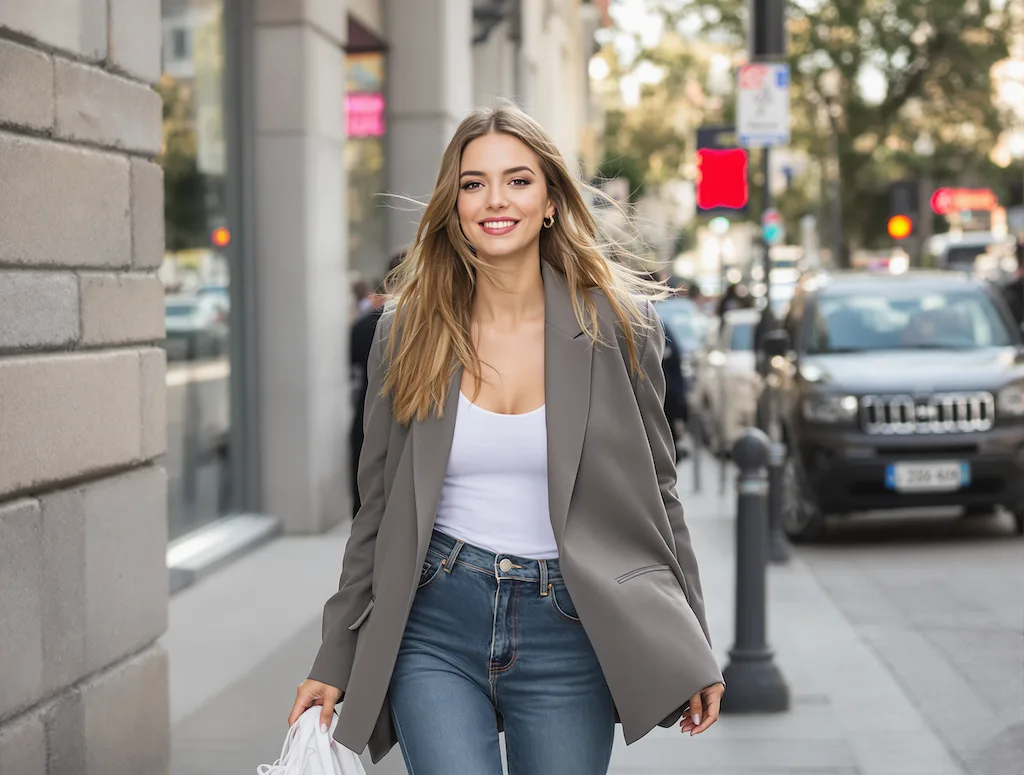
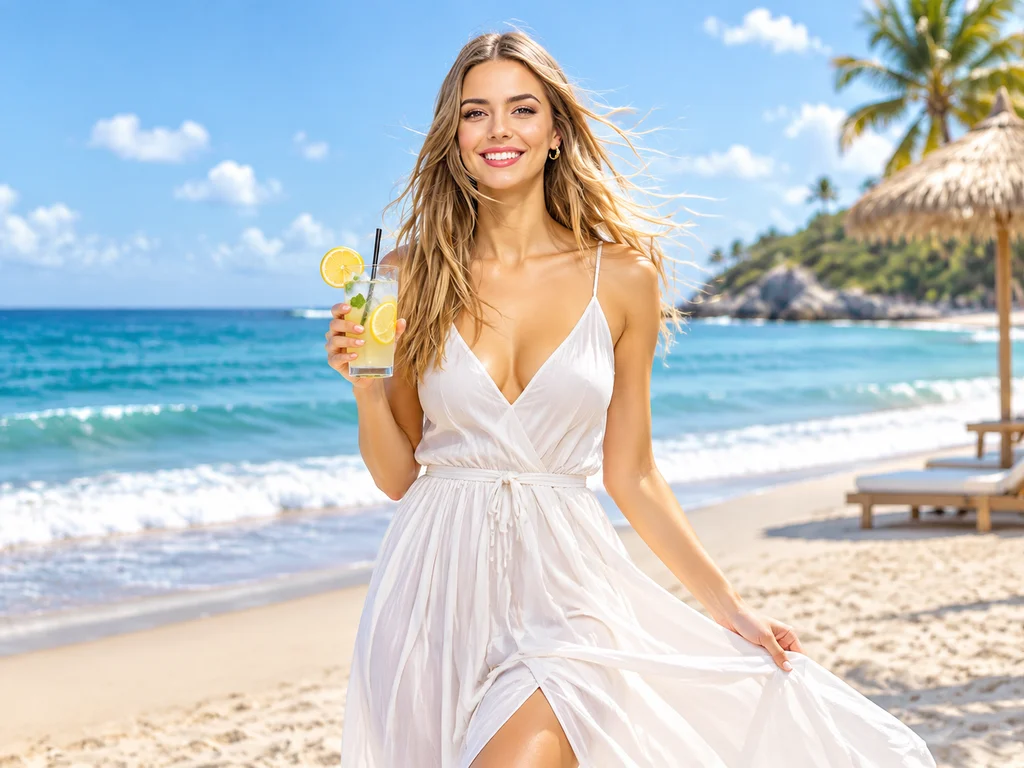
Replace the background with a beautiful sunny beach scene. The person wears an elegant white flowing dress and holds a refreshing iced lemonade with garnish. Bright summer day atmosphere with ocean waves and warm sunlight.
How to use GPT Image 2.6
Four steps from prompt to download. Credits are spent only when a run succeeds.
- 1
Write a prompt or upload
Describe the subject, setting, light and any exact words in quotes. To edit, upload up to 14 PNG, JPG or WEBP images, with the photo you want to keep first.
- 2
Choose Flare or Sunburst
Flare for posters, drafts and everyday images; Sunburst for finished product shots and edits that must not drift. Both cost 12 credits.
- 3
Pick Image or GIF
Image gives you a 1K PNG in the ratio you pick. GIF gives you a short looping animation from text alone, so the ratio and upload controls disappear.
- 4
Generate and refine
Most runs arrive in 35–60 seconds. To refine a still, reuse it as a reference and name only what should change.
GPT Image 2.6 prompt tips
From OpenAI's prompting guide and our own runs: quote the words, name what must stay, and keep GIF actions small.
GPT Image 2.6 vs GPT Image 2.5, Nano Banana Pro and more
All five run on Flux1 AI from one credit balance. Pick by the job.
| Model | Best for | Max output | References | Typical wait | Credits / image |
|---|---|---|---|---|---|
| GPT Image 2.6 | Layouts, consistent edits and looping GIFs | 1K | Up to 14 | 35–60 s | 12 |
| GPT Image 2.5 | The same family when you need 2K or 4K | 4K | Up to 14 | 30–60 s | 12–24 |
| GPT Image 2 | Quick single images at one flat price | — | Up to 10 | 15–30 s | 12 |
| Nano Banana Pro | Conversational edits and character consistency | 4K | Up to 14 | 10–15 s | 14–28 |
| Seedream 5.0 Pro | Infographics and multilingual text | 2K | Up to 10 | 1.5–3 min | 6–10 |
GPT Image 2.6 vs GPT Image 2.5
At 1K both cost 12 credits and take up to 14 references, so 2.6 is the default for new work, and it adds GIFs. GPT Image 2.5 is still the one to pick for larger files: it goes to 2K and 4K, at up to 24 credits, while 2.6 is 1K only here.
GPT Image 2.6 vs Nano Banana Pro
Nano Banana Pro, Google's Gemini 3 Pro Image, is quicker here at 10–15 seconds and goes to 4K, at 14 or 28 credits. Pick GPT Image 2.6 for layouts with exact copy and GIFs, and Nano Banana Pro for fast back-and-forth edits and larger output.
GPT Image 2.6 pricing
One flat price per run: version, ratio and references do not change it. Failed runs are refunded automatically.
| Run | What you get | Credits |
|---|---|---|
| Image, Flare | Posters, social posts and everyday images at 1K | 12 |
| Image, Sunburst | Finished product shots and consistent edits at 1K | 12 |
| GIF | A short looping animation from a text prompt | 12 |
| Example | Sunburst edit with 6 references (references are free) | 12 |
How far a monthly plan goes on GPT Image 2.6
Basic · 300 credits/mo
≈ 25 images or GIFs
Pro · 800 credits/mo
≈ 66 images or GIFs
Max · 2000 credits/mo
≈ 166 images or GIFs
Credits are shared across every image and video model.
Good to know before you start
Honest notes on what this GPT Image 2.6 workflow does and does not do.
1K only, for now
Our provider serves GPT Image 2.6 at 1K, so there is no 2K or 4K here yet. For larger files, use GPT Image 2.5.
No SVG, markup or transparency
OpenAI's API adds SVG export and a markup tool for marked-up edits. In our tests on this channel, SVG requests returned PNG, markup was refused and transparent backgrounds were ignored, so we do not offer them.
GIFs are small and text-only
A GIF has no ratio choice and takes no reference images, and motion is short and simple. Treat it as a reaction or mascot loop, not a video. For footage, see our AI video models.
No quality switch
OpenAI offers quality levels and says Sunburst shines at medium or high. We do not expose the setting: in our side-by-side tests on this channel it changed neither the price nor the image in any way we could see.
Not the six-second speed
OpenAI quotes as little as six seconds for Flare at low quality. Here, runs took 35–60 seconds for both versions in our tests. You can leave the page: the run continues and appears in your history.
Content rules apply
Explicit, "spicy" or NSFW content is not supported. Prompts and uploads are screened, OpenAI's own safeguards also check them, and a blocked run is refunded. Proofread any text before you publish it.
GPT Image 2.6 FAQ
Is GPT Image 2.6 free to use?
Each run costs 12 credits, for Flare or Sunburst, image or GIF. Credits come with any Flux1 AI plan and work on every model here. No ChatGPT subscription is needed, and failed runs are refunded.
When was GPT Image 2.6 released?
OpenAI released it on November 4, 2026 in ChatGPT, Codex and the API, as two API models: gpt-image-2.6-flare and gpt-image-2.6-sunburst.
What is the difference between Flare and Sunburst?
Both are GPT Image 2.6. OpenAI positions Flare as the fast version with better layouts, and Sunburst as the higher-quality version that stays more consistent across edits. Here they cost the same and take about the same time.
GPT Image 2.6 vs GPT Image 2.5: what changed?
OpenAI says 2.6 generates images 50% faster, improves layouts and adds GIFs. On this site, GPT Image 2.5 still goes to 2K and 4K, while 2.6 is 1K only, so choose 2.5 when you need a larger file.
Can I make GIFs or SVG files with GPT Image 2.6?
GIFs, yes: switch Output to GIF and write a text prompt. They cost 12 credits and come back as short loops of about 400 px. SVG, no: it is an OpenAI API feature, and on our channel those requests returned PNG.
Is there a GPT Image 2.6 API?
Yes. OpenAI's API serves gpt-image-2.6-flare and gpt-image-2.6-sunburst, billed per token. The Flux1 AI API also serves GPT Image 2.6, images and GIFs, on the same credits as this page; see the API docs.
Can I download GPT Image 2.6 and run it locally?
No. It is a closed OpenAI model with no public weights, so it only runs through OpenAI's products or services built on its API. You can download everything you generate here as a PNG or GIF.
How many reference images can I use?
Up to 14 per run, in PNG, JPG or WEBP, at no extra cost. Keep the main subject first, give every other image a role (style, clothing, background) and refer to it by number. GIFs take no references.
Try GPT Image 2.6
Write a prompt, pick Flare or Sunburst, choose Image or GIF, and get your first result in about a minute.