
MiniMax H3 Image Results
MiniMax H3 Image Generator
MiniMax's open-weight image model, ready in the browser. Generate realistic photos and posters with readable text, or edit with up to 16 reference images, at 2K or native 4K, from 8 credits.
What is MiniMax H3 Image?
MiniMax H3 Image is the image generation and editing model from MiniMax, the Shanghai AI company behind Hailuo. MiniMax released it on November 10, 2026, as the image member of the H3 family that started with the MiniMax H3 video model in July. One checkpoint does both text-to-image and editing, and it outputs up to about 16 megapixels natively, without an upscaling pass.
Unlike most frontier image models, the weights are public. The model card on Hugging Face lists a 33.1B-parameter diffusion transformer that samples in 6 steps and accepts up to 16 input images. MiniMax's community license allows local use, but it excludes the United States, the European Union, the United Kingdom and South Korea, and it requires a separate license above US$1 million in annual revenue or for a hosted service. On the Artificial Analysis image editing leaderboard, it placed 13th shortly after launch.
On Flux1 AI you use it in the browser through a licensed provider, with no GPU, no 135 GB download and no MiniMax account. It runs on the same credits as 40+ other models, and most images arrive in 15–30 seconds. Looking for Pruna's faster community version, P-H3-Image? See the FAQ below.
- Developer
- MiniMax
- Released
- November 10, 2026 (open weights)
- Modes
- Text-to-image and image editing
- Reference images
- Up to 16 per run, 1 credit each
- Output on Flux1 AI
- 2K (about 4 MP) or native 4K (about 16 MP), JPEG
- Aspect ratios
- Auto, 1:1, 4:3, 3:4, 3:2, 2:3, 4:5, 5:4, 16:9, 9:16, 21:9, 3:1, 1:3
- Typical wait
- About 15–30 s
- Cost
- 8 credits (2K) or 25 credits (4K), plus 1 per reference
MiniMax H3 Image features
What MiniMax claims for the model, checked against our own runs on this page.
Photos with real texture
Skin, wet surfaces and mixed light come out without the plastic sheen many models add. Our market photo kept deep wrinkles, water on the counter and the shine of a rain-wet street, the kind of detail that makes a picture read as photographed.
Text that stays spelled right
Quoted titles, dates and short menu lines render cleanly. Our jazz poster and our four-line chalkboard menu, prices included, came back with every word and number correct on the first try.
Native 4K, not upscaled
At 4K the model draws about 16 megapixels directly, up to 5472 × 3072 at 16:9. Fine structure such as distant roofs, footpaths and fabric weave holds up when you crop in or print large.
Edits with up to 16 images
Upload one photo to change a detail, or several to combine people, products and places into one scene. Name each image in the prompt ("the dog from image 1") and say what must stay the same.
Enhanced or Exact prompts?
Both modes cost the same. The Prompt setting decides whether the model rewrites your words before drawing.
Enhanced
Short idea in, full scene out
- The model expands your prompt into a detailed description first
- Best for short prompts, photos and loose creative briefs
- Works for text-to-image and edits, at every ratio
Exact
Your words, as written
- Turns the rewrite off, so nothing is added that you did not ask for
- Best for menus, labels and layouts you have already planned
- Text-to-image only, with a fixed ratio (not Auto)
Enhanced can add small things you did not ask for, such as a brand name on a product or an extra line on a sign. If that matters, switch to Exact and write every detail yourself.
MiniMax H3 Image examples with prompts
Six unedited results from this page, each with its prompt mode, resolution and exact prompt.
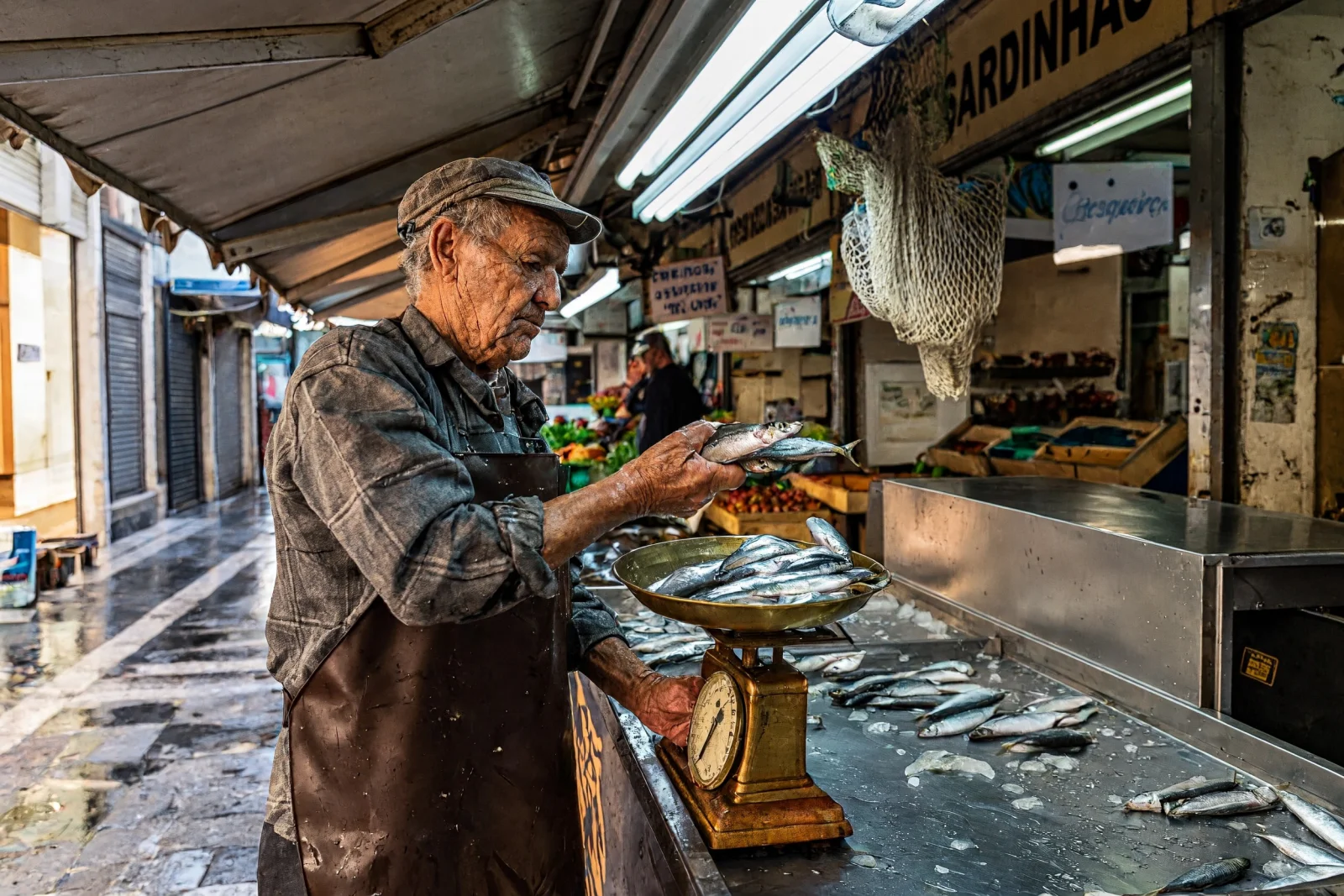
Documentary street photo
Weathered skin, wet counters and fluorescent light over the stall read as a real 35mm photo, and the brass scale and sardines are sharp. Small signs in the background turned into pseudo-text, which is typical for unprompted text.
Prompt · Enhanced · 2K: Documentary street photo of an elderly fishmonger in a wet morning market in Lisbon, weighing sardines on an old brass scale, overhead fluorescent light mixed with daylight from the street, visible skin texture and water droplets on the counter, 35mm lens, natural colors
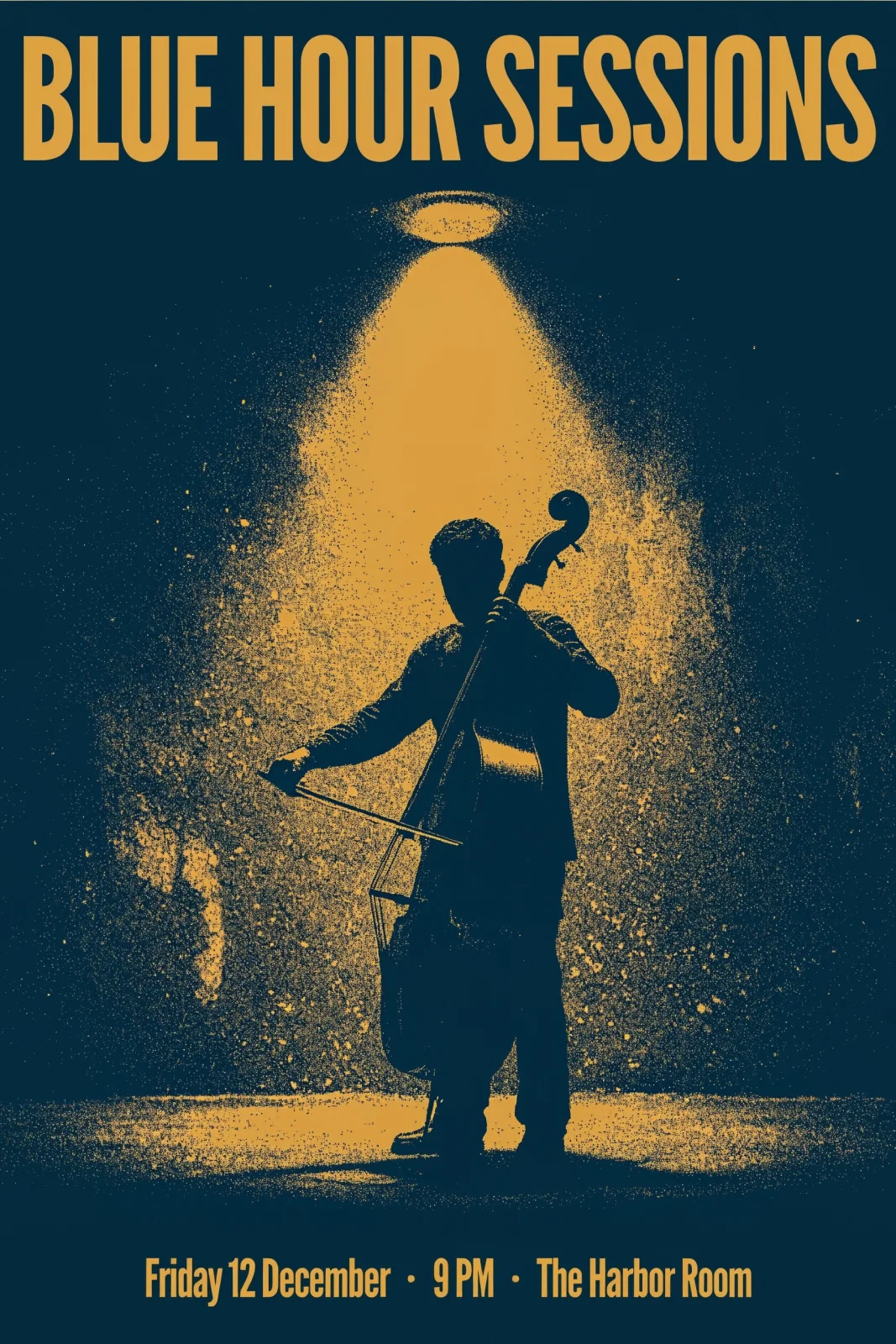
Poster with exact text
The condensed title and the full date line, with its middle dots, are spelled correctly and sit where the prompt put them. The risograph grain and the two-color palette follow the brief.
Prompt · Enhanced · 2K: A printed concert poster for a jazz night. Large title "BLUE HOUR SESSIONS" at the top in tall condensed letters, a line "Friday 12 December · 9 PM · The Harbor Room" at the bottom, and a silhouette of a double bass player under a single spotlight in the middle. Deep navy and warm amber, risograph texture. No other text.
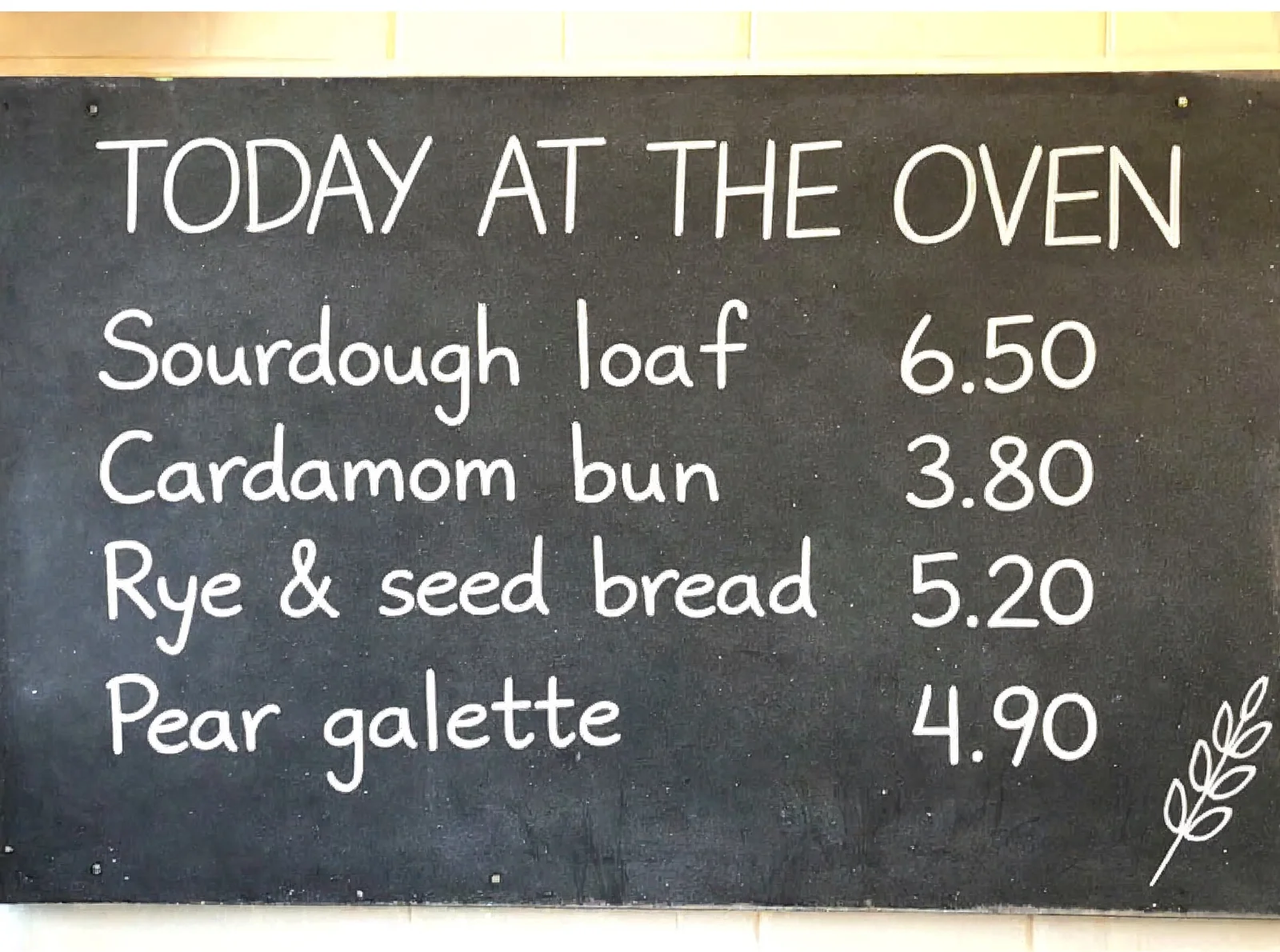
Chalkboard menu in Exact mode
With the rewrite off, all four items and prices came back exactly as typed, with nothing added. The chalk lettering looks hand-drawn rather than like a computer font.
Prompt · Exact · 2K: A chalkboard menu on the wall of a small bakery, hand-lettered in white chalk. Title "TODAY AT THE OVEN" at the top. Four lines below it: "Sourdough loaf 6.50", "Cardamom bun 3.80", "Rye & seed bread 5.20", "Pear galette 4.90". A small chalk drawing of a wheat stalk in the corner. Warm morning light, slight chalk dust, photographed straight on. No other text.
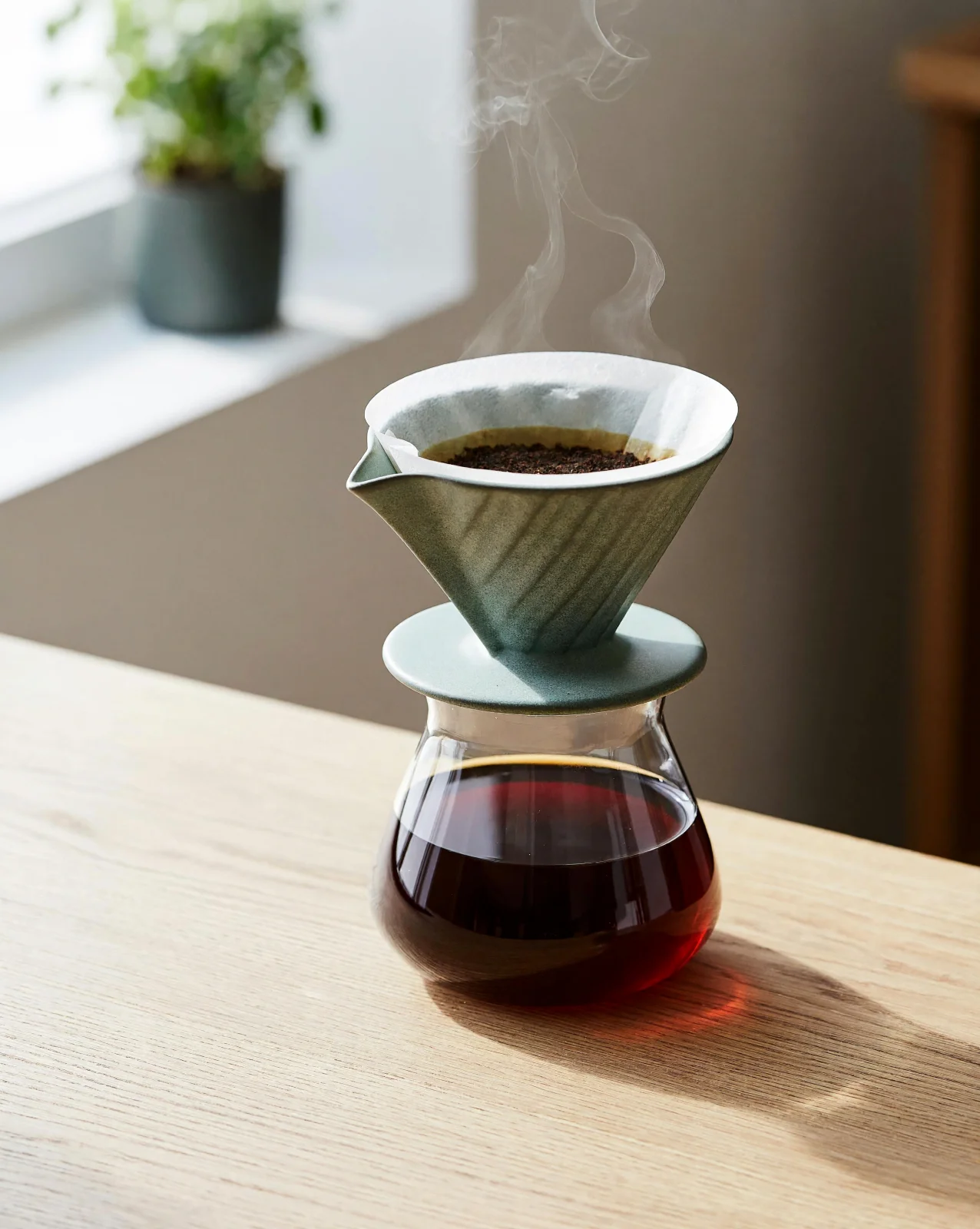
4K product photo
A 16-megapixel catalog shot: matte glaze, oak grain and soft steam hold up at full size. In an earlier run of the same prompt, Enhanced mode printed an invented brand name on the carafe; switch to Exact when that matters.
Prompt · Enhanced · 4K: Studio product photo of a matte ceramic pour-over coffee dripper in sage green on a light oak counter, a glass carafe below it, soft window light from the left, gentle shadow, steam rising, shallow depth of field, commercial catalog photo
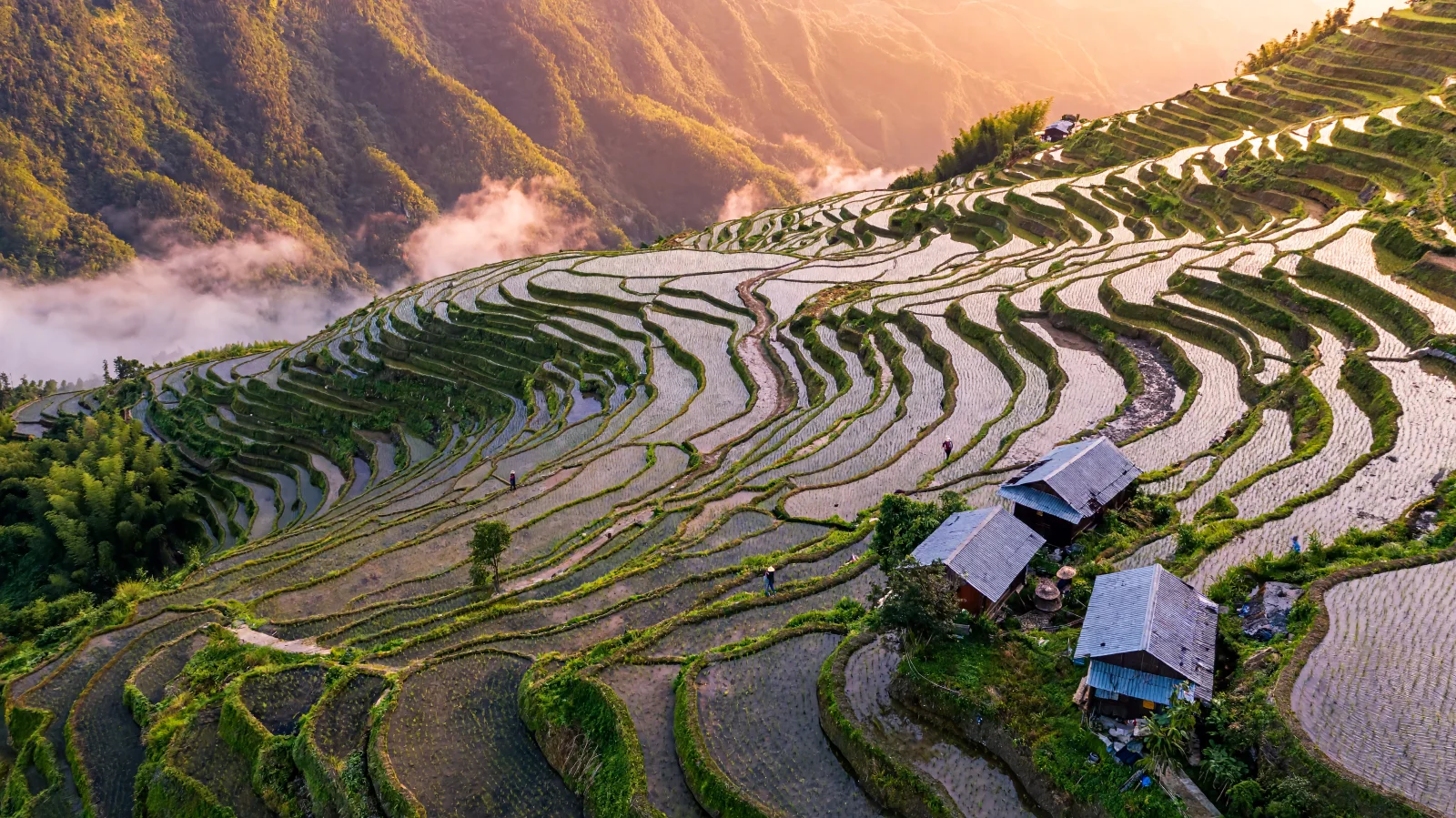
4K aerial landscape
Native 4K at 16:9. The tin roofs, footpath and terrace edges stay distinct even when you crop in, and the mist and pink reflections look natural rather than painted.
Prompt · Enhanced · 4K: Aerial photo of terraced rice fields in the mountains at sunrise, low mist in the valleys, a narrow footpath and a few farmhouses with tin roofs, water in the terraces reflecting the pink sky, extremely fine detail, drone photography
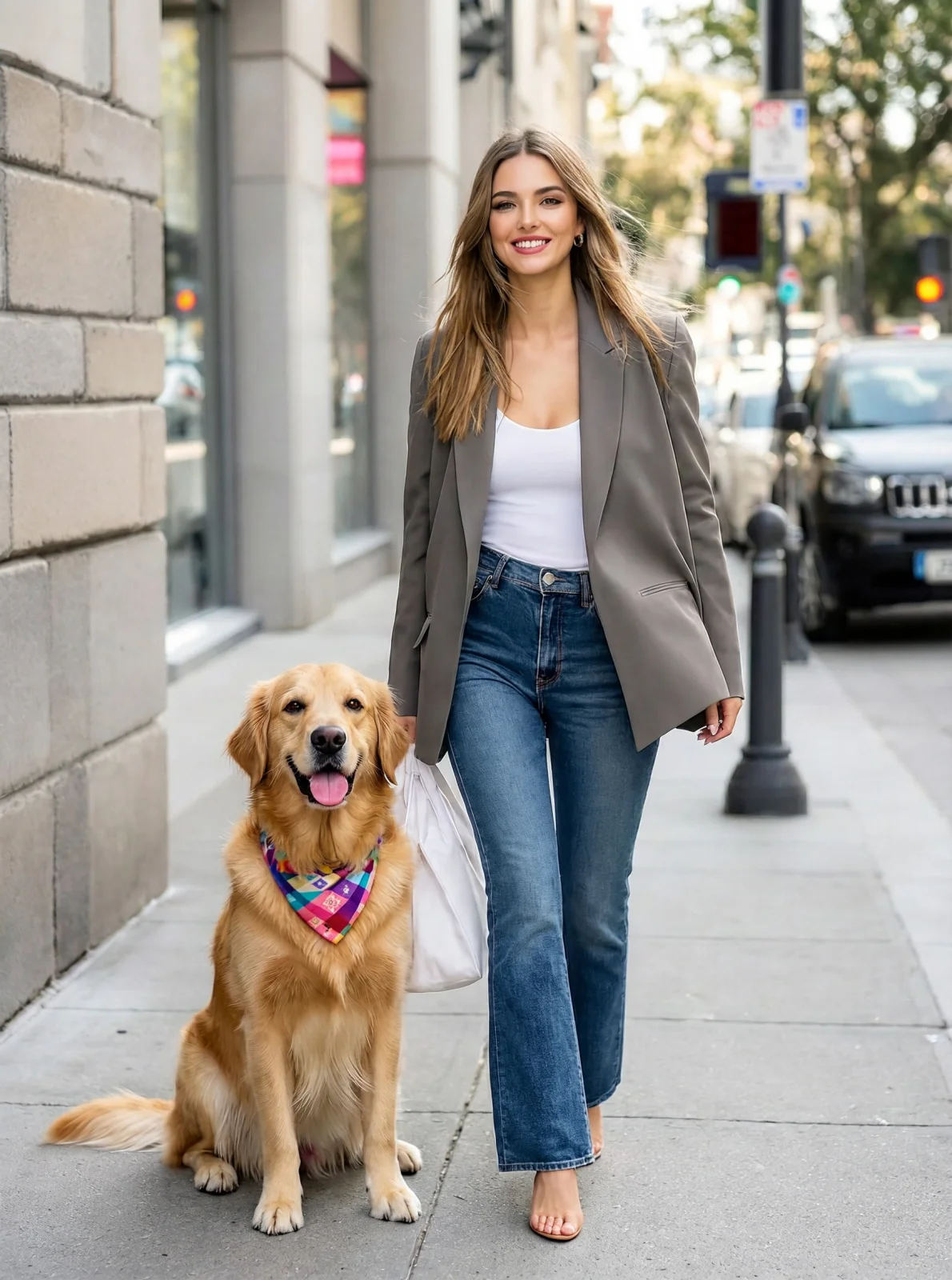
Two photos combined
The dog from one upload and the woman from another, placed on one sidewalk. Her outfit and the dog's bandana carried over. The light is consistent, but check faces against your originals.
Prompt · 2 references · 2K: Place the dog from image 1 sitting next to the woman from image 2 on the same city sidewalk, as if they were photographed together. Keep both of their appearances, the woman’s outfit and the dog’s bandana unchanged. Natural daylight, candid street photo.
Edit a Photo with MiniMax H3 Image
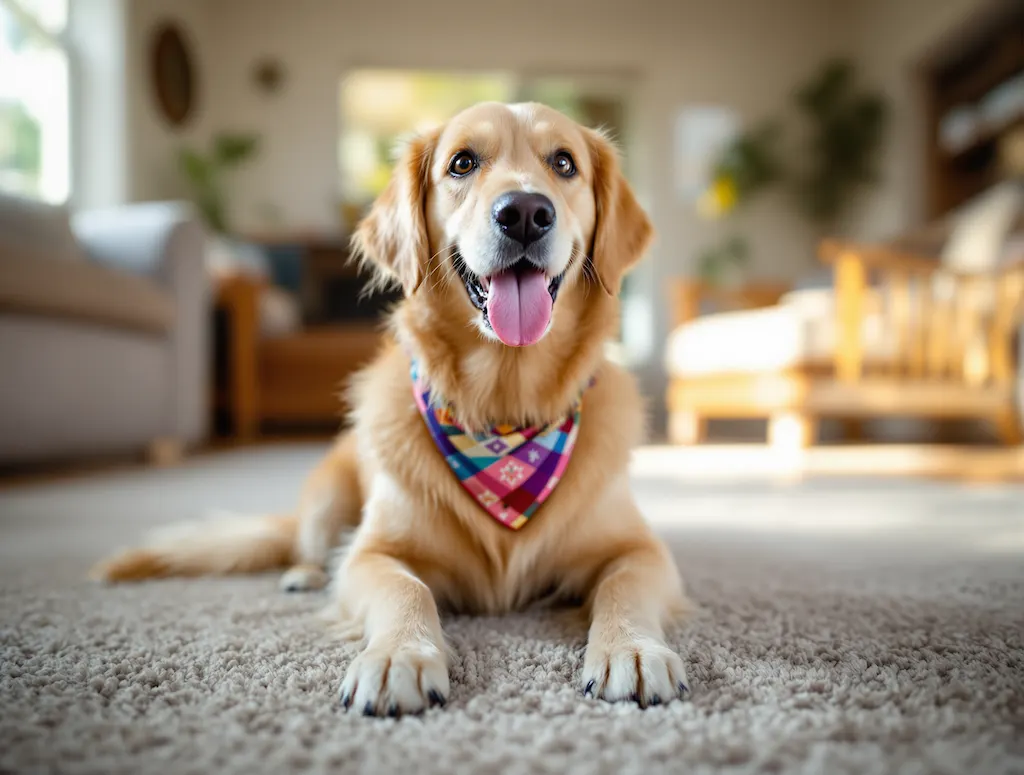
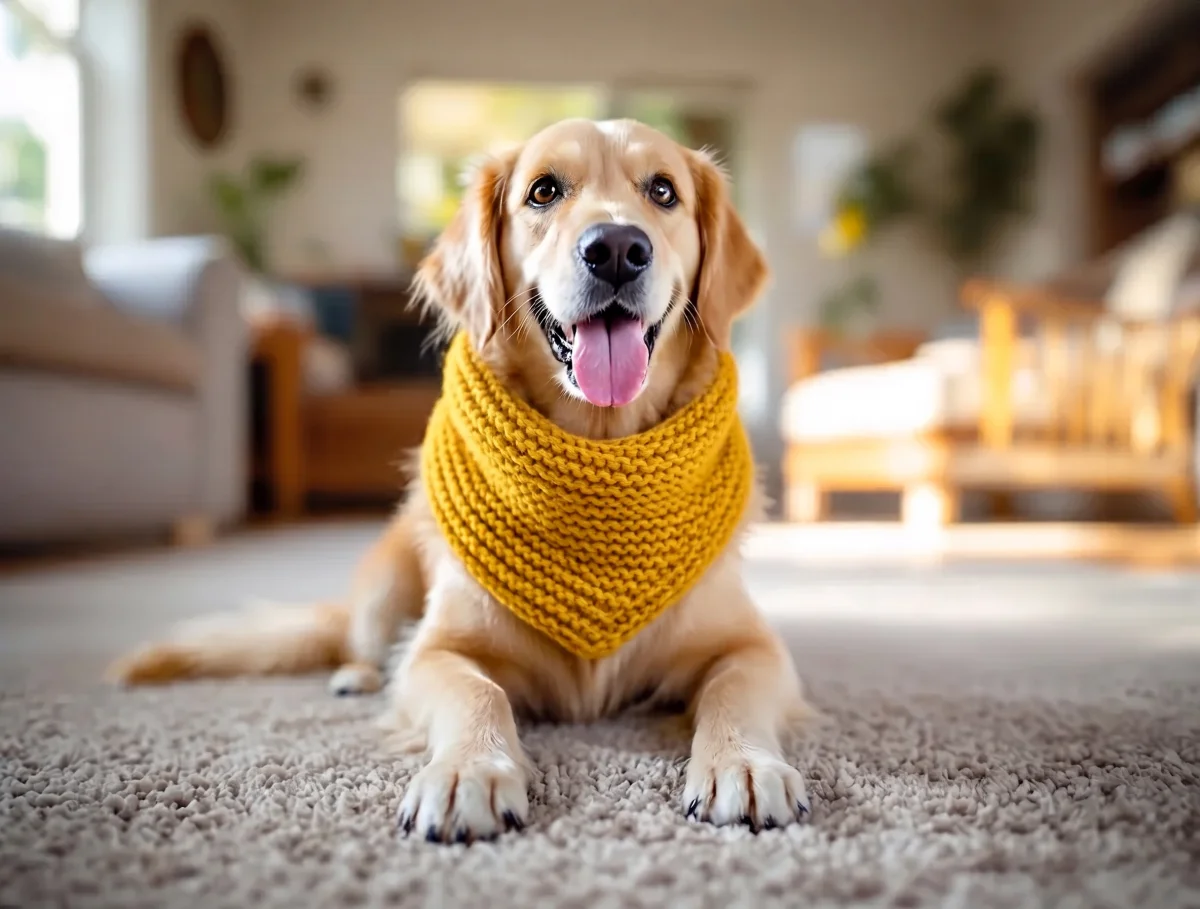
Change only the bandana into a solid mustard-yellow knitted scarf. Keep the dog, its pose, the carpet, the room and the light exactly the same.
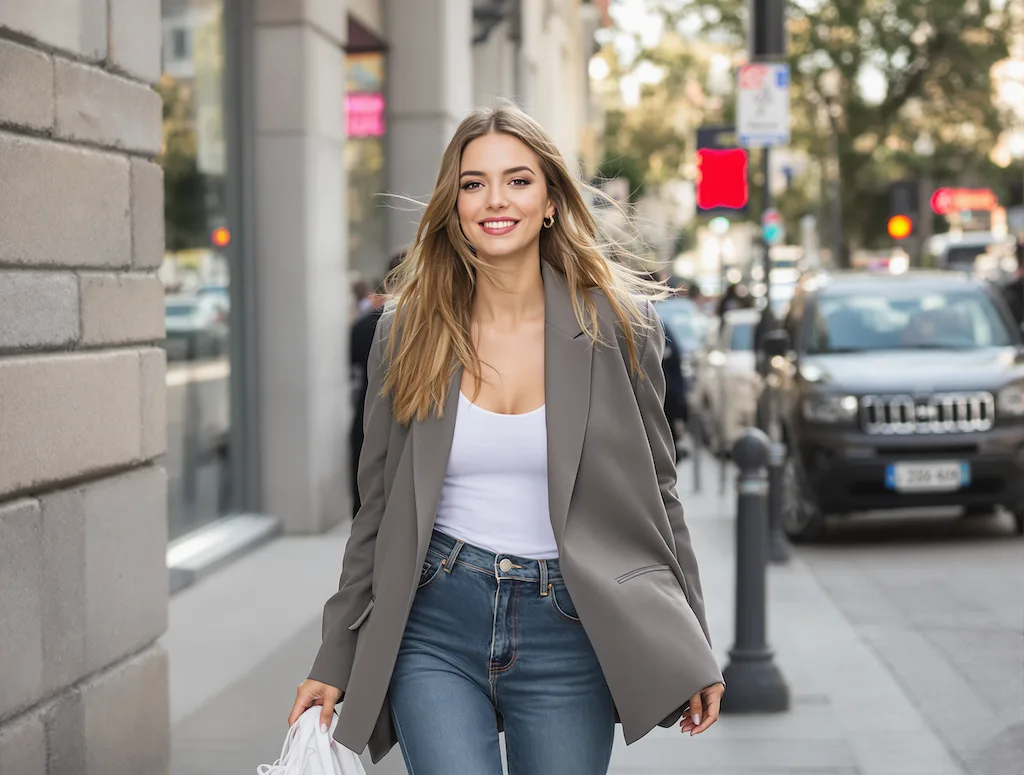
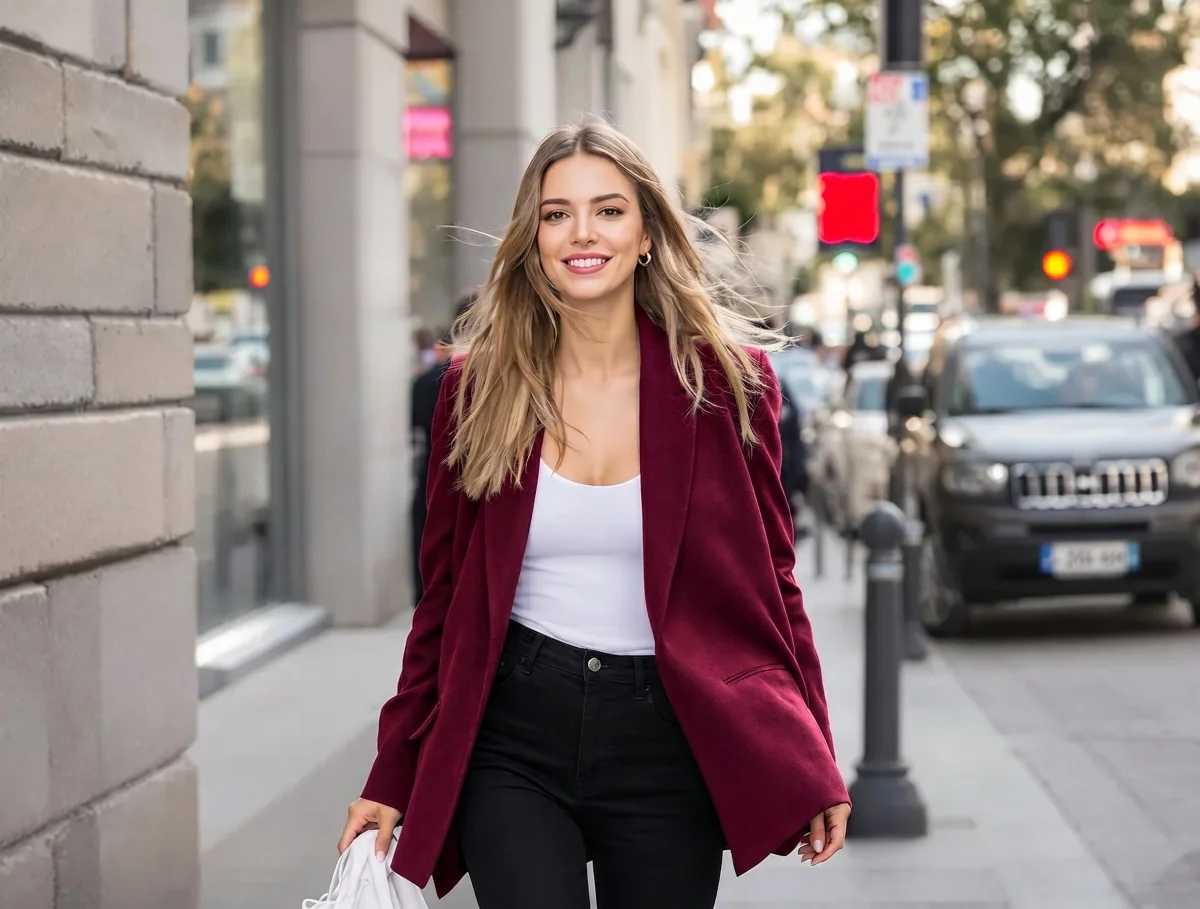
Change only the blazer to deep burgundy wool and the jeans to black. Keep her face, hair, pose, the street and the lighting exactly as they are.
How to use MiniMax H3 Image
Four steps from prompt to download. Credits are spent only when a run succeeds.
- 1
Write a prompt or upload
Describe the subject, setting, light and any exact words in quotes. To edit, upload up to 16 PNG, JPG or WEBP images, with the photo you want to change first.
- 2
Choose the prompt mode
Enhanced expands a short idea into a full scene. Exact keeps your wording for menus, labels and planned layouts, for text-to-image only.
- 3
Pick ratio and resolution
Choose one of 12 ratios, or Auto to match your upload. 2K costs 8 credits and suits most uses; 4K costs 25 credits for print and big screens.
- 4
Generate and refine
Most images arrive in 15–30 seconds. To change one thing, reuse the result as a reference and name only what should change.
MiniMax H3 Image prompt tips
From our own runs: quote exact words, number your reference images, and say what must stay.
MiniMax H3 Image vs Seedream 5.5, Nano Banana 2.1 and more
All five run on Flux1 AI from one credit balance. Pick by the job.
| Model | Best for | Max output | References | Typical wait | Credits / image |
|---|---|---|---|---|---|
| MiniMax H3 Image | Realistic photos, native 4K, many-image edits | 4K | Up to 16, 1 credit each | 15–30 s | 8–25 |
| Seedream 5.5 | Small text and transparent PNGs | 2K | Up to 10, extras billed | 15–40 s | 6–10 |
| Nano Banana 2.1 | Infographics, extreme ratios | 4K | Up to 14 | 60–90 s | 12–21 |
| Nano Banana Pro | Face likeness and in-scene text | 4K | Up to 14 | 10–15 s | 14–28 |
| GPT Image 2.5 | OpenAI's layouts and exact copy | 4K | Up to 14 | 30–60 s | 12–24 |
MiniMax H3 Image vs Seedream 5.5
Both are fast and photoreal at 2K, where Seedream 5.5 costs 10 credits against 8 here. Pick H3 Image for native 4K, more references (16 vs 10) and an Exact mode that turns the prompt rewrite off. Pick Seedream 5.5 for transparent PNGs and dense small text in Chinese.
MiniMax H3 Image vs Nano Banana 2.1
At 4K, H3 Image costs 25 credits and usually finishes in under 30 seconds; Nano Banana 2.1 costs 21 and takes 60–90 seconds. Nano Banana 2.1 is still the better choice for data-heavy infographics and extreme ratios such as 8:1, which H3 Image does not support.
MiniMax H3 Image pricing
You pay for the resolution, plus 1 credit per reference image. The prompt mode and ratio do not change the price. Failed runs are refunded automatically.
| Run | What you get | Credits |
|---|---|---|
| 2K | Text-to-image, about 4 MP, web and print | 8 |
| 4K | Text-to-image, about 16 MP, native detail | 25 |
| Each reference image | Added per uploaded image, up to 16 (+16) | +1 |
| Example | 2K edit with 3 reference images | 11 |
How far a monthly plan goes
Basic · 300 credits/mo
≈ 37 images at 2K or 12 at 4K
Pro · 800 credits/mo
≈ 100 images at 2K or 32 at 4K
Max · 2000 credits/mo
≈ 250 images at 2K or 80 at 4K
Counts are for text-to-image runs. Credits are shared across every image and video model.
Good to know before you start
Honest notes on what this page does and does not do.
Enhanced mode can add details
The default rewrite sometimes adds things you did not ask for, such as a logo on a product. Use Exact mode when every element must be yours. Exact works only for text-to-image with a fixed ratio; edits always use Enhanced.
References are charged
Each uploaded image adds 1 credit, including the first, because reference images add to the provider's cost. A plain text-to-image run has no extra charge.
One image per run, no seed
Each run returns one JPEG. There is no seed, negative prompt or step control on this page. For a series, rerun the prompt or reuse your best result as a reference.
Standard speed only
MiniMax also sells a Highspeed tier. In our tests it cost about twice as much and was not faster through our provider, so this page uses the standard model only.
Long text is not its strength
Titles, dates and short lists render well. Body copy, dense tables and small background signs can turn into pseudo-text, so proofread before you publish, or use Nano Banana 2.1 for infographics.
Content rules apply
Explicit or NSFW content is not supported. Prompts and uploads are screened, and a blocked run is refunded. Only edit photos of people with their consent.
MiniMax H3 Image FAQ
Is MiniMax H3 Image free to use?
The weights are free to download under MiniMax's community license, but running them needs a large GPU. Here each image costs 8 credits at 2K or 25 at 4K, plus 1 per reference image. Credits come with any Flux1 AI plan, and failed runs are refunded.
When was MiniMax H3 Image released?
MiniMax published the open weights on November 10, 2026, about three months after the MiniMax H3 video model. It is available on this page now.
Can I download MiniMax H3 Image and run it locally?
Yes, if you have the hardware and the license covers you. The official repository holds about 68 GB of model files plus a 66.7 GB text encoder shared with MiniMax H3, and ComfyUI and community GGUF builds exist. The license excludes the US, EU, UK and South Korea. This page needs no download.
What is P-H3-Image, and how is it different?
P-H3-Image is a separate open-weight model from Pruna AI, not from MiniMax. It reuses the MiniMax H3 diffusion model with Pruna's own text encoder, prompt upsampler and VAE, renders 8 MP images in 8 steps, edits with up to nine images, and fits in about 21 GB of VRAM. This page runs MiniMax's own H3 Image.
Is there a MiniMax H3 Image API?
MiniMax offers the model through its own API platform; check there for official pricing. The Flux1 AI API does not serve H3 Image yet, but it serves other image models; see the API docs. This page needs no API key.
MiniMax H3 Image vs Seedream 5.5 or Nano Banana: which is better?
It depends on the job. H3 Image is strongest at realistic photos, native 4K and edits with many references. Seedream 5.5 adds transparent PNGs and Chinese text, and Nano Banana 2.1 handles infographics and extreme ratios. All three share one credit balance here, so you can try each.
Is MiniMax H3 Image the same as MiniMax H3 or Hailuo?
They are related but different. MiniMax H3 is the video model of the same family, and Hailuo AI is MiniMax's consumer app for video and images. H3 Image makes still images only. For video, use our MiniMax H3 video page.
What content is allowed?
Everyday photos, products, posters, art and edits are fine. Explicit or NSFW content is not supported: prompts and uploads are screened, and a blocked run is refunded. Only edit photos of people with their consent, and check the license before commercial use of local runs.
Try MiniMax H3 Image
Write a prompt, choose 2K or native 4K, and get your first image in under half a minute.