
Seedream 5.5 Results
Seedream 5.5 AI Image Generator
ByteDance's newest Seedream model: more lifelike photos, clearer small text and native transparent PNGs. Generate from a prompt or edit with up to 10 reference images, at 1.5K or 2K, from 6 credits.
What is Seedream 5.5?
Seedream 5.5 is the image generation and editing model from ByteDance Seed, the team behind the Seedream series. It was introduced on November 9, 2026 as the next step after Seedream 5.0 Pro, with three headline upgrades: more stable multi-turn editing, native RGBA output with transparent backgrounds, and more realistic images with clearer text.
In ByteDance's announcement, the model keeps unedited areas unchanged at the pixel level, shown over 100 rounds of edits on one image. It renders skin, light and materials with less gloss and overexposure, and handles dense small text in English and Chinese with fewer errors. ByteDance reports better quality and usability scores than 5.0 Pro in all six use cases it tested, and a lead over GPT Image 2.5 Sunburst and Nano Banana 2.1 on text structure and text-to-image realism in its own tests.
On Flux1 AI you use it in the browser, with no BytePlus account or API key, on the same credits as 40+ other models. Most runs finish in under 40 seconds, much faster than 5.0 Pro here. For quick drafts, Seedream 5.0 Flash is still the cheapest Seedream.
- Developer
- ByteDance Seed
- Released
- November 9, 2026
- Modes
- Text-to-image and image editing
- Reference images
- Up to 10 per run, 1 credit each
- Output on Flux1 AI
- 1.5K or 2K PNG, standard or transparent background
- Aspect ratios
- Auto, 1:1, 4:3, 3:4, 16:9, 9:16, 3:2, 2:3, 21:9, 2:1, 1:2
- Typical wait
- About 15–40 s
- Cost
- 6 credits (1.5K) or 10 credits (2K), plus 1 per reference
Seedream 5.5 features
The three upgrades ByteDance announced, plus what we saw in our own runs.
Photos that look photographed
ByteDance says 5.5 renders light, materials and skin more naturally, with less of the glossy, overexposed look AI images often have. In our portrait test, fine lines, loose hair in the backlight and a matte mug all read as a real photo.
Small text you can read
Dense captions, numbered steps and complex Chinese characters come out cleaner. ByteDance measured a 0.4% severe text error rate. Our coffee infographic got all six steps right, including temperatures and grams.
Transparent PNGs, built in
Set Background to Transparent and the model draws the alpha channel itself, including see-through glass and soft fur edges. The PNG drops straight onto a slide, product page or design file, with no background removal step.
Edits that leave the rest alone
Upload up to 10 images and say what should change. ByteDance trained 5.5 to keep unedited areas pixel-identical, so you can reuse a result as the next reference and keep refining without the picture drifting.
Standard or transparent background?
Both settings cost the same. The Background setting only decides what fills the space around your subject.
Standard
A complete picture
- Photos, posters, infographics and scenes
- Edits of an uploaded photo that keep its background
- Every aspect ratio, including Auto to match your upload
Transparent
A ready-to-use cut-out
- Product shots, logos, stickers and icons
- Cut a subject out of an uploaded photo
- Real alpha channel, with partial transparency for glass and hair
Say "on a transparent background" in the prompt as well, and describe one subject. If the scene needs a floor, a shadow or a backdrop, use Standard.
Seedream 5.5 examples with prompts
Six unedited results from this model, each shown with its background setting, resolution and exact prompt.
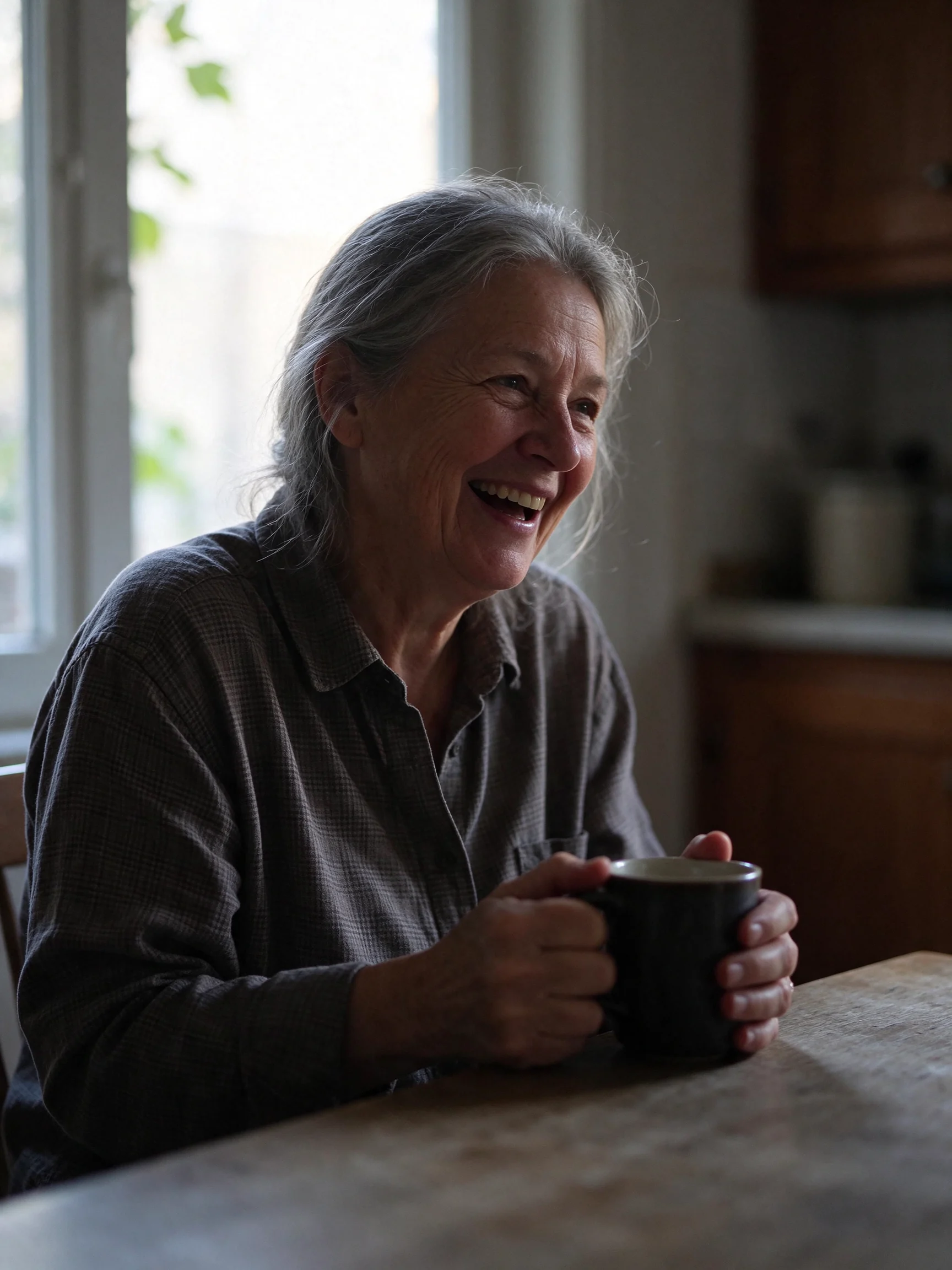
Natural portrait
Visible skin texture, fine lines and backlit hair, with side light that falls off into a soft shadow. Nothing looks airbrushed, which is the realism upgrade ByteDance describes.
Prompt · Standard · 2K: Candid portrait of a woman in her sixties laughing at a kitchen table by a window, late afternoon side light, visible skin texture and fine lines, loose grey hair catching the backlight, a mug in her hands, 50mm lens, natural colors, documentary photo
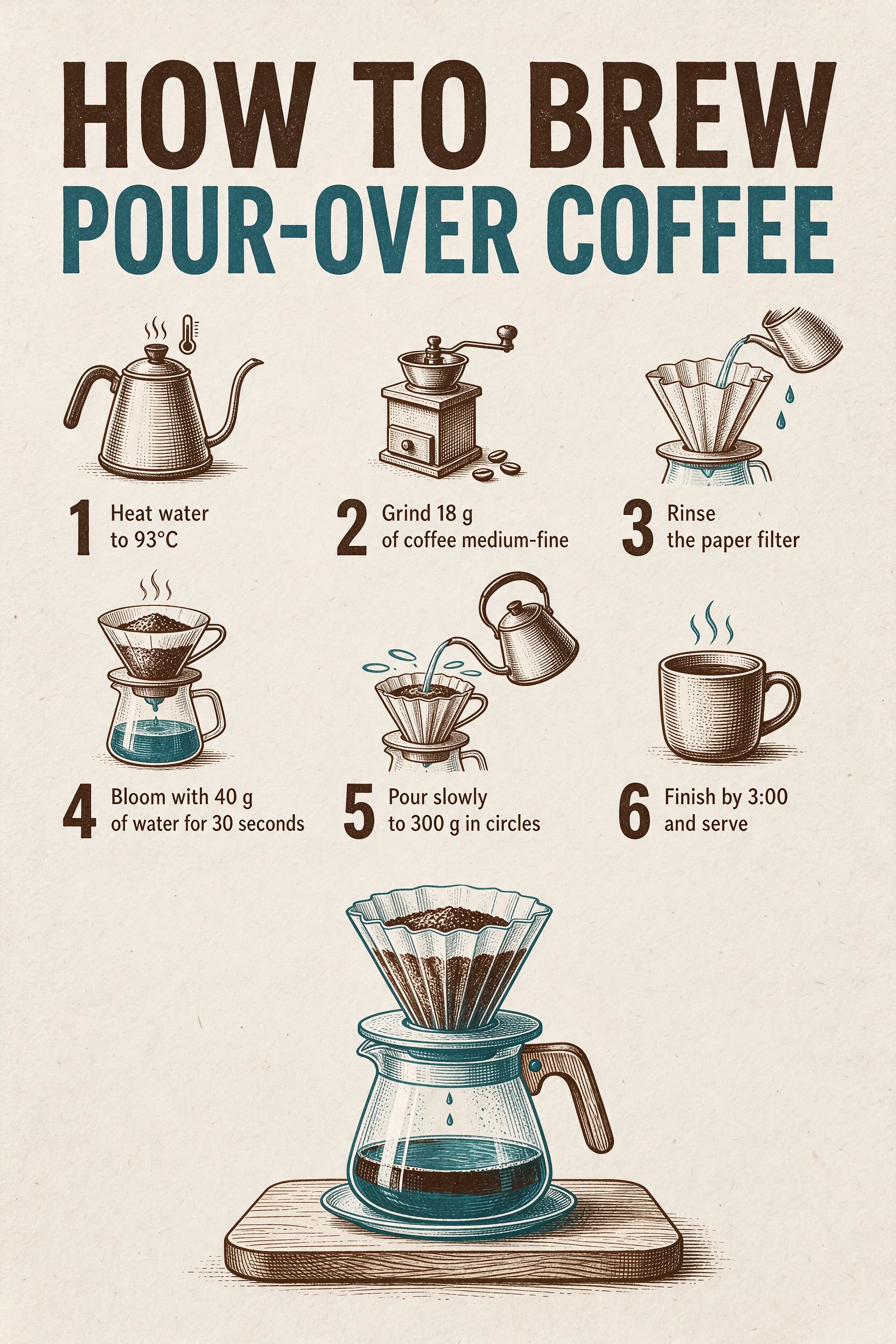
Infographic with small text
The title and all six steps are spelled correctly, with every number, unit and the 3:00 finish time intact. Each step has its own matching line icon, in the two ink colors asked for.
Prompt · Standard · 2K: A clean printed infographic poster titled 'HOW TO BREW POUR-OVER COFFEE'. Six numbered steps with small line icons: '1 Heat water to 93°C', '2 Grind 18 g of coffee medium-fine', '3 Rinse the paper filter', '4 Bloom with 40 g of water for 30 seconds', '5 Pour slowly to 300 g in circles', '6 Finish by 3:00 and serve'. Off-white paper, dark brown and teal ink, generous margins. No other text.
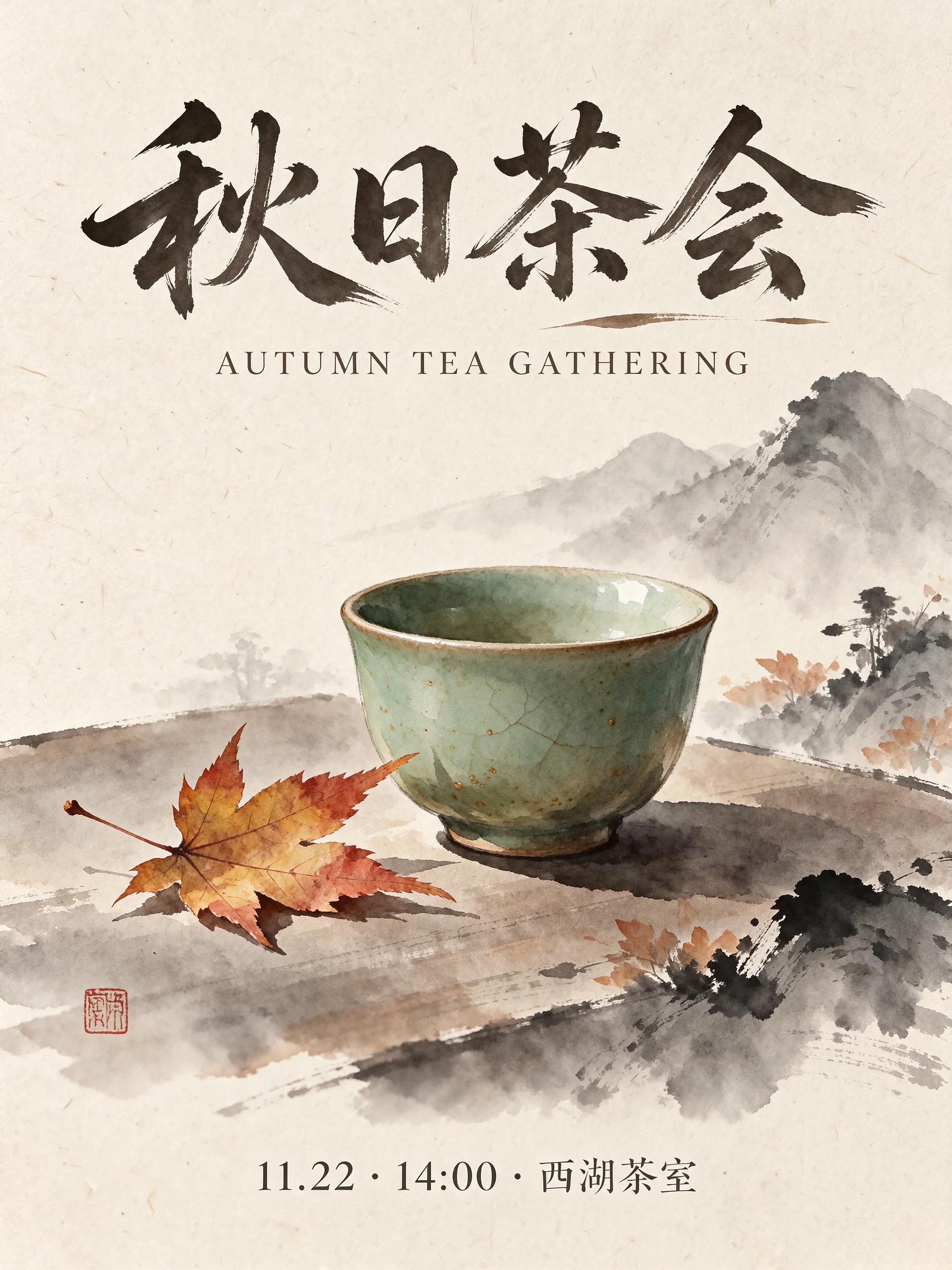
Chinese and English poster
The brush-style Chinese title, the spaced English line and the small date line are all correct and in the right places. The model added a red seal stamp on its own, a common touch in this style.
Prompt · Standard · 2K: A minimalist event poster for an autumn tea gathering. Large Chinese title '秋日茶会' at the top, English line 'AUTUMN TEA GATHERING' below it in small spaced caps, and a small line '11.22 · 14:00 · 西湖茶室' at the bottom. A single celadon teacup with a maple leaf beside it in the middle, ink-wash style, warm rice-paper background. No other text.
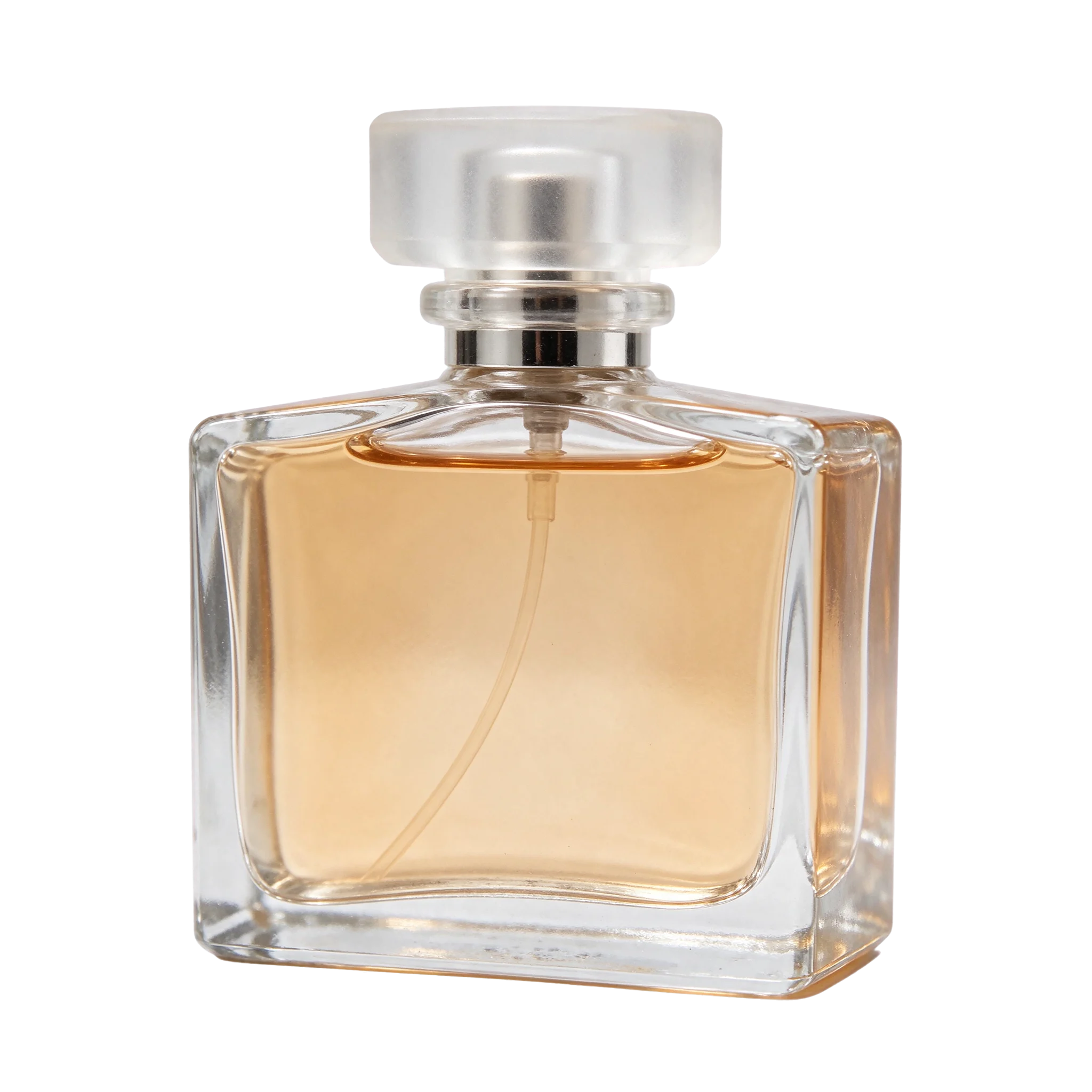
Glass on a transparent background
A real alpha channel: the cap is frosted and the glass edges are semi-transparent, so the bottle picks up whatever background you place it on. No mask or cleanup was needed.
Prompt · Transparent · 2K: A clear glass perfume bottle with a frosted glass cap and pale amber liquid, soft reflections and refraction through the glass, studio product shot, isolated object on a transparent background

Sticker with lettering
Die-cut shape, white border and "FRESH BAKED" in clean rounded letters, on a transparent background. It came back ready to print or drop into a design.
Prompt · Transparent · 1.5K: A die-cut sticker that reads 'FRESH BAKED' in chunky rounded letters above a small smiling croissant, thick white border, flat colors, transparent background
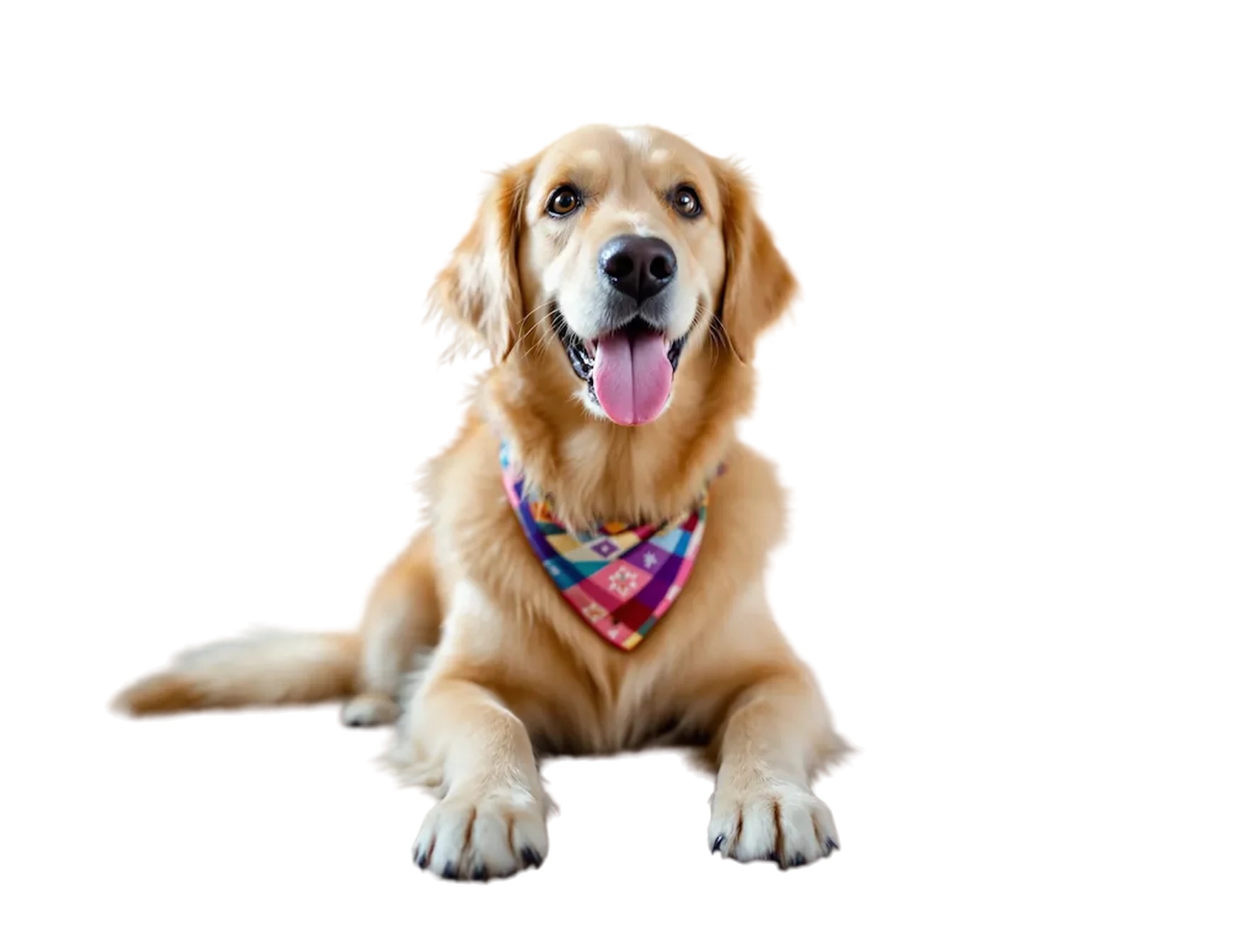
Cut-out from a photo
An uploaded photo of a dog, returned as a transparent PNG. The fur edges and the bandana pattern stay as they were. Edge detail on fine hair is good, but check it at full size before printing.
Prompt · Transparent · 1.5K: Cut out the dog with its bandana and return it on a transparent background. Keep the dog, its fur edges, pose and colors exactly as they are.
Edit a Photo with Seedream 5.5


Change only the bandana into a solid mustard-yellow knitted scarf. Keep the dog, its pose, the carpet, the room and the light exactly the same.
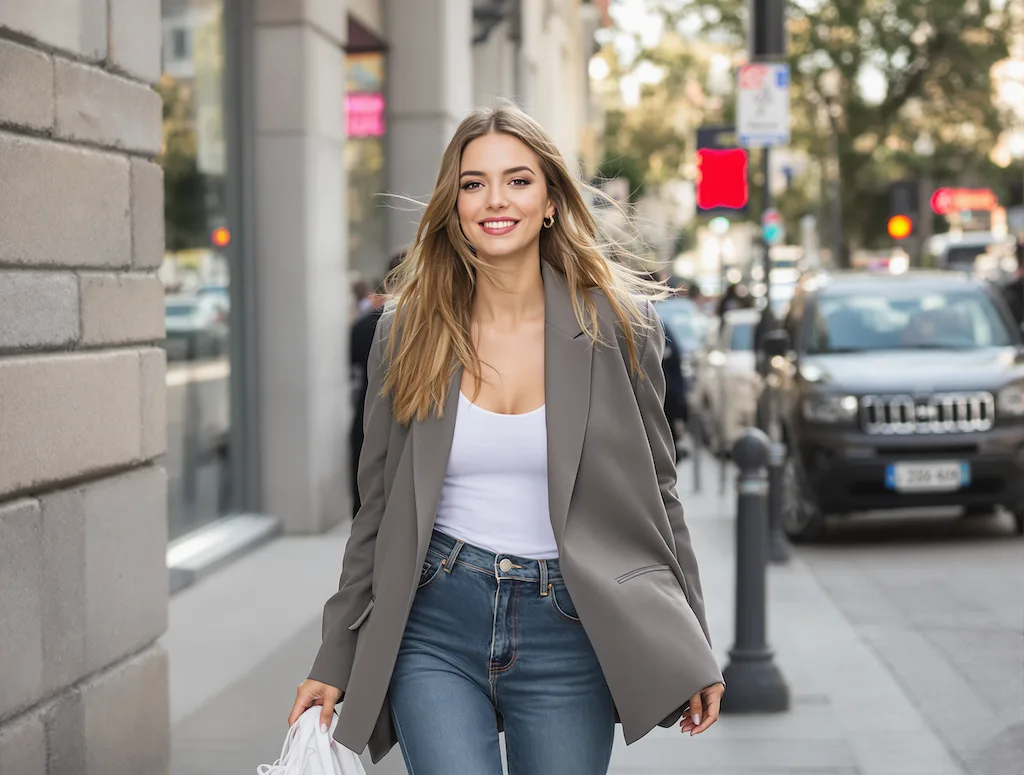
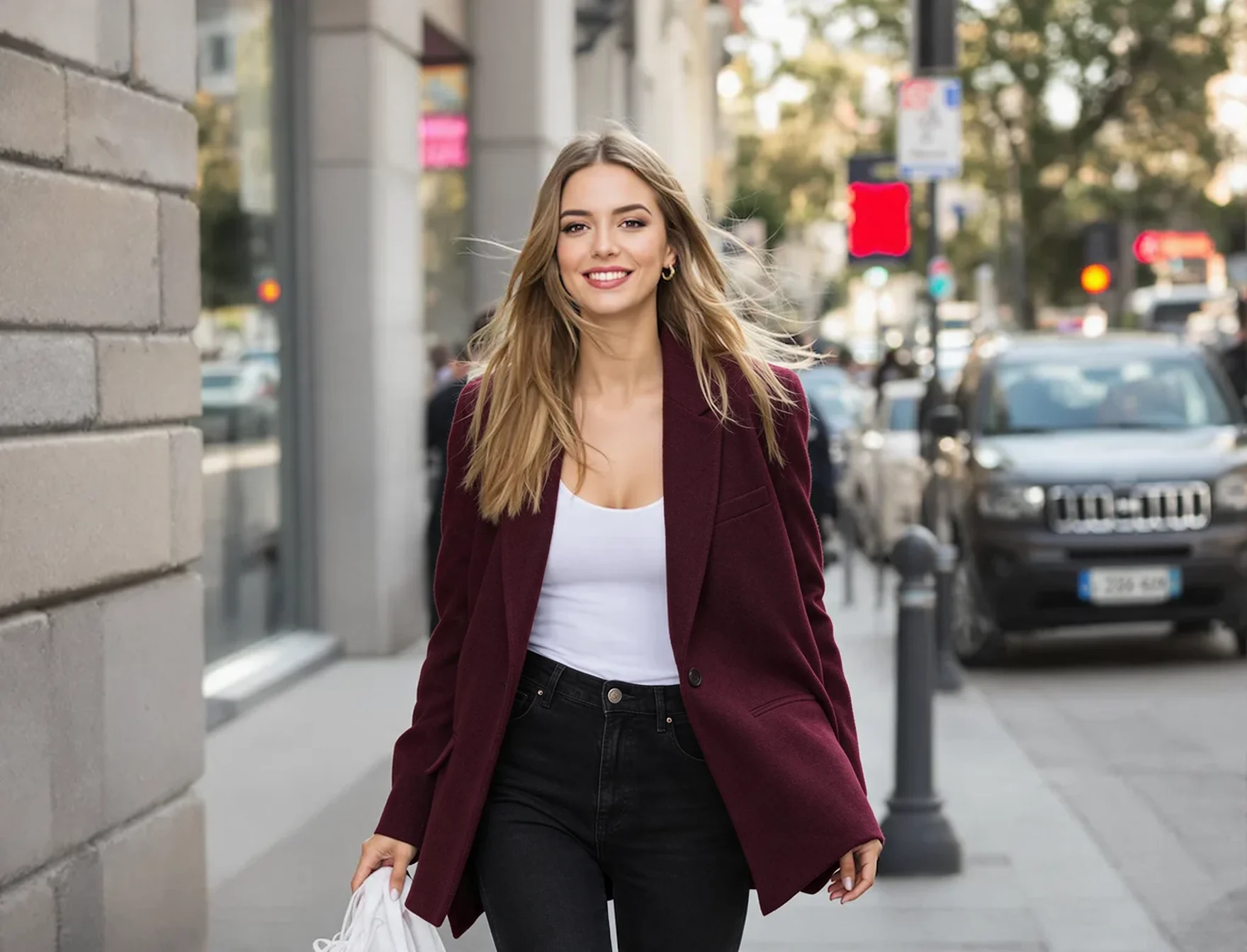
Change only the blazer to deep burgundy wool and the jeans to black. Keep her face, hair, pose, the street and the lighting exactly as they are.
How to use Seedream 5.5
Four steps from prompt to download. Credits are spent only when a run succeeds.
- 1
Write a prompt or upload
Describe the subject, setting, light and any exact words in quotes. To edit, upload up to 10 PNG, JPG or WEBP images, with the photo you want to change first.
- 2
Pick the background
Standard gives a complete image. Transparent gives a PNG with an alpha channel, for products, logos, stickers and cut-outs.
- 3
Choose ratio and resolution
Pick a ratio, or Auto to match your upload. 1.5K costs 6 credits and suits the web; 2K costs 10 credits for print and large screens.
- 4
Generate and keep refining
Most runs arrive in 15–40 seconds. To change one more thing, reuse the result as a reference and name only what should change.
Seedream 5.5 prompt tips
From our own runs: quote exact words, say what must stay, and ask for transparency in both the setting and the prompt.
Seedream 5.5 vs Seedream 5.0 Pro, Nano Banana 2.1 and more
All five run on Flux1 AI from one credit balance. Pick by the job.
| Model | Best for | Max output | References | Typical wait | Credits / image |
|---|---|---|---|---|---|
| Seedream 5.5 | Realistic photos, small text, transparent PNGs | 2K | Up to 10, 1 credit each | 15–40 s | 6–10 |
| Seedream 5.0 Pro | Dense infographics; the first reference is free | 2K | Up to 10, extras billed | 1.5–3 min | 6–10 |
| Seedream 5.0 Flash | Fast drafts and variations at a flat price | 2K | Up to 10, no extra cost | 10–20 s | 3 |
| Nano Banana 2.1 | Infographics, extreme ratios, 4K output | 4K | Up to 14 | 60–90 s | 12–21 |
| GPT Image 2.5 | OpenAI's layouts and exact copy, up to 4K | 4K | Up to 14 | 30–60 s | 12–24 |
Seedream 5.5 vs Seedream 5.0 Pro
Same price per image, 6 or 10 credits, but 5.5 finishes in well under a minute here, against 1.5–3 minutes for 5.0 Pro. 5.5 also adds transparent output and, per ByteDance, beats 5.0 Pro on quality in every use case it tested. The one place 5.0 Pro is cheaper: its first reference image is free.
Seedream 5.5 vs Nano Banana 2.1
ByteDance's own tests put 5.5 ahead of Nano Banana 2.1 on text structure and text-to-image realism. Here 5.5 is also cheaper and several times faster. Pick Nano Banana 2.1 when you need 4K or extreme ratios such as 8:1, which 5.5 does not offer on this site.
Seedream 5.5 pricing
You pay for the resolution, plus 1 credit per reference image. The background setting and ratio do not change the price. Failed runs are refunded automatically.
| Run | What you get | Credits |
|---|---|---|
| 1.5K | Text-to-image, web and social sizes | 6 |
| 2K | Text-to-image, print and large screens | 10 |
| Each reference image | Added per uploaded image, up to 10 (+10) | +1 |
| Example | 2K edit with 3 reference images | 13 |
How far a monthly plan goes
Basic · 300 credits/mo
≈ 50 images at 1.5K or 30 at 2K
Pro · 800 credits/mo
≈ 133 images at 1.5K or 80 at 2K
Max · 2000 credits/mo
≈ 333 images at 1.5K or 200 at 2K
Counts are for text-to-image runs. Credits are shared across every image and video model.
Good to know before you start
Honest notes on what this workflow does and does not do.
2K is the maximum here
Our provider serves this model at up to 2K, so there is no 3K or 4K on this page. For 4K, use Nano Banana 2.1 or GPT Image 2.5.
References are charged
Each uploaded image adds 1 credit, including the first one, because our provider bills every reference. A plain text-to-image run has no extra charge.
One image per run
Each run returns a single image. For a series, run again with the same prompt, or reuse your best result as a reference to keep the look.
No layers or Pro version yet
Some sites list layer splitting or 4K for this model. We do not offer them, and ByteDance says a Pro version of 5.5 will follow later. For a cut-out of an existing photo, our free background remover also works.
Prompts are rewritten upstream
The provider runs prompt optimization on every request, and we cannot turn it off. Very literal prompts may gain small extras, such as a seal stamp on a Chinese poster. Write "No other text" when the layout is fixed.
Content rules apply
Explicit or NSFW content is not supported. Prompts and uploads are screened, ByteDance's safeguards also check them, and a blocked run is refunded. Proofread any text before you publish it.
Seedream 5.5 FAQ
Is Seedream 5.5 free to use?
Each image costs 6 credits at 1.5K or 10 at 2K, plus 1 per reference image. Credits come with any Flux1 AI plan and work on every model here. No BytePlus account is needed, and failed runs are refunded.
When was Seedream 5.5 released?
ByteDance Seed introduced it on November 9, 2026. It follows Seedream 5.0 Pro, released in July 2026, and is available on Flux1 AI now.
Is there a Seedream 5.5 Pro?
Not yet. ByteDance's announcement says a Pro version of the 5.5 series will follow. Until then, the model on this page is the newest Seedream.
Seedream 5.5 vs Seedream 5.0 Pro: what changed?
ByteDance lists steadier multi-turn edits, native transparent backgrounds, more realistic images and clearer small text. On this site, 5.5 costs the same per image, finishes in seconds instead of minutes, and bills every reference, while 5.0 Pro includes the first one free.
Can Seedream 5.5 make transparent PNGs?
Yes. Set Background to Transparent and you get a PNG with a real alpha channel, including partial transparency for glass, hair and soft edges. It works from a prompt or from an uploaded photo you want cut out, at no extra cost.
Is there a Seedream 5.5 API?
ByteDance offers Seedream through its BytePlus platforms; check there for official 5.5 API access and pricing. The Flux1 AI API does not serve 5.5 yet, but it does serve Seedream 5.0 Pro and 5.0 Flash; see the API docs. This page needs no API key.
Can I download Seedream 5.5 and run it locally?
No. Seedream is a closed ByteDance model with no public weights, so it only runs through ByteDance's services and platforms built on them. Everything you generate here downloads as a PNG.
What content is allowed?
Everyday photos, products, posters, art and edits are fine. Explicit or NSFW content is not supported: prompts and uploads are screened here and by ByteDance, and a blocked run is refunded. Only edit photos of people with their consent.
Try Seedream 5.5
Write a prompt, choose a standard or transparent background, and get your first image in under a minute.