
Flux Kontext Result
Flux Kontext AI Image Editor
Edit any photo with a sentence. FLUX.1 Kontext Pro and Max from Black Forest Labs, online with no install.
How to Edit Images with Flux Kontext
- 1
Upload a photo
Drop in a PNG, JPG or WEBP up to 10MB, or paste an image URL. Add a second image to combine them.
- 2
Describe the change
Write what to change and what to keep, for example: "Change the jacket to red leather, keep the face and background."
- 3
Pick Pro or Max and generate
Choose the model and the aspect ratio, then press Generate. The result lands next to the form in under a minute.
Flux Kontext Examples
Restyle this person as anime.
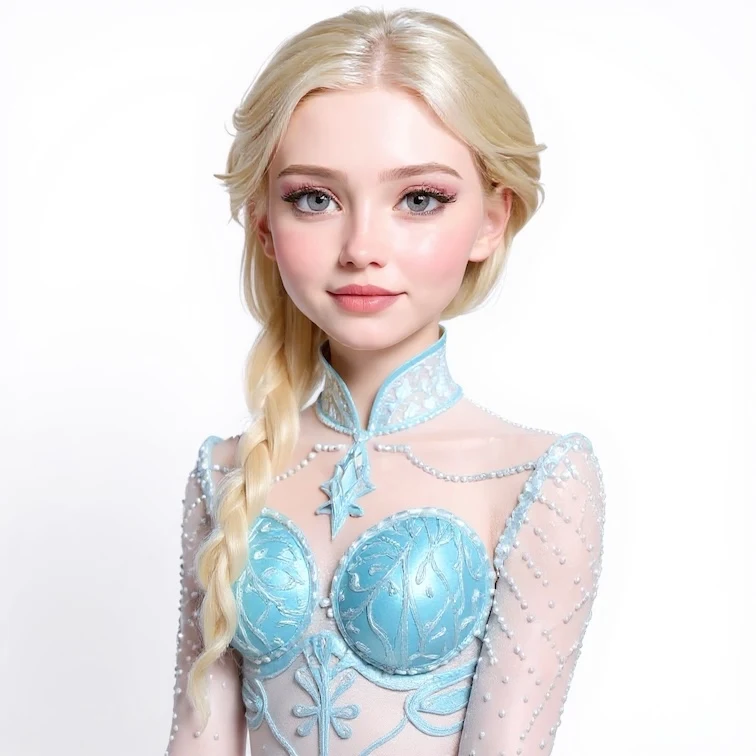
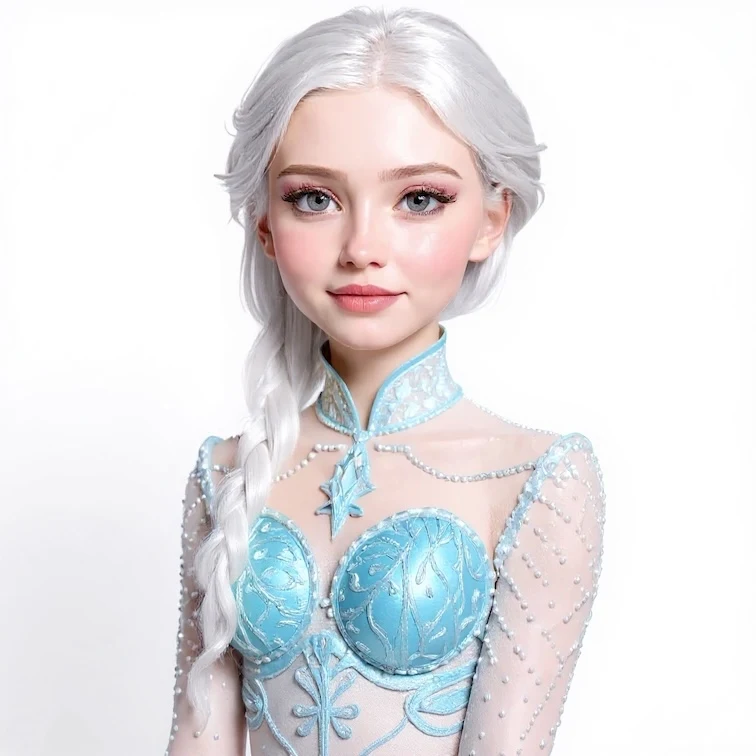
Change Hair Color To Icy Silver.
Remove the gray kitten from the image.
What You Can Do with Flux Kontext
Kontext edits in context: it changes only what you ask for and keeps the rest of the image as it was.


Style transfer
Turn a photo into anime, oil painting, watercolor or a 3D render while the composition stays put.
Try: Restyle this person as anime.
Text editing
Replace words on signs, posters and packaging while keeping the original font style.
Try: Replace "SALE" with "SOLD OUT" on the sign.
Background replacement
Move a subject to a new place with matching light, without cutting it out by hand.
Try: Put her on a beach at sunset, keep her pose and outfit.


Object and clothing edits
Add, remove or recolor objects and outfits with one instruction.
Try: Remove the gray kitten from the image.
Character consistency
Keep the same face and identity across new scenes, poses and outfits.
Try: Show the same man reading in a library, same face.

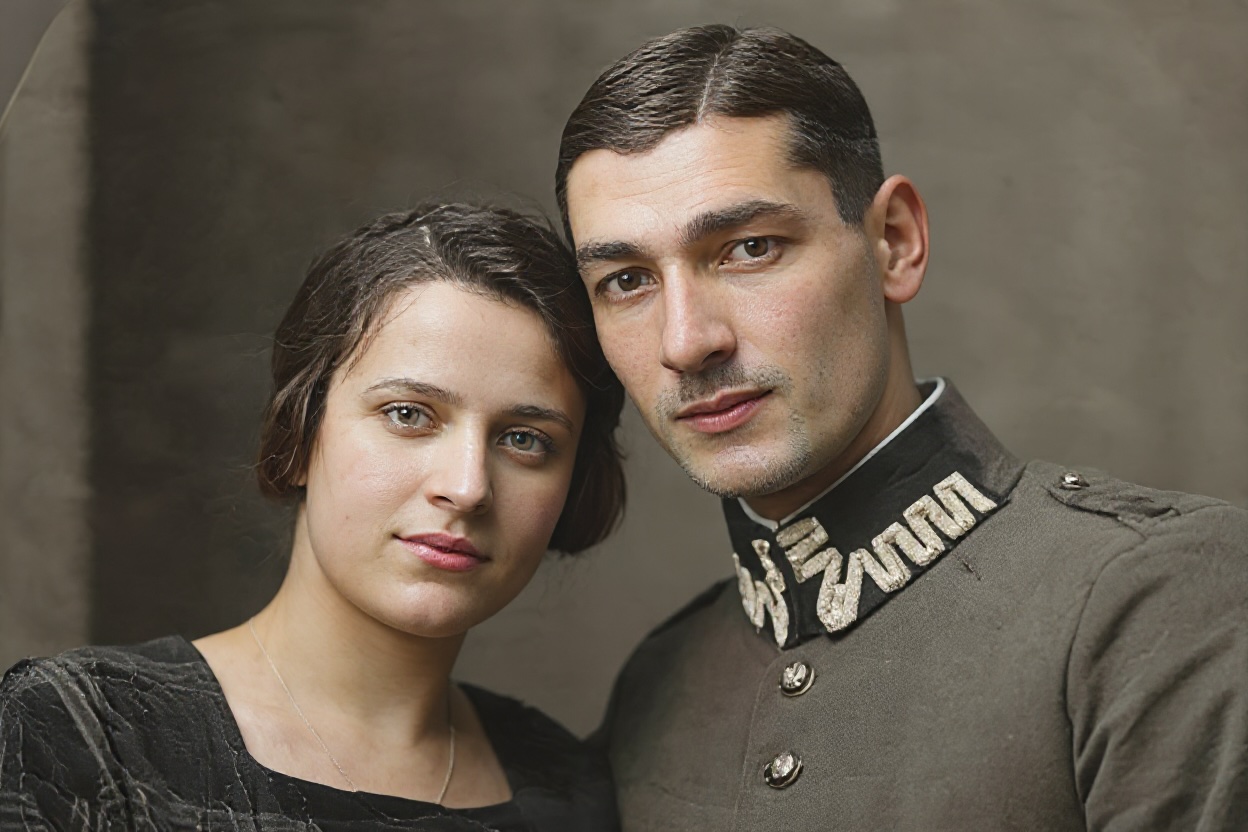
Photo restoration
Fix scratches, fading and noise on old photos and add natural color.
Try: Restore and colorize this photo, remove the scratches.
Flux Kontext Pro vs Max vs Dev
All three are FLUX.1 Kontext models from Black Forest Labs. They differ in quality, text rendering and cost.
| Model | Best for | Credits per image |
|---|---|---|
| Kontext Pro | Fast everyday edits: colors, objects, backgrounds, style changes and character consistency. | 6 |
| Kontext Max | The highest quality, the closest prompt adherence and clean typography. Required for 3+ reference images. | 10 |
| Kontext Dev | The 12B open-weights model, for experimenting and for users who want to run it locally later. | 5 |
Combine Multiple Reference Images
Upload two or more images and tell Kontext how to merge them: a product into a lifestyle scene, a person into a new location, or an outfit onto a model.
Flux Kontext Prompt Guide
Kontext follows direct instructions. Name the change, name what must stay, and edit one thing at a time.
Flux Kontext vs Nano Banana vs GPT Image 2
All three editors run on the same Flux1 AI credits, so you can pick per task.
Flux Kontext
Precise local edits that leave the rest of the image untouched, and text replacement that keeps the font.
Flux Kontext FAQ
Have a different question and can't find the answer you're looking for? Reach out to our support team by sending us an email and we'll get back to you as soon as we can.
- Family of AI Models: Flux Kontext is a new family of AI models available in three versions: [Dev], [Pro], and [Max].
- Revolutionary Image Editing: This model revolutionizes the image editing process.
- Simplified Instructions: Instead of describing what you want to create, you simply tell it what you want to change.
- Natural Language Understanding: It understands natural language instructions and makes precise edits while keeping everything else exactly the same.
- Advanced AI Understanding: Flux Kontext uses advanced AI to comprehend both your image and editing instructions.
- Image Upload and Commands: When you upload an image and provide a command like 'change the car color to red', it analyzes the scene.
- Precise Edits: It identifies the image and changes only what the command specifies while preserving everything else.
- Surgical Precision: This level of precision allows you to build complex edits step by step.
- Supported Image Types: Flux Kontext works with most image types, including photos, drawings, paintings, and digital art.
- Use Clear Images: For best results, select images with good lighting and clarity.
- Consistency Across Edits: The model excels at maintaining consistency in edits and preserving text styling.
- Precise Changes: It allows for making precise object-level modifications.
- Free Access: Yes, Flux Kontext is available for free!
- Credits for Registered Users: We offer 10 credits to registered users.
- Cost per Use: Using Flux Kontext requires only 6 credits, allowing you to experience it at no cost.
- Subscription Plans: If you need more creative capabilities, you can subscribe to our plans for additional credits.
- Use Clear Action Verbs: Utilize verbs like 'change', 'add', 'remove', or 'replace'.
- Be Specific: Clearly state what you want to modify. For example, instead of saying 'make it better', specify 'change the wall color to blue'.
- Text Edits: Use quotation marks for text changes, e.g., 'Replace SALE with SOLD'.
- Start Simple: Begin with straightforward edits and gradually build complexity step by step.
- Distinct from Traditional AI Tools: Flux Kontext stands apart from traditional AI tools that regenerate entire images.
- Precise Editing Capabilities: With Flux Kontext's precise editing capabilities, you can make targeted edits while preserving everything else.
- Fast Results: Most Flux Kontext edits finish in under a minute, with strong accuracy in following instructions.
- Consistency Across Edits: The model excels at maintaining consistency across multiple edits, preserving text styling, and handling complex transformations naturally.
- Quick Edits: Changing colors, styles, or text.
- Character Consistency: Maintaining subjects when moving between scenes.
- Product Visualization: Visualizing products in different contexts.
- Brand Asset Adaptation: Adapting assets across various media.
- Iterative Design Exploration: Exploring designs iteratively.
- Style Transfer: Preserving content structure while applying style transfer.
- Start with High-Quality Source Images: Use clear and detailed images in Flux Kontext.
- Make One Change at a Time: Focus on single edits instead of complex multi-part changes.
- Provide Specific Instructions: Clearly state what you want to change and what to preserve.
- Use Quotation Marks for Text Edits: Enclose text changes in quotation marks in Flux Kontext.
- Add Phrases to Prevent Unwanted Changes: Use "while maintaining" or "keeping" to avoid undesired modifications.
- Build Complex Edits Iteratively: Tackle edits step-by-step instead of attempting everything at once.
- Kontext Pro (6 credits): fast, reliable edits for everyday changes — colors, objects, backgrounds and style.
- Kontext Max (10 credits): Black Forest Labs' top Kontext model, with better prompt adherence and cleaner typography when you edit text in an image.
- Three or more reference images always run on Max; the form switches automatically.
What is Flux Kontext (also known as Flux Context)?
Overview of Flux Kontext (Flux Context)
How does Flux Kontext work?
What types of images can I use with Flux Kontext?
Flux Kontext Image Compatibility and Best Practices
Is Flux Kontext free to use?
How do I write effective instructions for Flux Kontext?
Guidelines for Effective Edits
How does Flux Kontext compare to other editing tools?
Unique Features of Flux Kontext
What are some common use cases for Flux Kontext?
Flux Kontext's Powerful Editing Capabilities
How can I get the best results from Flux Kontext?
Tips for Optimal Results with Flux Kontext
What is the difference between Flux Kontext Pro and Max?
Can I use more than one reference image?
Yes. Upload several images in Image to Image mode and describe how to combine them, for example putting a person from image 1 into the scene of image 2. Free accounts can add up to 2 reference images; paid plans up to 10.
Is there a prompt length limit?
FLUX.1 Kontext reads about 512 tokens of prompt, roughly 350 English words. Short, specific instructions work better than long descriptions: say what to change and what to keep.
Can I keep editing the result?
Yes. Download the result, upload it as the new reference image and give the next instruction. Building an edit in small steps usually beats one long prompt that asks for everything at once.
Will my images have a watermark?
Images created on a free account carry a small watermark. On any paid plan the watermark is off by default, and you can turn it on or off in the form.
Is Flux Kontext open source?
Partly. FLUX.1 Kontext [dev] is a 12B open-weights model released under a non-commercial license, and you can try it on our Flux Kontext Dev page. Kontext Pro and Max are Black Forest Labs' hosted models, available here without any setup.
Can I use Flux Kontext images for commercial purposes?
Yes. Images you create on a paid plan can be used in commercial projects such as ads, product photos, thumbnails and social posts, subject to our Terms of Service. Make sure you have the rights to any photo you upload, and review each result before you publish it. Images made on a free account carry a watermark.
Are my uploaded photos private?
Yes. Your uploads and results appear only in your own My Images library; we don't publish them to a public gallery. Photos are sent to the model provider only to run your edit, and you can delete results from your library at any time. See our Privacy Policy for details.
Start Editing with Flux Kontext
New accounts get 10 free credits, enough for a Kontext Pro edit.