Annual Sale!Get 30% offClaim Now→

AI Video Effects Generator
Christmas Night
Usually 2–3 min. The finished clip is also saved to My videos.
Christmas Night FX
Create a cinematic Christmas night portrait with festive lights and snowfall
Christmas Night FX examples
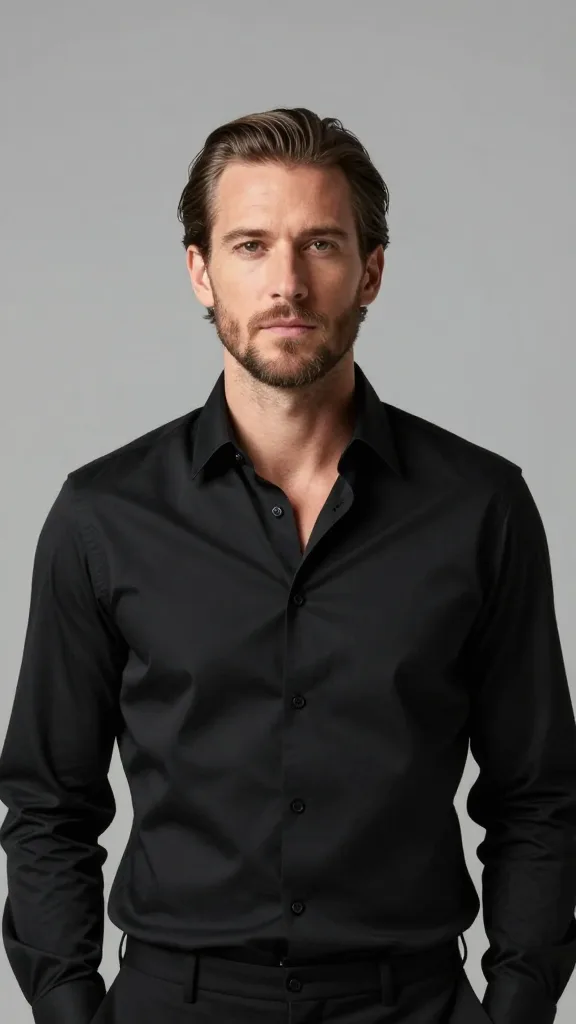
Original image
Generated video
Christmas Night FX FAQ
Have a different question and can't find the answer you're looking for? Reach out to our support team by sending us an email and we'll get back to you as soon as we can.
What is the Christmas Night Effect?
The Christmas Night Effect is an AI-powered video feature that transforms a portrait into a cinematic Christmas evening scene. Flux1 AI enhances the image with festive lighting, glowing decorations, soft snowfall, and subtle motion to create a warm holiday atmosphere while preserving the subject’s identity.
How does the Christmas Night Effect work?
Upload a single portrait photo, and Flux1 AI automatically analyzes facial structure, lighting, and composition. The system then adds Christmas night elements such as warm light bokeh, holiday décor, and gentle snowfall, rendering a short animated video with a cinematic finish.
What kind of photo works best?
Clear, front-facing portraits with good lighting produce the best results. Images where the subject is well separated from the background help the festive lighting and snowfall blend naturally. Avoid extreme shadows, heavy filters, or very low-resolution images for optimal quality.
Does this effect change my appearance?
No. Flux1 AI preserves your facial identity and natural features. The effect focuses on atmosphere and lighting rather than altering facial structure. You will still look like yourself—enhanced by a cinematic holiday setting.
Are there any limitations to be aware of?
In rare cases, background lighting effects may appear stronger or softer depending on the original image. If the subject blends heavily into the background, some decorative elements may appear less distinct. These variations depend on lighting and image clarity.
Can I use group photos with this effect?
This effect is optimized for single-person portraits. Group photos may lead to inconsistent lighting or motion effects, as the system is designed to focus on one primary subject.
Is my photo safe when using Flux1 AI?
Yes. Your image is processed securely and used only to generate your video. Flux1 AI does not store, reuse, or share uploaded photos. All content is automatically deleted after processing to protect your privacy.
How long does it take to generate the video?
Most Christmas Night videos are generated within 20–40 seconds. Processing time may vary slightly based on image resolution and system load, but results are delivered quickly with cinematic quality.