Annual Sale!Get 30% offClaim Now→

AI Video Effects Generator
Deep Sea Mermaid
Usually 2–3 min. The finished clip is also saved to My videos.
Deep Sea Mermaid AI Video Generator
Transform any photo into an enchanting underwater video with flowing tails, shimmering scales, and dreamy ocean light.
Deep Sea Mermaid AI Video Generator examples
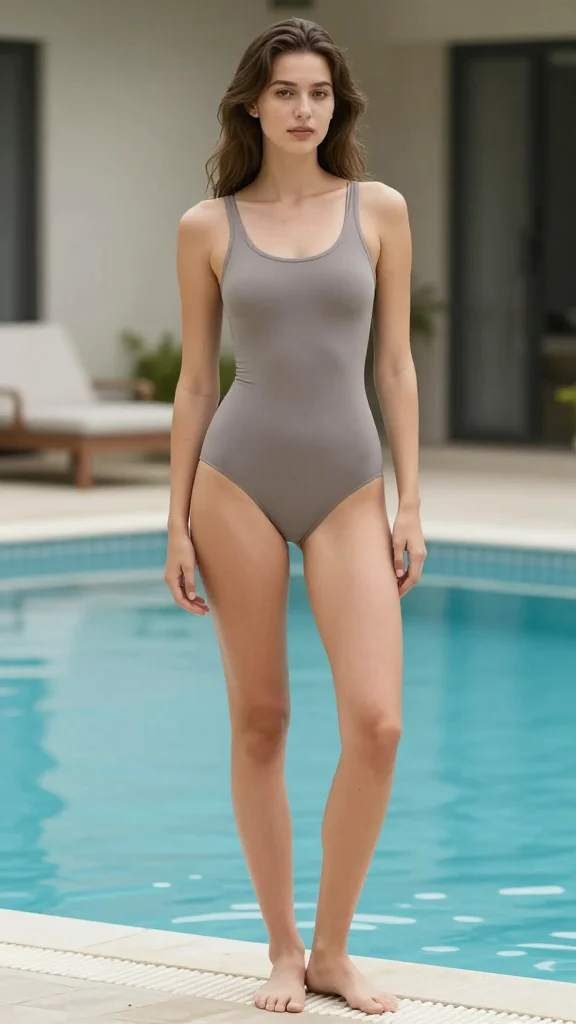
Original image
Generated video
Deep Sea Mermaid AI Video Generator FAQ
Have a different question and can't find the answer you're looking for? Reach out to our support team by sending us an email and we'll get back to you as soon as we can.
What is the Deep Sea Mermaid AI Video Generator?
The Deep Sea Mermaid AI Video Generator is our enchanting underwater transformation tool. It converts any photo into a magical deep-sea animation, complete with shimmering ocean backdrops, flowing tails, and mystical underwater light rays.
How does the Deep Sea Mermaid AI Video Generator work?
Upload a photo and Flux1 AI automatically detects each person, analyzes their pose and outfit, and places them underwater as realistic mermaids. The AI adds animated tails and waves, adjusts colors for an aquatic atmosphere, and creates lifelike movement. No manual editing is required, and your video is typically ready within a minute.
Does the Deep Sea Mermaid AI Video Generator support multiple people?
Yes. The Deep Sea Mermaid AI Video Generator works with single-person and two-person photos, and can support certain group images. Each person detected will be transformed with individualized animation, so friends or family can appear together in the same underwater scene.
What type of photos produce the best results?
For optimal results, use clear standing or sitting photos where the subjects' full bodies or half bodies are visible. Good lighting, uncluttered backgrounds, and unobstructed bodies help the AI generate natural tail animation and underwater effects. Avoid low-resolution images or tightly cropped frames, as they may decrease the realism of the transformation.
Are there any limitations with this effect?
Some limitations exist: If the subject's lower body is blocked or cropped, the tail animation may appear incomplete or slightly disconnected. Accessories like large bags or props can sometimes overlap oddly with the digital tail. The AI does not change faces but does recolor clothing to blend with underwater light.
Will this effect change my face or background?
The Deep Sea Mermaid AI Video Generator does not change faces or body structure but reimagines clothing and environment for a believable undersea look. The background is transformed into an aquatic scene, and existing outfits are recolored for realism. Facial details remain true to the uploaded photo.
What is the difference between Deep Sea Mermaid and AI Mermaid Filter?
The Deep Sea Mermaid AI Video Generator creates a more immersive, fantasy-style underwater experience with darker deep-ocean visuals, bioluminescent light rays, and a dramatic color palette. The AI Mermaid Filter offers a brighter, tropical transformation. Choose Deep Sea Mermaid for atmospheric, cinematic underwater scenes.
Is my uploaded photo safe and private?
Yes. Your photo is processed securely and is used only to generate your video. All content is deleted after processing, and Flux1 AI never stores, reuses, or shares your images. Processing is automated and encrypted to ensure your complete privacy.