Annual Sale!Get 30% offClaim Now→

AI Video Effects Generator
Forest Fairy Transformation
Usually 2–3 min. The finished clip is also saved to My videos.
Forest Fairy Effect
Turn a single portrait into a cinematic fantasy scene with lifelike motion and enchanted forest styling
Forest Fairy Effect examples
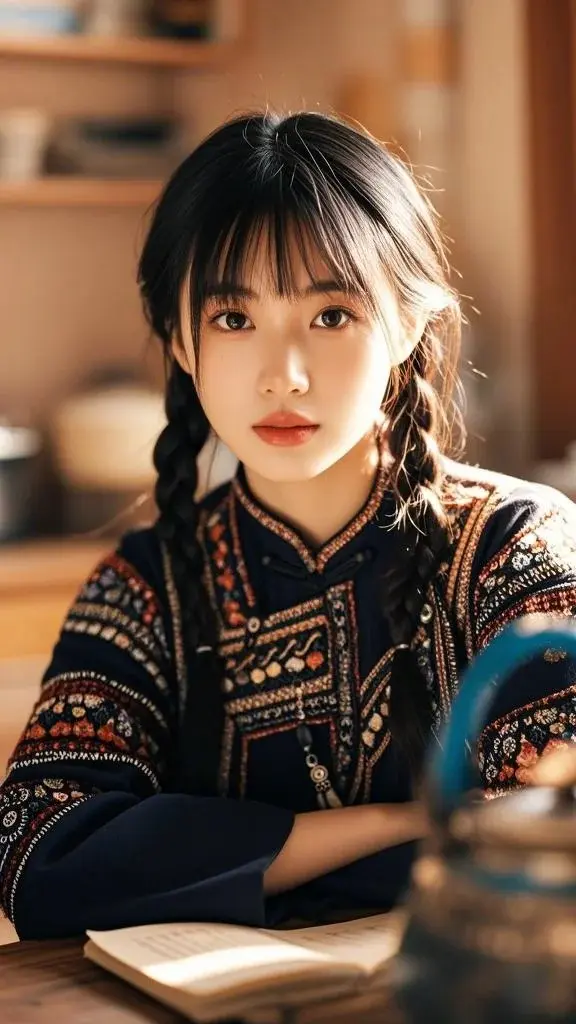
Original image
Generated video
Forest Fairy Effect FAQ
Have a different question and can't find the answer you're looking for? Reach out to our support team by sending us an email and we'll get back to you as soon as we can.
What is the Forest Fairy Transformation?
The Forest Fairy Transformation is an AI-powered video effect that turns a single female portrait into a cinematic fantasy scene. Flux1 AI enhances the original image with dynamic motion, flowing fabric, natural wind effects, enchanted forest lighting, and subtle character animation. The result is a lifelike, immersive fairy-style video while preserving the user's facial identity with high fidelity.
How does the effect work?
Upload one frontal or near-frontal image of a female subject. Flux1 AI analyzes facial structure, pose, lighting, and visual context, then reconstructs the scene into a stylized forest environment. The system animates hair, clothing, and background elements while maintaining identity consistency. Advanced motion modeling ensures smooth transitions, expressive micro-movements, and cinematic depth.
What types of images work best?
Clear, high-resolution portraits of a single female subject with visible facial features produce the most accurate results. Neutral expressions, natural lighting, and uncovered hair often enhance motion realism. While headwear is allowed, please note that it may remain in the final video due to model constraints. Avoid heavily filtered or low-light photos to maintain fidelity.
What are the limitations of the effect?
There is a small probability that headwear or accessories in the uploaded image will remain visible in the generated scene. In rare cases, the camera may not focus entirely on the face throughout the animation. Additionally, extreme poses, heavy occlusions, or cropped facial regions may reduce animation realism. These limitations vary based on input quality and scene complexity.
Can the effect be used for non-female subjects?
No. This effect is optimized exclusively for single female portraits. The animation logic, costume styling, and environmental transformation are designed around female features to ensure visual consistency. For other subjects or multi-person transformations, Flux1 AI offers additional video effects tailored to different scenarios.
Will the AI change my facial features?
Flux1 AI is designed to maintain identity fidelity. Facial structure, skin tone, and key features are preserved as closely as possible while integrating fantasy styling and lighting. Minor artistic enhancements may appear due to the cinematic nature of the effect, but the output will still look like the original person.
Is my photo safe when using this tool?
Yes. All uploaded images are processed securely and used only for generating your video. Flux1 AI does not store, reuse, or share your images. After generation, your data is automatically cleared according to our strict privacy and security policies to ensure complete user protection.
How long does the video generation take?
Most videos are generated within 30–60 seconds, depending on system load and animation complexity. The model performs multiple reconstruction stages—identity alignment, environment generation, motion synthesis, and rendering—which may extend processing time slightly but ensures high-quality cinematic output.